9
DISPLAY MANUAL DP C15.UART
FUNCTIONS SETTING
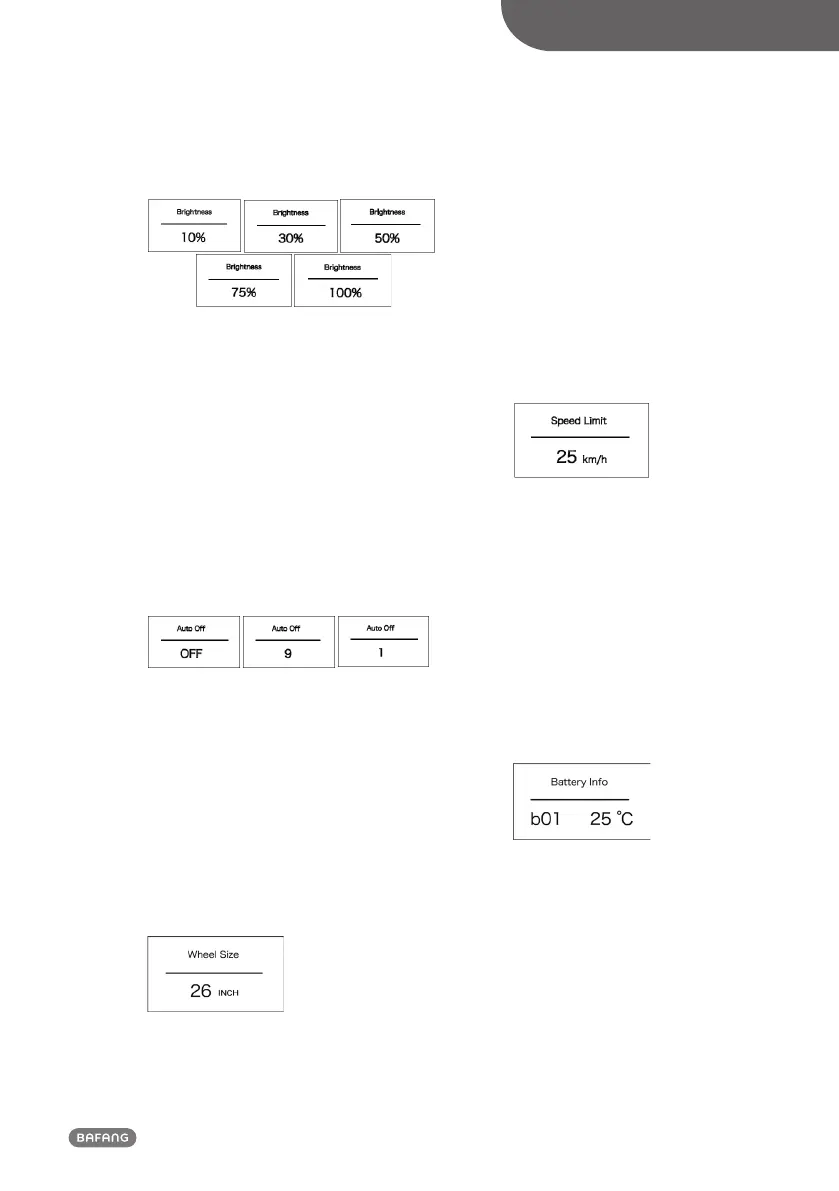
(Backlight luminance level display interface)
• “Auto Off” time setting
Enter into “Display Setting” interface and
briefly press “+” or “-” to select “Auto Off”
and then briefly press “power” to confirm
selection. Briefly press “+” or “-” to select as
“OFF”/“9”/“8”/“7”/“6”/“5”/ “4”/“3”/“2”/“1”.
After selection, briefly press “power” to
save the setting and exit back to “Auto Off”
interface. Press and hold “+” and “-” at the
same time to exit back to main interface or
select “BACK” → “EXIT” to exit back to main
interface.
(“Auto Off” time setting interface)
• Check wheel size
Enter into “Information” interface and briefly
press “+” or “-” to select “Wheel Size” and
then briefly press “power” to check the
wheel size.
Briefly press “power” to exit back to “Infor-
mation” interface. Press and hold “+” and
“-” at the same time to exit back to main
interface or select “BACK” → “EXIT” to exit
back main interface.
(Wheel size indication interface)
• Check speed limit
Enter into “Information” interface and briefly
press “+” or “-” to select “Speed Limit” and
briefly press “power” to check the speed
limit. Briefly press “power” again to exit back
to “Information” interface. Press and hold
“+” and “-” to exit back to main interface
or select “BACK” → “EXIT” to exit back main
interface.
(Speed limit indication interface)
• Check battery information
Enter into “Information” interface and briefly
press “+” or “-” to select “Battery Info.” And
briefly press “power” to confirm selection.
Briefly press “+”, it display in turn b01 → b04
→ b06 → b07 → b08 → b09 → b10 → b11 →
b12 → b13 → d00 → d01 → d02 → … → dn.
briefly press “power” to exit back to “Battery
Info.” Press and hold “+” and “-” to exit back
main interface or select“BACK” → “EXIT” to
exit back to main interface.
(Battery information indication interface)













 To Next Page