14
DISPLAY MANUAL DP C18.UART
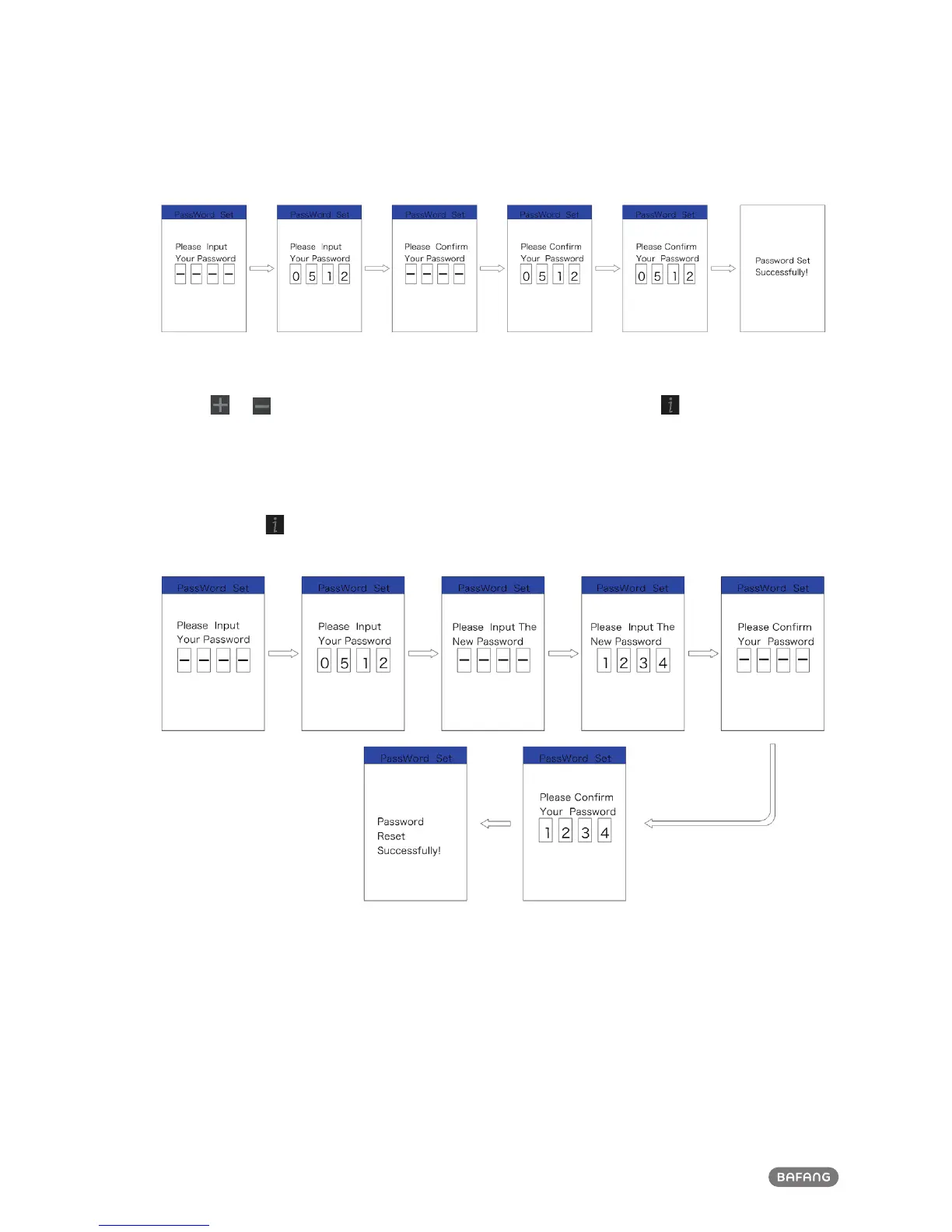
Reset password:
After setting the password, the interface “Password” will add option “Reset Password”. Briefly press
(<0.5S)
or to select “Reset Password”, and then briefly press (<0.5S) . This time it prompt
input current password in the interface. If inputing worng password for ten tiems, the display will
turn off automatically. When inputing right password, it prompt input new passwrod in the interface.
The following step is same with starting password. After changing the password, it will exit auto-
matically back to the original interface within two seconds.
Briefly press for
two times (interval time is less than 0.5S) to exit back to the main interface or
select “BACK” → “EXIT” to exit back to main interface.













 To Next Page