11
DISPLAY MANUAL DP C18.UART
USER SET
Enter into “SETTING” interface.
After turn on the display, briefly press (<0.5S)
for two times to enter into the“SETTING”
interface. The interface includes the three
options as “Display setting”,“Information”a
nd“EXIT”. Briefly press (<0.5S) or to
switch the options and then briefly press
(<0.5S) to confirm and enter into the op-
tion. Select “EXIT” and briefly press (<0.5S)
to exit the interface or briefly press
(<0.5S) for two times in any interface to
exit the set inface. The set dates are saved
for the two exit mode. If there is no any
operaion within 20s and then exit the set
interface, no any dates are saved.
• Enter into“Display setting”interface
In “SETTING” interface, briefly press (<0.5S)
or to select “Display setting” and then
briefly press (<0.5S) to confirm and enter
into “Display setting”. There are thirteen set
options in the interface.
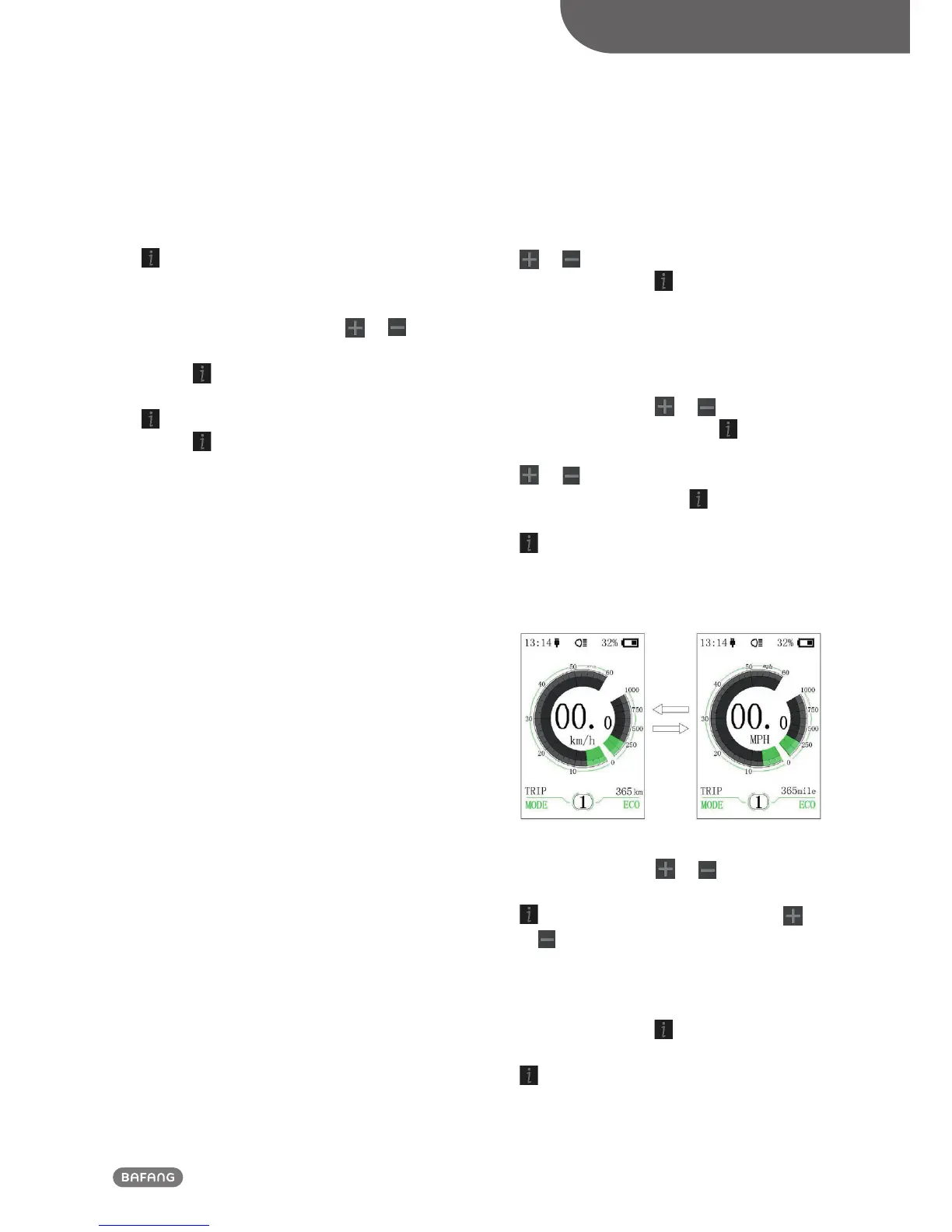
⑴ “Unit”--- unit switch between the km
and mile
Briefly press (<0.5S)
or to select“Unit”,
and then briefly press (<0.5S) to enter
into the set interface. Briefly press (<0.5S)
or to select “Metric”/ “Imperial”, and
then briefly press (<0.5S) to save the set
and exit back to“Unit”interface. Briefly press
for two times (interval time is less than
0.5S) to exit back to main interface,or select
“BACK” → “EXIT” to exit back to the main
interface.
⑵ “Brightness”--- set display brightness
Briefly press (<0.5S)
or to select
“Brightness” and then briefly press (<0.5S)
. This moment, briefly press (<0.5S)
or to switch the percentage as “100%”/
“75%”/“50%”/“30%”/“10%”. 100% is the
highest brightness, 10% is lowest bright-
ness. After select the brightness percentage,
briefly press (<0.5S) again to save the set
and exit back to “Brightness”. Briefly press
for two times (interval time is less than
0.5S) to exit back to main interface, or select
“BACK” → “EXIT”to back the main interface.













 To Next Page