9
DISPLAY MANUAL DP C18.UART
NORMAL OPERATION
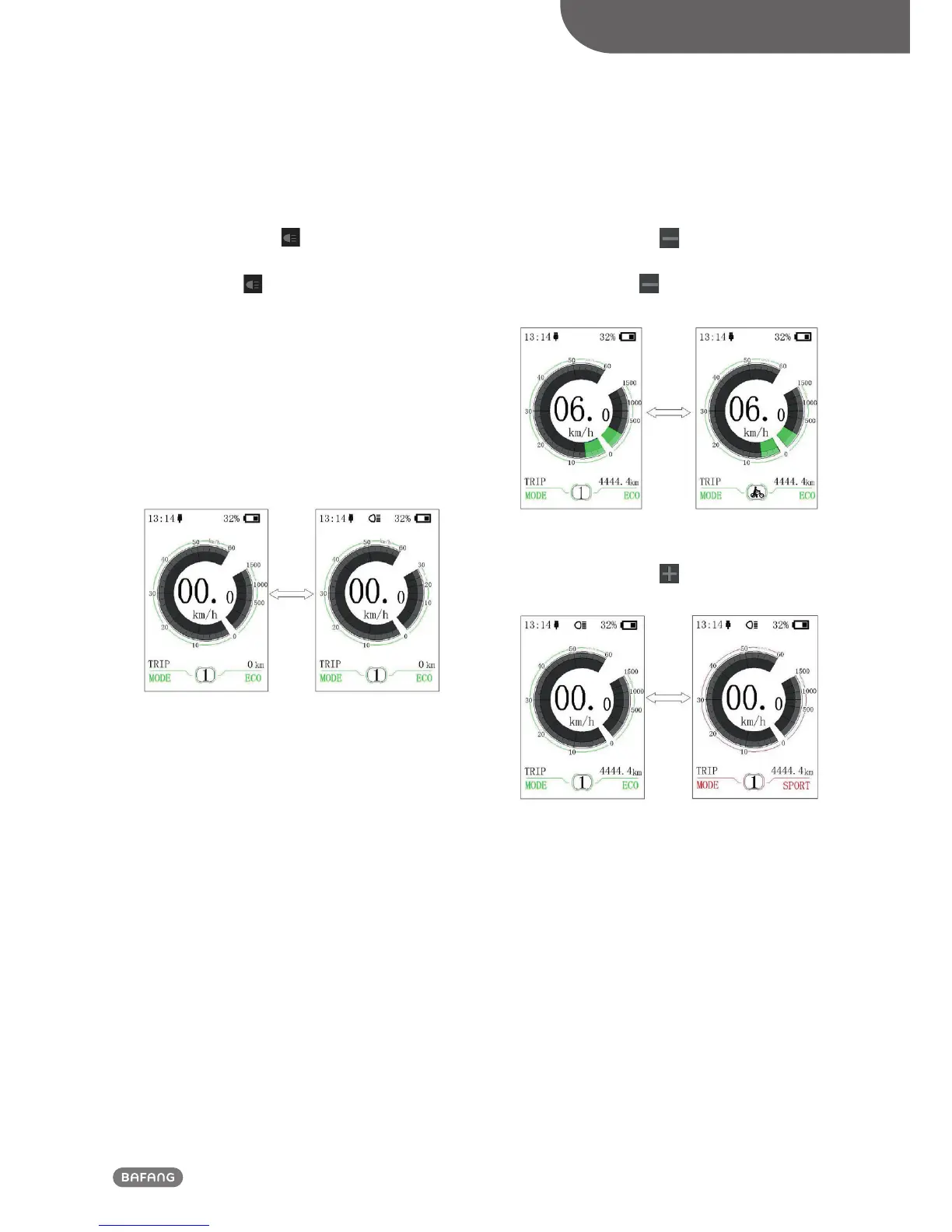
• Headlight / Display Backlight Switch
Press and hold (>2S)
to turn on the
display backlight as well as headlight. Press
and hold (>2S) again to turn off the
display backlight and the headlight. There
are 5 levels of backlight brightness that
can be selected by the user (can be set in
the“Brightness”). (If the display is turned on
in a dark environment, the display backlight/
headlight will be turned on automatically. If
the display backlight/headlight are turned
off manually, they also need to be turned on
manually afterwards)
• Walk assistance mode
Press and hold (>2S)
to enter into walk
assistance mode, the symbol is displayed,
when release key , will exit the walk as-
sistance the mode.
• Switch mode between ECO and SPORT
Press and hold (>2S)
to switch riding
mode into “ECO”or “SPORT”.













 To Next Page