27
BF-DM-C-DP C15-EN November 2019
DEALER MANUAL FOR DISPLAY
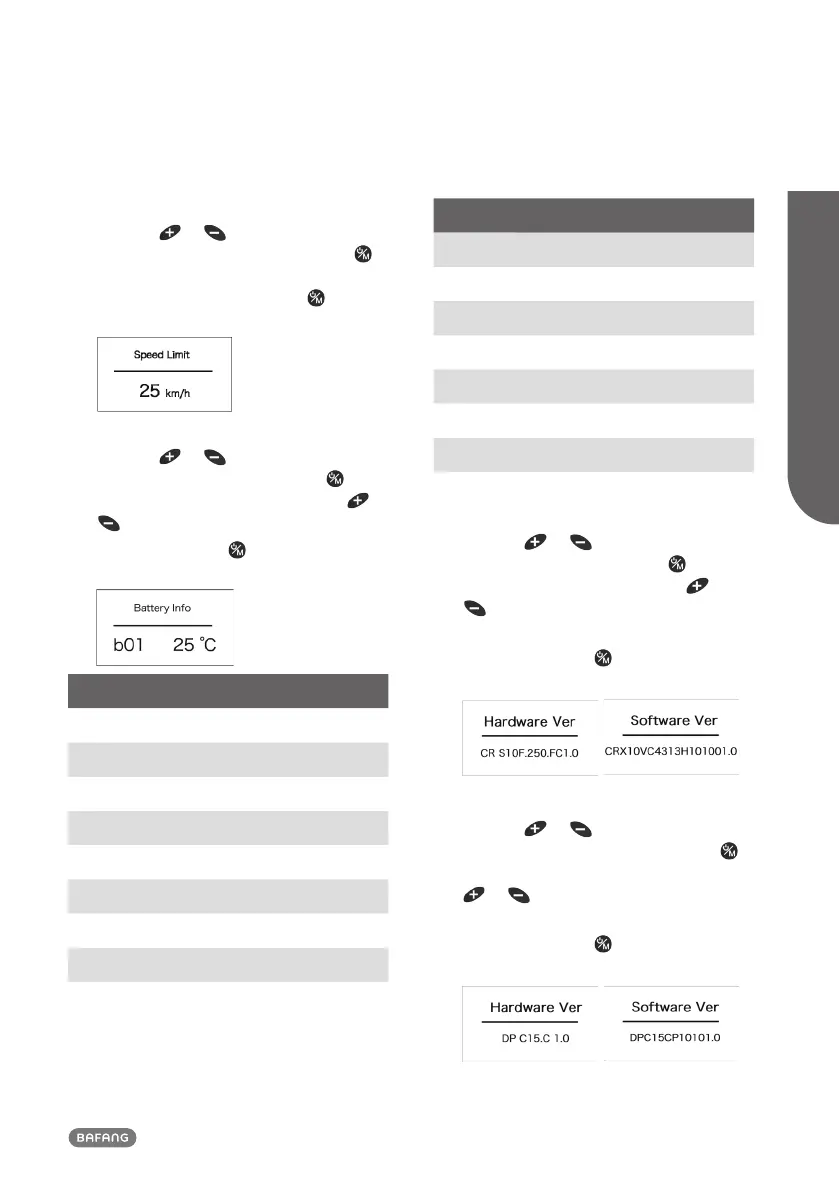
7.7.2.2 Speed Limit
Press the
or button (<0.5S) to
highlight “Speed Limit”, then press the
button (<0.5S) to confirm and view the
speed limit. To return, press the button
(<0.5S) to exit back to the "Information".
7.7.2.3 Battery Information
Press the
or button (<0.5S) to high-
light “Battery Info”, then press the but-
ton (<0.5S) to confirm. Now press the or
button (<0.5S) to view the contents.
To return, press the
button (<0.5S) to
exit back to the "Information".
Content Explanation
b01 Current temperature (°C)
b04 Voltage (V)
b06 Discharge (A)
b07 Remaining Capacity (A/h)
b08 Total Capacity (A/h)
b09 Relative SOC (%)
b10 Absolute SOC (%)
b11 Charging cycles (number)
b12 Maximum not charging time (Hr)
Content Explanation
b13 Recently not charging time (Hr)
d00 Number of battery cell
d01 Voltage of cell 1 (m/V)
d02 Voltage of cell 2 (m/V)
dn Voltage of cell n (m/V)
e01 Hardware Version
e02 Software Version
NOTE: If no data is detected, "--" is displayed.
7.7.2.4 Controller Information
Press the
or button (<0.5S) to high-
light “Ctrl Info”, then press the button
(<0.5S) to confirm. Now press the or
button (<0.5S) to view "Hardware Ver"
or "Software Ver".
To return, press the
button (<0.5S) to
exit back to the "Information".
7.7.2.5 Display Information
Press the
or button (<0.5S) to
highlight “Display Info”, then press the
button (<0.5S) to confirm. Now press the
or button (<0.5S) to view "Hard-
ware Ver" or "Software Ver".
To return, press the
button (<0.5S) to
exit back to the "Information".













 To Next Page