10
2. Touch the d button.
The
d button lights up for 4 seconds. The d symbol
appears in the display.
3. Touch the @ button to start rapid heat-up.
The appliance heats up. Once the set temperature is
reached, a signal sounds. The
d symbol in the display
flashes.
4. Place the food in the cooking compartment.
5. Touch the @ button to start the appliance.
If you have set a cooking time, it will begin to count down.
Microwave combi operation
This involves the simultaneous operation of one type of heating
with the microwave. Using the microwave makes your meals
ready more quickly, and still browns them nicely.
All microwave power settings, except for 900 watts, can be
combined with a type of heating.
Observe the instructions on ovenware in the Microwave section.
Setting Microwave Combi operation
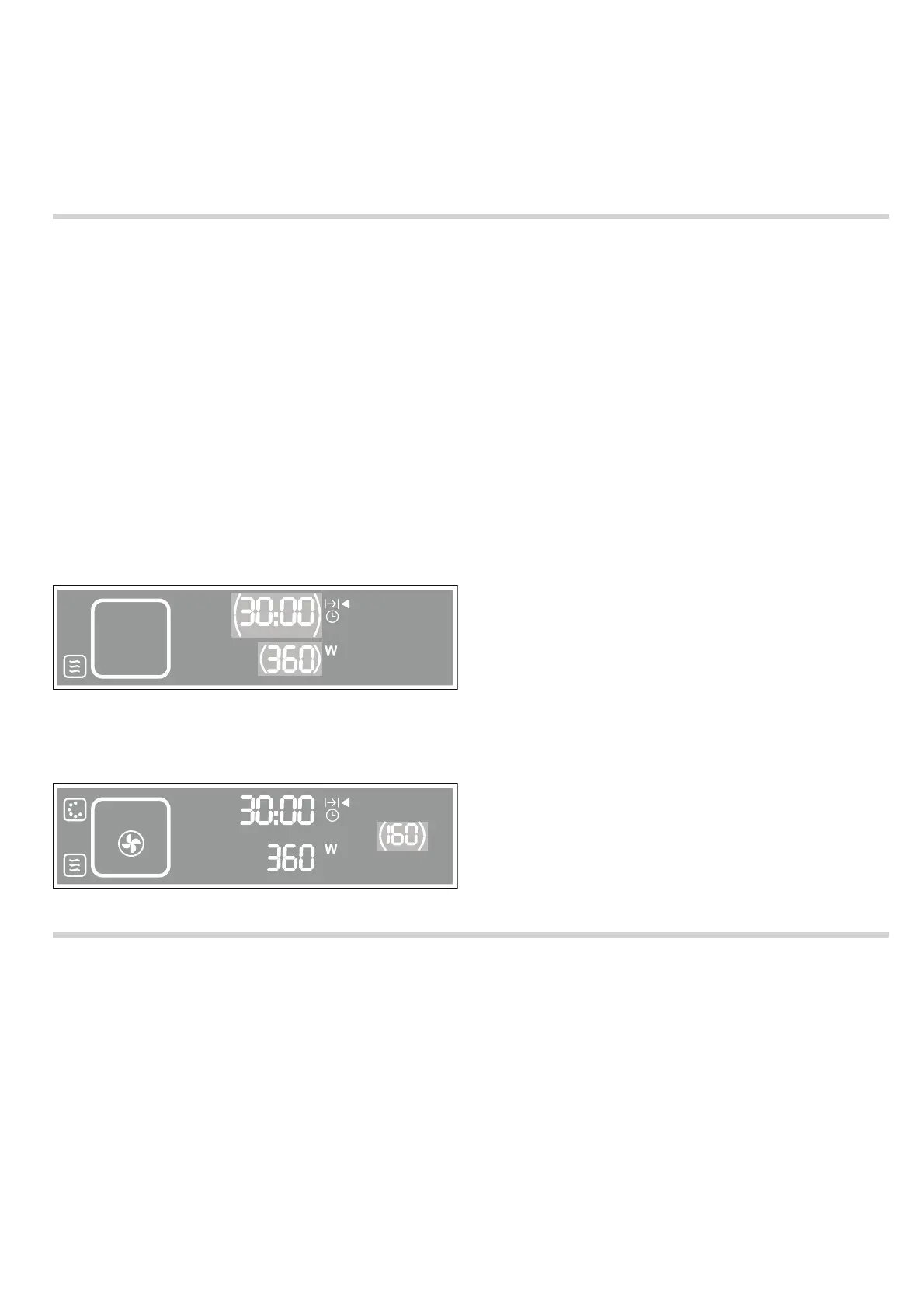
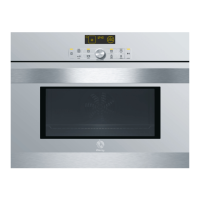
Example in picture:
Set the microwave at 360 W combined with hot air at 160 °C
for 30 minutes.
1. Touch the # button to switch on the appliance.
The appliance is in microwave mode. The
! button lights up.
2. Turn the rotary selector to set a power level.
3. Touch the 0 button and set the cooking time using the rotary
selector.
4. Touch the ‚ button and set the type of heating using the
rotary selector.
5. Touch the [ button and set the temperature using the rotary
selector.
6. Touch the @ button to start the appliance.
You can also set the oven first, and then set the microwave
using the
! button.
Correcting the settings
After the microwave has started, you can correct the following
settings at any time, using the rotary selector:
■ Touch the [ button - correct the temperature
■ Touch the 0 button - correct the cooking time
■ Touch the ! button - change the microwave power level
To delete all settings, touch and hold the
@ button for
4 seconds. You can then set a new type of heating,
temperature and cooking time.
Pause
Touch the
@ button once or open the appliance door. The
appliance interrupts operation. Close the microwave door and
touch the
@ button to continue operation.
When the cooking time has elapsed
A signal sounds. Open the appliance door and carefully
remove the cookware with oven gloves. Touch the
# button to
switch off the appliance.
Cancelling operation
Touch the
# button to cancel operation and switch off the
appliance.
Childproof lock
The appliance has a childproof lock to prevent children from
switching it on by accident or changing an operation that is
already in progress.
Activating the childproof lock
Press and hold the
@button for 4 seconds.
The
@ symbol appears in the display panel for 10 seconds.
The appliance is locked.
Releasing the lock
Touch and hold the
@ button for 4 seconds to unlock the
appliance again.
A signal sounds. The appliance is unlocked.
Note: If you activate the childproof lock while the appliance is in
operation, you can only interrupt (
@ button) or end ( #
button) operation.
NJO
NJO
¡$


 To Next Page