14
Energy and environment tips
Here you can find tips on how to save energy when baking and
roasting and how to dispose of your appliance properly.
Saving energy
■ Only preheat the oven if this is specified in the recipe or in
the operating instruction tables.
■ Use dark, black lacquered or enamelled baking tins. They
absorb the heat particularly well.
■ Open the oven door as infrequently as possible while you are
cooking, baking or roasting.
■ It is best to bake several cakes one after the other. The oven
is still warm. This reduces the baking time for the second
cake. You can also place two loaf tins next to each other.
■ For longer cooking times, you can switch the oven off
10 minutes before the end of the cooking time and use the
residual heat to finish cooking.
Environmentally-friendly disposal
Dispose of packaging in an environmentally-friendly manner.
Automatic programmes
The automatic programmes enable you to prepare food very
easily. You select the programme and enter the weight of your
food. The automatic programme makes the optimum setting.
You can select from 15 programmes.
Notes
■ You can affix the enclosed programme overview on the inside
of the door.
■ Always place the food in the cold cooking compartment.
Setting a programme
Select a suitable programme from the programme tables.
Observe the instructions for the programmes.
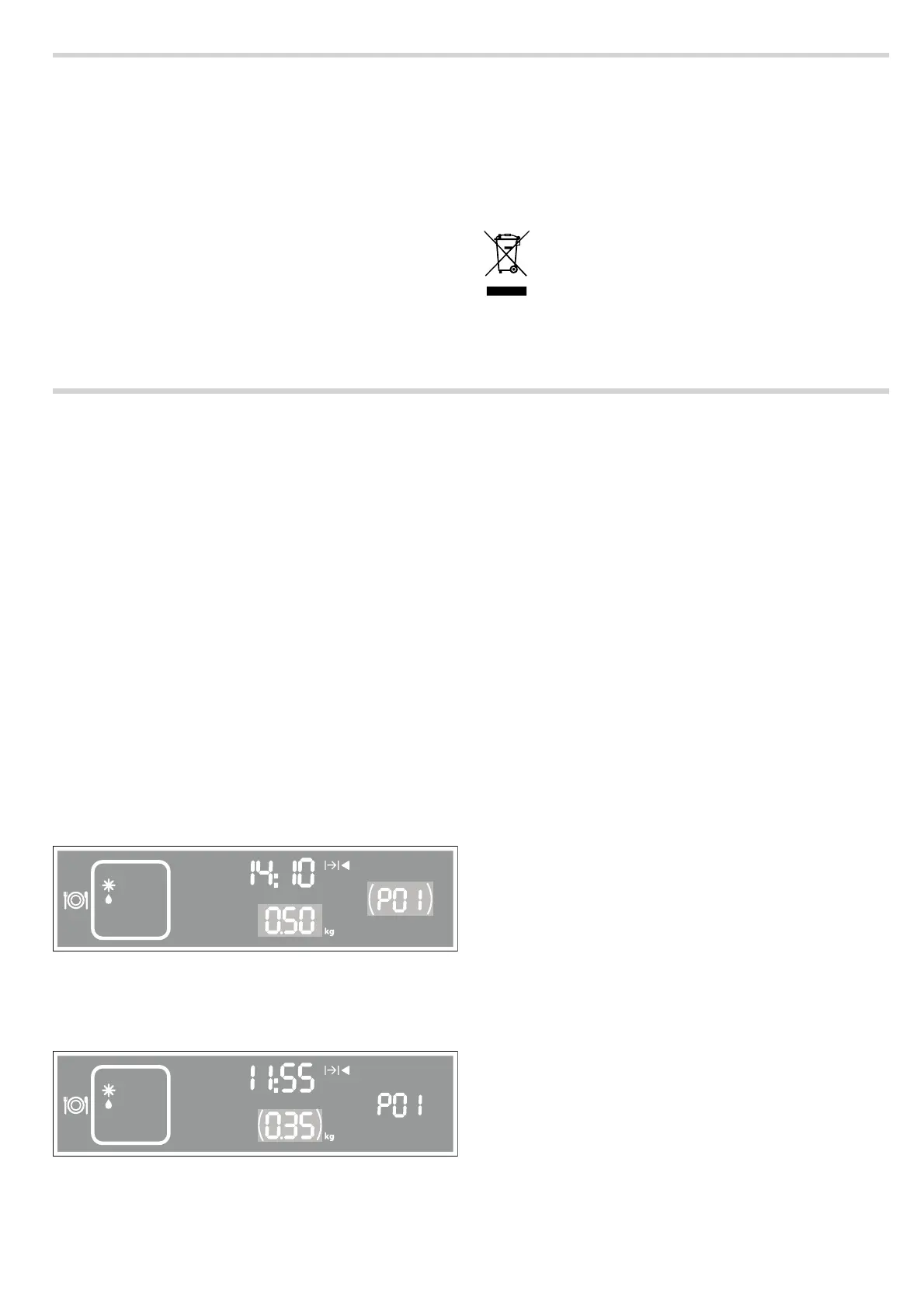
Example in diagram: Defrosting 350 g of minced meat using
programme P01.
1. Touch the # button to switch on the appliance.
The appliance is in microwave mode. The
! button lights
up.
2. Touch the = button to select the automatic programmes.
In the display panel, the first programme
˜‹‚ appears
together with a suggested weight and corresponding
programme duration.
3. Turn the rotary selector to set the programme.
4. Touch the A button and set the weight of your food using the
rotary selector.
5. Touch the @ button to start the programme.
For many programmes, a signal sounds after a certain time.
Open the appliance door and stir the food or turn the meat or
poultry. Close the appliance door and touch the
@ button. The
programme starts again.
Deleting the settings
To delete all settings, touch and hold the
@ button for
4 seconds. You can then set a new operating mode and a new
programme.
Pause
Touch the
@ button once or open the appliance door. The
appliance interrupts operation. Close the microwave door and
touch the
@ button to continue operation.
When the cooking time has elapsed
A signal sounds. Open the appliance door and carefully
remove the cookware with oven gloves. Touch the
# button to
switch off the appliance.
Cancelling the programme
Touch the
# button to cancel operation and switch off the
appliance.
Defrosting and cooking with the automatic
programmes
You can use the 4 defrosting programmes to defrost meat,
poultry and bread.
With the 3 cooking programmes, you can cook rice, potatoes
or vegetables.
Notes
■ Take the food out of its packaging and weigh it. If it is not
possible to enter the exact weight, you should round it up or
down.
■ Put the food in a microwaveable shallow dish, e.g. a glass or
porcelain plate, but do not cover.
■ Place the food in the cold cooking compartment.
■ A table of suitable types of food with appropriate weight
ranges and the accessories required can be found in the
section after the tips.
■ It is not possible to set a weight outside the weight range.
Defrost
Notes
■ If possible, freeze and store food flat and in portions at -
18 °C.
■ Put the frozen food on shallow tableware, e.g. a glass or
porcelain plate.
■ Place the ovenware on the lower wire rack.
This appliance is labelled in accordance with
European Directive 2012/19/EU concerning used
electrical and electronic appliances (waste electrical
and electronic equipment - WEEE). The guideline
determines the framework for the return and recycling
of used appliances as applicable throughout the EU.
NJO
NJO


 To Next Page