12
Malfunction table
Malfunctions often have simple explanations. Please refer to the
malfunction table before calling the after-sales service.
If a meal does not turn out exactly as you wanted, refer to the
Tested for you in our cooking studio section, where you will
find plenty of cooking tips and tricks.
: Risk of electric shock!
Incorrect repairs are dangerous. Repairs may only be carried
out and damaged power cables replaced by one of our trained
after-sales technicians. If the appliance is defective, unplug the
appliance from the mains or switch off the circuit breaker in the
fuse box. Contact the after-sales service.
Malfunction table
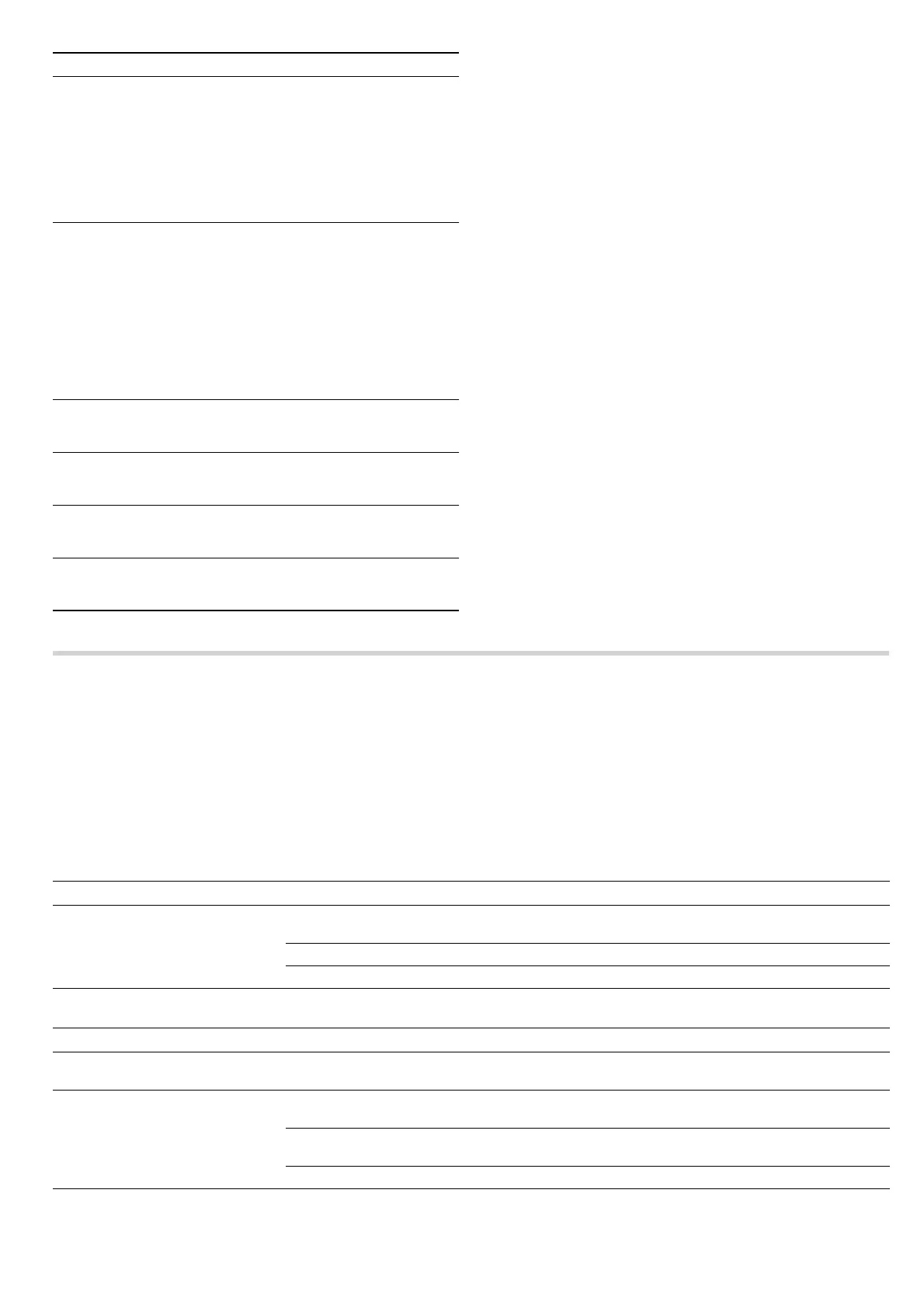
Cooking com-
partment
Hot soapy water or a vinegar solution:
Clean with a dish cloth and then dry with a
soft cloth.
For stubborn dirt: Do not use oven spray or
any other aggressive oven cleaners or abra-
sive materials. Scouring pads, rough sponges
and pan cleaners are also unsuitable. These
items scratch the surface. Allow the interior
surfaces to dry thoroughly.
Cleaning aids
for the cook-
ing compart-
ment
Cup filled with washing-up liquid solution:
Add a few drops of washing-up liquid to a cup
of water. Place a spoon into the container as
well to prevent delayed boiling. Heat the water
for 2 minutes at maximum microwave output.
Switch off the appliance and leave the con-
tainer to stand in the cooking compartment
with the door closed for another 5 minutes.
Then wipe around the cooking compartment
using a soft cloth and allow it to dry thor-
oughly.
Indentation in
the cooking
compartment
Damp cloth:
Water must not penetrate the appliance
through the turntable drive.
Wire racks Hot soapy water:
Clean using stainless-steel cleaner or clean in
the dishwasher.
Door panels Glass cleaner:
Clean with a dish cloth. Do not use a glass
scraper.
Seal Hot soapy water:
Clean with a dish cloth and do not scour. Do
not use metal or glass scrapers for cleaning.
Area Cleaning agents
Problem Possible cause Remedy/information
The appliance does not work. Faulty circuit breaker Look in the fuse box and check that the circuit
breaker is in working order.
Power cut Check whether the kitchen light works.
Plug not plugged in Plug it in.
The appliance does not work.
@
appears in the display panel.
Childproof lock is active Deactivate the childproof lock (see the Childproof
lock section).
‹‹:‹‹ flashes in the display panel
Power cut Set the current time.
The microwave does not switch on Door not fully closed Check whether food remains or foreign material is
trapped in the door.
It takes longer than before for the
food to heat up in the microwave
The selected microwave power setting
is too low.
Select a higher power setting.
A larger amount than usual has been
placed in the appliance.
Double the amount = almost double the time
The food was colder than usual. Stir or turn the food during cooking
The turntable is making a scratch-
ing or grinding noise.
There is dirt or a foreign object in the
area around the turntable drive.
Clean the rollers under the turntable and the indenta-
tion in the cooking compartment.


 To Next Page