9
Correcting the settings
After the microwave has started, you can correct the cooking
time using the rotary selector. To correct the power level, touch
the
! button and turn the rotary selector.
To delete all settings, touch and hold the
@ button for
4 seconds. You can then set a new operating mode and
cooking time.
Pause
Touch the
@ button once or open the appliance door. The
appliance interrupts operation. Close the microwave door and
touch the
@ button to continue operation.
When the cooking time has elapsed
A signal sounds. Open the appliance door and carefully
remove the cookware with oven gloves. Touch the
# button to
switch off the appliance.
Cancelling operation
Touch the
# button to cancel operation and switch off the
appliance.
Setting the oven
In this section, you will find information about
■ which types of heating are available in your oven
■ how you set a type of heating and a temperature
■ and how you set rapid heating
Types of heating
There are several types of heating for you to choose from. You
can therefore select the best method for cooking any dish.
Setting the type of heating and temperature
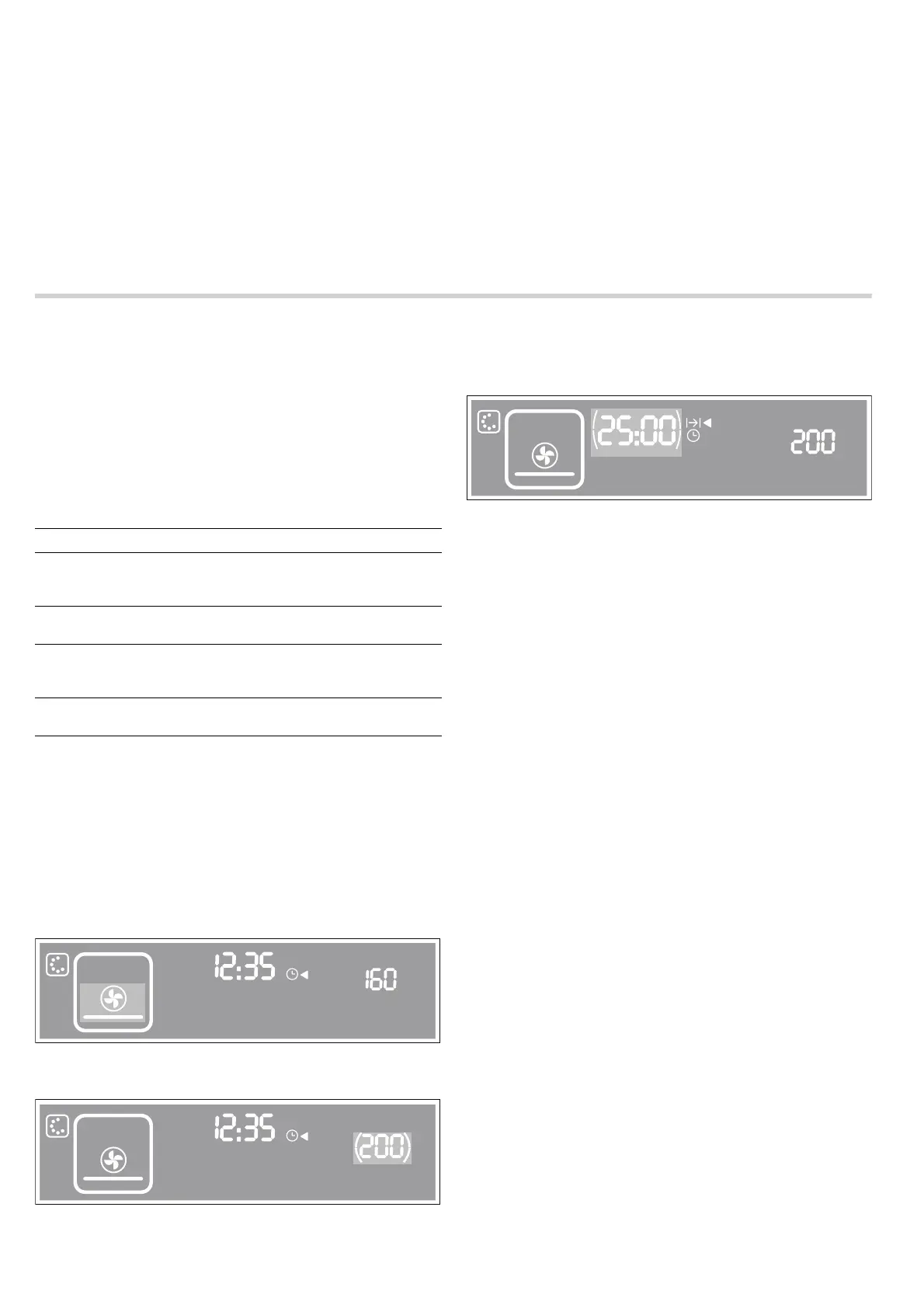
Example in picture:
Setting the microwave to
œ Pizza setting at 200 °C for
25 minutes.
1. Touch the # button to switch on the appliance.
The appliance is in microwave mode. The
! button lights up.
2. Touch the ‚ button to select the oven.
The
‚ button lights up.
3. Turn the rotary selector to set a type of heating.
4. Touch the [ button and set the temperature using the rotary
selector.
5. Touch the 0 button and set the cooking time using the rotary
selector.
Note: For instructions on how to shorten the heating-up time,
please see Rapid heat-up.
6. Touch the @ button to start the appliance.
The appliance heats up and switches off automatically when
the set cooking time has elapsed.
Operating without a cooking time
You can also start the appliance without setting a cooking time.
Correcting the settings
After the microwave has started, you can correct the following
settings at any time, using the rotary selector:
■ Touch the [ button - correct the temperature
■ Touch the 0 button - correct the cooking time
To delete all settings, touch and hold the
@ button for
4 seconds. You can then set a new type of heating,
temperature and cooking time.
Pause
Touch the
@ button once or open the appliance door. The
appliance interrupts operation. Close the microwave door and
touch the
@ button to continue operation.
When the cooking time has elapsed
A signal sounds. Open the appliance door and carefully
remove the cookware with oven gloves. Touch the
# button to
switch off the appliance.
Cancelling operation
Touch the
# button to cancel operation and switch off the
appliance.
Rapid heat-up
For the › Hot air, ™ Hot air grilling and œ Pizza setting types
of heating, you can switch on the rapid heat-up function. Set
rapid heat-up before you start the appliance.
Note: During rapid heat-up, do not place any food in the
cooking compartment.
1. Set the type of heating and temperature.
Types of heating Application
›
Hot air for baking and roasting; particularly
suitable for use in combination with
the microwave
™
Hot air grilling for grilling poultry and larger pieces
of meat.
œ
Pizza setting for frozen ready-made products
and dishes which require a lot of
heat from underneath
š
Grill for grilling steaks, sausages, fish
and bread at three different levels
NJOLH
I
¡$
NJOLH
I
¡$
NJOLH
I
¡$
NJO


 To Next Page