8
Switching the appliance on and off
You can switch the oven on and off with the # button.
Switching on
Press the # button.
The appliance is in microwave mode.
The
! button lights up.
Select the desired function:
■ ! button = microwave
■ ‚ button = types of heating for the oven
■ = button = automatic programmes
A description of how to make settings is provided in the
individual sections.
Switching off
Press the # button to switch off the appliance.
The microwave
Microwaves are converted to heat in foodstuffs. The microwave
can be used solo, i.e. on its own, or in combination with a
different type of heating. You will find information about
ovenware and how to set the microwave.
Note:
In the Tested for you in our cooking studio section, you will find
examples for defrosting, heating and cooking with the
microwave oven.
Notes regarding ovenware
Suitable ovenware
Suitable dishes are heat-resistant ovenware made of glass,
glass ceramic, porcelain, ceramic or heat-resistant plastic.
These materials allow microwaves to pass through.
You can also use serving dishes. This saves you having to
transfer food from one dish to another. You should only use
ovenware with decorative gold or silver trim if the manufacturer
guarantees that they are suitable for use in microwaves.
Unsuitable ovenware
Metal ovenware is unsuitable. Metal does not allow microwaves
to pass through. Food in covered metal containers will remain
cold.
Caution!
Creation of sparks: metal – e.g. a spoon in a glass – must be
kept at least 2 cm from the oven walls and the inside of the
door. Sparks could destroy the glass on the inside of the door.
Ovenware test
Do not switch on the microwave unless there is food inside. The
following ovenware test is the only exception to this rule.
Perform the following test if you are unsure whether your
ovenware is suitable for use in the microwave:
1. Heat the empty ovenware at maximum power for ½ to
1 minute.
2. Check the temperature occasionally during that time.
The ovenware should still be cold or warm to the touch.
The ovenware is unsuitable if it becomes hot or sparks are
generated.
Microwave power settings
You can set five different power settings for your microwave.
Note: The microwave power can be set to 900 watts for a
maximum of 30 minutes. A cooking time of 90 minutes is
possible with all other power settings.
Operating the microwave
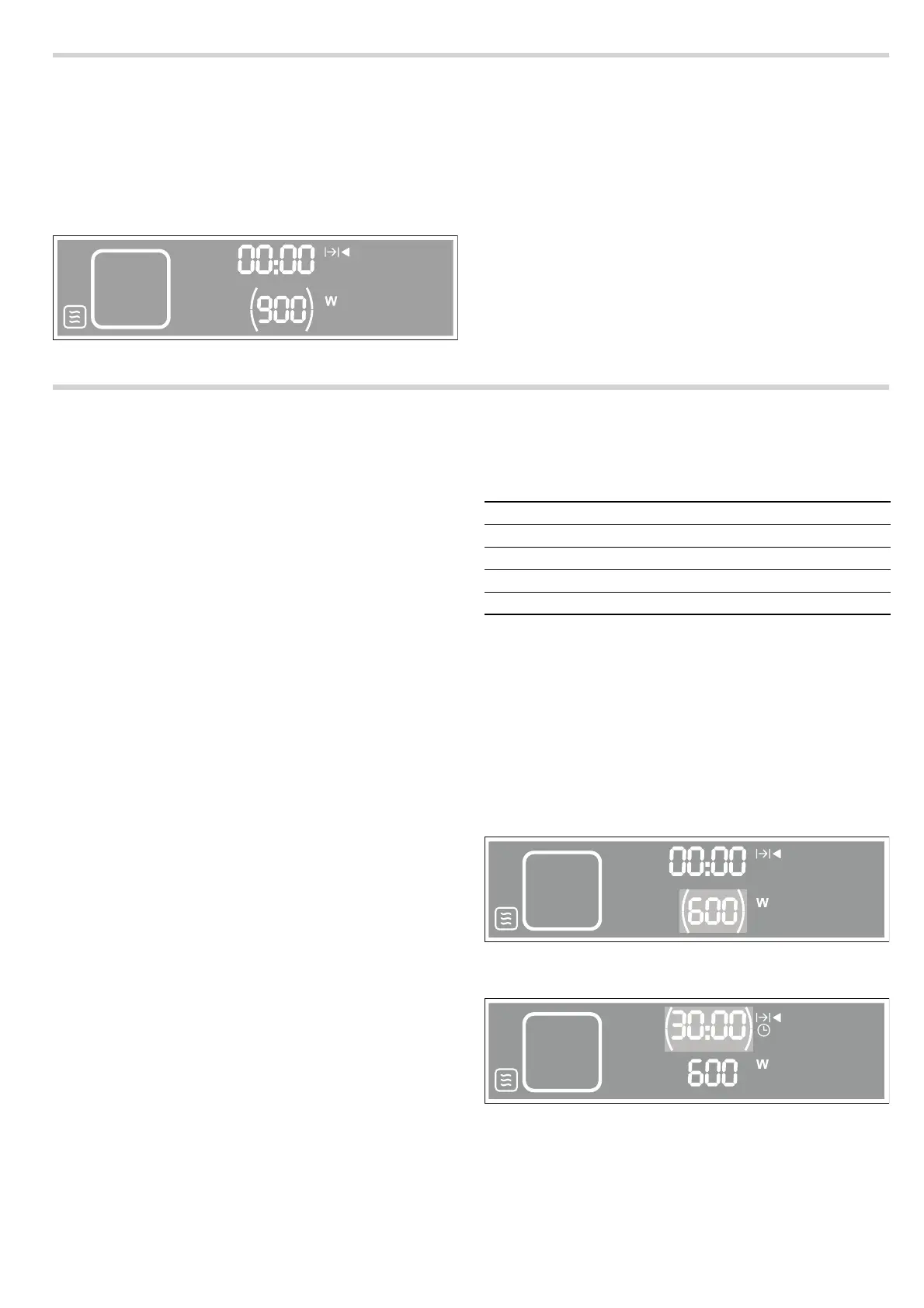
Example in picture:
Setting the microwave at 600 W for 30 minutes.
1. Touch the # button to switch on the appliance.
The appliance automatically switches to microwave mode.
The
! button lights up.
2. Turn the rotary selector to set a power level.
3. Touch the 0 button and set the cooking time using the rotary
selector.
4. Touch the @ button to start the appliance.
The microwave starts and switches off automatically when the
set cooking time has elapsed.
NJO
90 W For defrosting delicate foods
180 W For defrosting and continued cooking
360 W For cooking meat and heating delicate foods
600 W For heating and cooking food
900 watts For heating liquids
NJO
NJO


 To Next Page