SEQUENCE
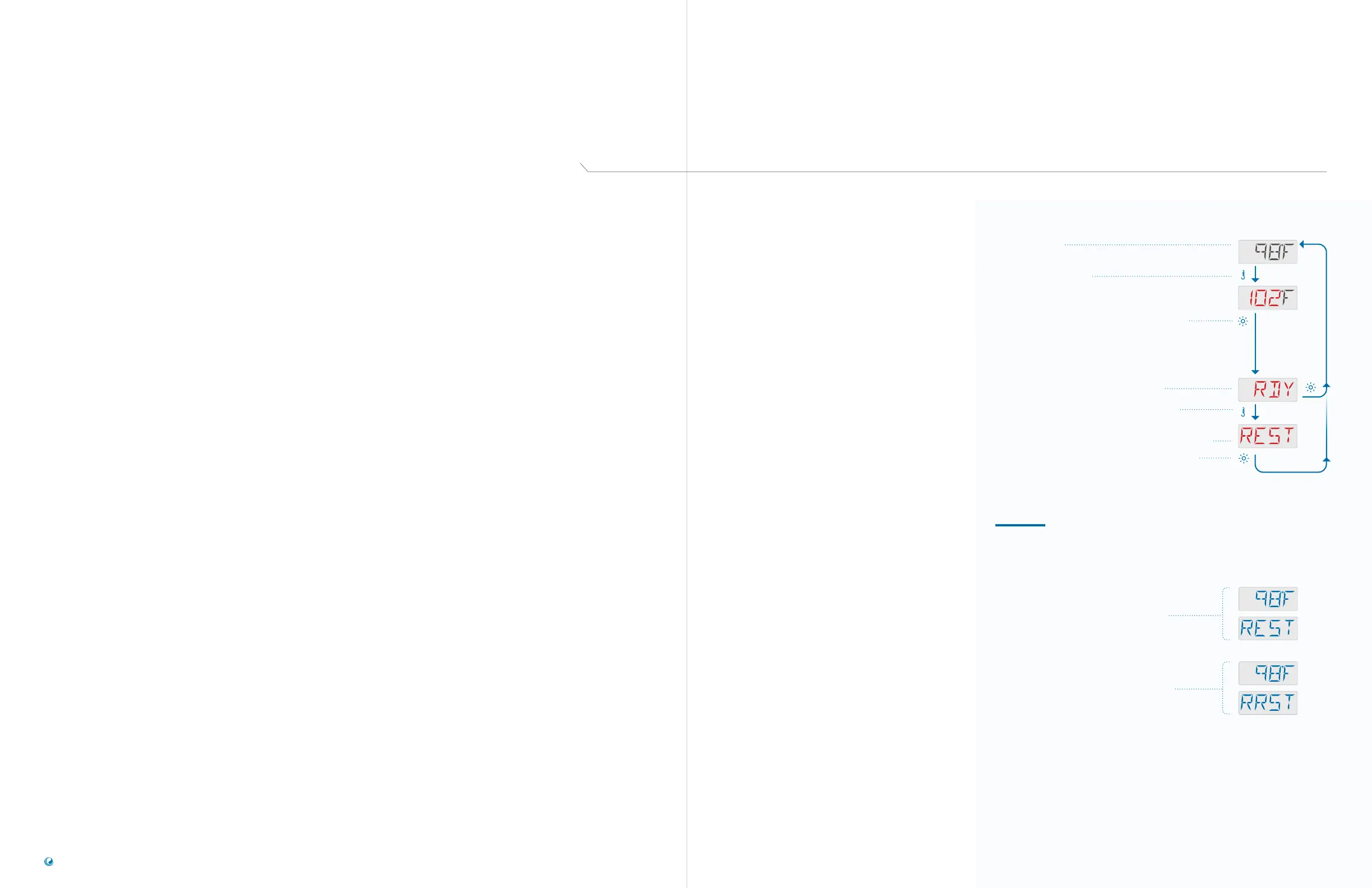
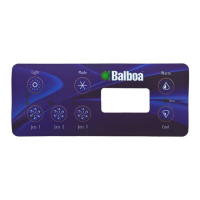
Press the TEMP button. The Set Temperature
will appear and flash.
While the Set Temperature is flashing, press LIGHT until
one of the following Heat Modes appears: RDY, REST,
RRST. The first one to appear is the current Heat
Mode setting.
In this example RDY appears first, which means the
current Heat Mode is set to READY. If you wait for a
moment, the Main Screen will appear automatically, and
the Heat Mode setting will remain READY.
If you want to change the Heat Mode to REST,
press the TEMP button.
REST indicates that the Heat Mode will be set to REST.
Press LIGHT to save your setting. The Main Screen
will appear automatically. If you do not press LIGHT,
your setting will not be saved, and the Main Screen will
appear momentarily.
Main Screen
NOTES
REST MODE
When the spa is in REST Mode (REST),
the Main Screen will alternate between
displaying the water temperature and REST.
READY-IN-REST MODE
If you press the JETS button while in Rest
Mode, the spa will switch to Ready-In-Rest
Mode (RRST) for one hour. The Main Screen
will alternate between displaying the water
temperature and RRST.
TP200 USER GUIDE 42375 Rev A1
12
11
Balboa Water Group | Your Single Source Solution
HEAT MODES
1 - READY MODE
Ready Mode usually keeps the water
temperature close to the Set Temperature 24
hours a day. If you use your spa consistently,
you probably want to use Ready Mode.
2 - REST MODE
Rest Mode only heats the water during filter
cycles. If you do not use your spa for an
extended period of time, you may want to
use Rest Mode.
Follow this sequence to view
the current Heat Mode and/
or change the Heat Mode.
There are two Heat Modes
you can select from the
panel menu:
1 - Ready Mode (RDY)
2 - Rest Mode (REST)
Ready-In-Rest Mode (RRST)
is a third Heat Mode. But,
it is a subfeature of Rest
Mode and is not selectable
from the panel menu.
However, when you follow
the sequence to view the
current Heat Mode, any of
the three Heat Modes can
be displayed as the current
Heat Mode.
3 - READYINREST MODE
This mode is a subfeature of Rest Mode. When
your spa is in Rest Mode, and you press the
JETS button, Rest Mode will automatically
switch to Ready-In-Rest Mode for one hour.
During this hour the control system will attempt
to keep the water temperature close to the
Set Temperature.
There are three Heat Modes



 To Next Page