Using the Keypad 6-1
CHAPTER 6
Using the Keypad
Factory-default parameter values allow the drive to be controlled from the integral
keypad. No programming is required to start, stop, change direction, or control speed
directly from the integral keypad.
This chapter provides an overview of the integrated keypad and how to use it to
program the VS1MD drive.
6.1 Keypad Components
6.1.1 Display Description
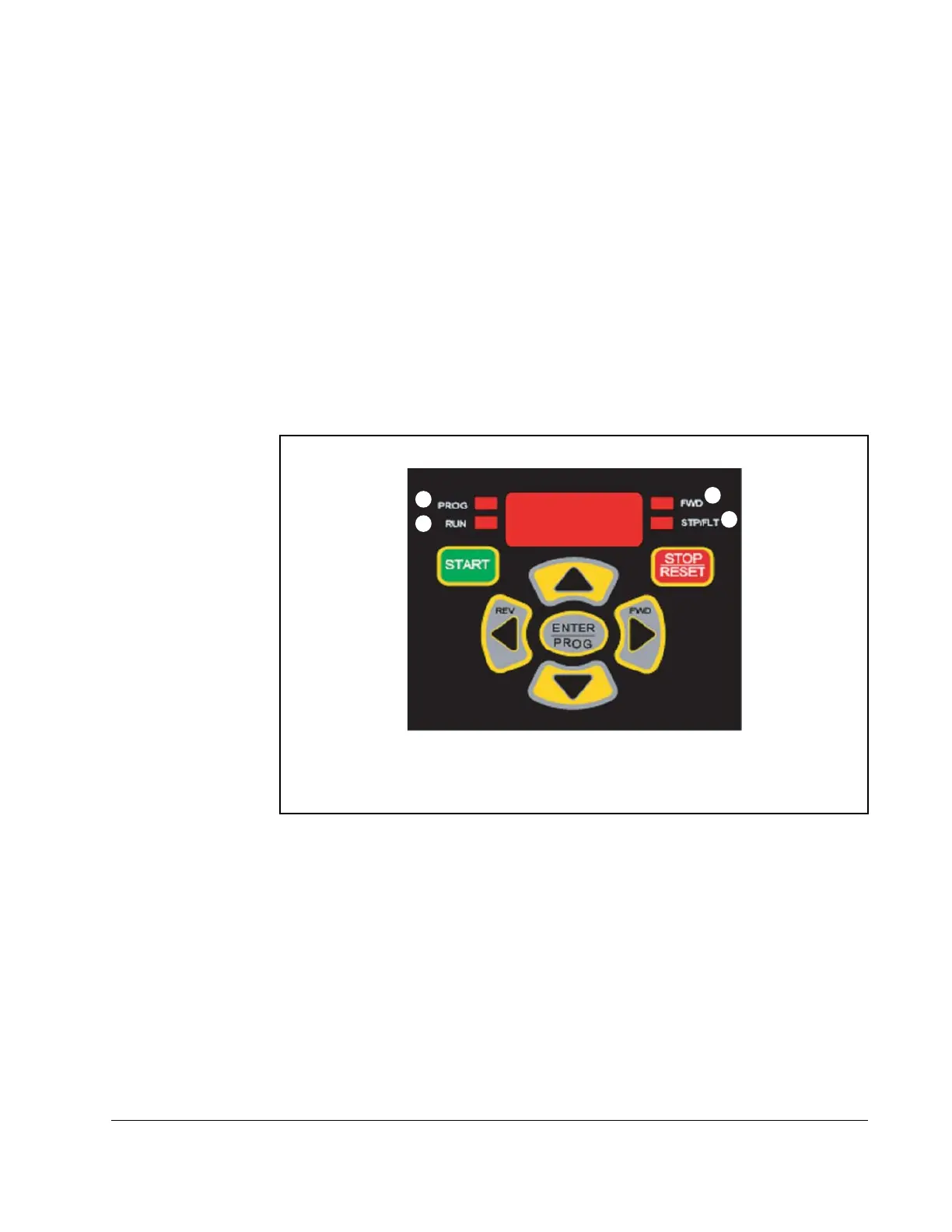
The alpha-numeric display indicates the following:
• Operational Values (such as Output Frequency)
• Parameter Numbers
• Parameter Values
• Fault Codes
Refer to table 6.1 for the LED descriptions noted by
➊ through ➍ and table 6.2 for key definitions.
1
2
3
4











 To Next Page