6-12 VS1MD AC Drive User Manual
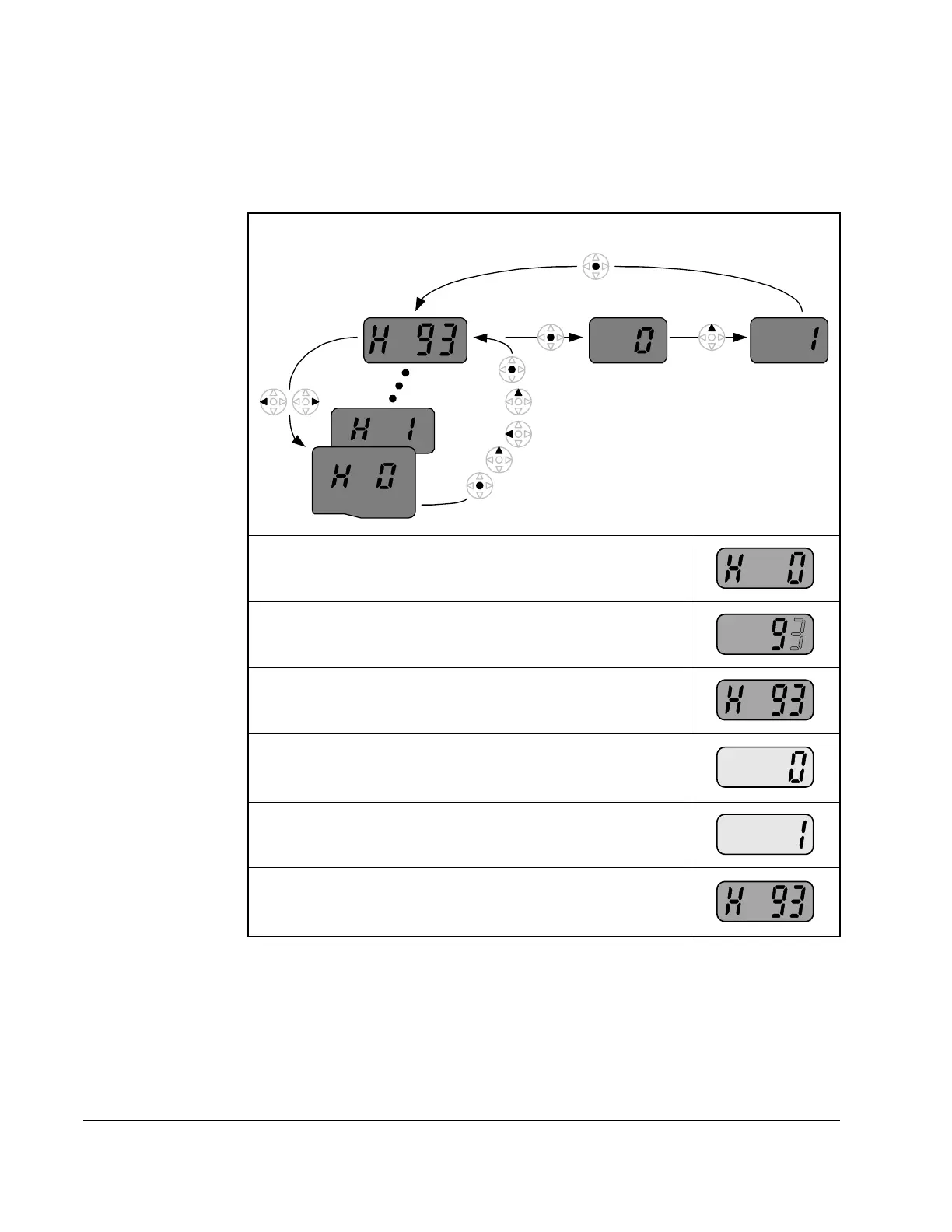
6.11 Resetting the Parameters to Factory Default
Follow the below procedure to reset the parameters to the factory default values:
Table 6.11 – Resetting Parameters to Factory Default
Step 1. Navigate to the Function Group 2 (H Group).
Step 2. Press the ENTER key to edit the jump code. Modify
the jump code to be equal to 93.
Step 3. Press the ENTER key to jump to parameter H93.
Step 4. Press ENTER to display the current value of
parameter H93 (it will be 0 indicating that parameters
will not be reset).
Step 5. Press the up arrow key to change the value to a 1.
Step 6. Press the ENTER key to reset the drive parameters
to factory default. The display will revert back to
displaying the parameter number.
Function Group 2











 To Next Page