EasyManua.ls Logo

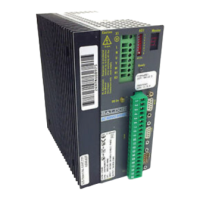
Baldor MDH1A05TB-RC23 - User Manual

Baldor MDH1A05TB-RC23
166 pages
Print Icon
To Next Page IconTo Next Page
Loading...
MintDrive
II
Servo & Position Control
SERVO DRIVE
Installation Manual
01/07 MN1901

Table of Contents

Questions and Answers

Summary

General Information

Product Notice

Important safety warnings and general precautions for using the drive.

Introduction

MintDriveII Features

Key features and capabilities of the MintDriveII servo drive.

Receiving and Inspection

Steps for checking the MintDriveII upon arrival.

Units and Abbreviations

Glossary of units and abbreviations used in the manual.

Basic Installation

Introduction to Basic Installation

Overview of the basic installation stages for the MintDriveII.

Power Sources

Requirements for AC and DC power sources for the MintDriveII.

Hardware Requirements

List of components needed for basic installation.

RS485; RS422 Systems

Information on using RS485/RS422 communication systems.

Tools and Miscellaneous Hardware

Necessary tools and hardware for installation.

Mechanical Installation and Location Requirements

Guidelines for physical mounting and environment.

Mounting the MintDriveII

Detailed instructions on how to mount the MintDriveII unit.

Dimensions

Physical dimensions of the MintDriveII package sizes.

Connector Locations

Identification and layout of all connectors on the MintDriveII.

Power Connections

Instructions for connecting the AC power supply to the MintDriveII.

Single-Phase Connection

Wiring details for single-phase power connections.

Three-Phase Connection

Wiring details for three-phase power connections.

Input Power Conditioning

Methods to ensure stable power input to the drive.

Power Disconnect and Protection Devices

Requirements for power disconnects and protective devices.

Power Supply Filters

Recommended AC power filters for EMC compliance.

Wire Sizes and Protection Device Ratings

Tables for wire sizing and protection device ratings.

External 24 VDC Control Supply

Connection of the external 24VDC logic supply.

Motor Connections

Instructions for connecting the motor to the MintDriveII.

Motor Circuit Contactors

Use and implications of motor circuit contactors.

Motor Power Cable Pin Configuration - Rotary Motors

Pinout for rotary motor power cables.

Motor Cable Pin Configuration - Linear Motors

Pinout for linear motor power cables.

Sinusoidal Filter

Information on sinusoidal filters for motor protection.

Thermal Switch Connection

Wiring the motor thermal switch for over-temperature protection.

Motor Brake Connection

Connecting the motor brake circuit.

Regeneration Resistor (Dynamic Brake)

Details on regeneration resistors for managing braking energy.

Controlling Regeneration

Methods for controlling the regeneration resistor.

Feedback Connections

Connecting feedback devices for motor position and speed.

Resolver Option - X8

Connecting a resolver feedback device.

Resolver Cable Pin Configuration

Pinout for resolver feedback cables.

Encoder Option - X8

Connecting an encoder feedback device.

Encoder Cable Pin Configuration - Rotary Motors

Pinout for rotary encoder feedback cables.

Encoder Cable Connections - Linear Motors

Wiring for linear motor encoder feedback.

Encoder Cable Pin Configuration - Linear Motors

Pinout for linear encoder feedback cables.

EnDat Absolute Encoder Option - X8

Connecting an EnDat absolute encoder.

Absolute Encoder Cable Pin Configuration

Pinout for absolute encoder feedback cables.

Hiperface Absolute Encoder Option - X8

Connecting a Hiperface absolute encoder.

Absolute Encoder Cable Pin Configuration

Pinout for Hiperface absolute encoder cables.

Drive Enable

How to enable the MintDriveII for operation.

Drive Enable - X3

Using connector X3 for drive enable signal.

Drive Enable - SW1 DIP Switch

Using DIP switch 8 for drive enable.

Drive Enable Command

Methods to issue the drive enable command.

DIP Switches - SW1

Configuration via SW1 DIP switches.

Switches 1-4: Node Select

Setting network node numbers using switches 1-4.

Switch 5 - Hold

Function of DIP switch 5 (Hold).

Switch 6 - RS485 Terminator

Function of DIP switch 6 (RS485 terminator).

Switch 7 - Offset Tuning

Using DIP switch 7 for offset tuning.

Switch 8 - Enable

Function of DIP switch 8 (Enable).

Switches 9 and 10 - RS232;RS485 Select

Selecting RS232 or RS485/RS422 communication.

Factory Settings

Procedures for resetting to factory defaults.

Preventing Program Running at Startup

How to prevent automatic program execution at startup.

Input; Output

Introduction to I;O

Overview of digital and analog I/O capabilities.

Analog I;O

Standard analog input and output features.

Analog Input - X3 (Demand)

Details of the analog input on connector X3.

Analog Input - X4

Details of the analog input on connector X4.

Analog Outputs, Bipolar - X4

Details of the bipolar analog outputs on connector X4.

Digital I;O

Overview of digital input and output functions.

Digital Inputs - X3

Description of digital inputs on connector X3.

CREF and Digital Inputs

Function of CREF and its effect on digital inputs.

Special Functions on Inputs DIN4 and DIN5

Alternative functions for digital inputs DIN4 and DIN5.

Pulse and Direction Inputs - DIN4 and DIN5

Configuring DIN4/DIN5 for pulse and direction input.

Fast Inputs - DIN4 and DIN5

Using DIN4/DIN5 for fast interrupt functions.

Digital Outputs - X3

Description of digital outputs on connector X3.

Relay Output; Digital Output - X3

Details of the relay output on connector X3.

Other I;O

Other input/output interfaces.

Encoder Output - X7

Encoder output signal on connector X7.

Dual Encoder Feedback

Using master encoder input for dual feedback systems.

Pulse and Direction Following

Configuring X9 for pulse and direction input.

Master (Auxiliary) Encoder Input - X9

Auxiliary encoder input on connector X9.

Serial Port - X6

Serial communication port on connector X6.

Using RS232 Cable

Connecting and using the RS232 serial port.

Multidrop using RS485; RS422 Cable

Setting up multidrop communication with RS485/RS422.

Connecting Baldor HMI Operator Panels

Connecting Baldor HMI panels to the drive.

Connection Summary - Minimum System Wiring

Example wiring diagram for a basic system.

Option Connectors

Information on connectors for optional features.

Operation

Introduction to Operation

Overview of operating the MintDriveII.

Connecting the MintDriveII to the PC

Steps to connect the drive to a PC for configuration.

Installing the Software

Procedure for installing the WorkBench v5 software.

Starting the MintDriveII

Initial steps to start up the MintDriveII.

Preliminary Checks

Essential checks before powering up the drive.

Power On Checks

Verifying drive status after power application.

Offset Tuning (Optional)

Optional process for tuning analog input offsets.

WorkBench v5

Introduction to the WorkBench v5 configuration software.

Help File

How to access and use the WorkBench v5 help file.

Starting WorkBench v5

Steps to launch and start a new project in WorkBench v5.

Commissioning Wizard

Guide to using the wizard for drive/motor tuning.

Using the Commissioning Wizard

Instructions for navigating and using the Commissioning Wizard.

Completing the Commissioning Wizard

Finalizing the Commissioning Wizard process.

Performing a Test Move

Executing a basic motor test move.

Further Configuration

Advanced configuration options.

Fine-Tuning Tool

Using the tool for adjusting control parameters.

Fine-Tuning - Position Tab

Adjusting position loop gains and test moves.

Fine-Tuning - Speed Tab

Adjusting speed loop gains and test moves.

Fine-Tuning - Current Tab

Adjusting current loop gains and test moves.

Parameters Tool

Configuring various drive parameters.

Digital I;O Tool

Tool for defining digital input/output functions.

Other Tools and Windows

Description of additional WorkBench v5 tools.

Preset Moves & PLC Task

Introduction to Preset Moves & PLC Task

Introduction to preset moves and PLC tasks.

Preset Moves

Functionality for defining and storing preset moves.

Defining a Preset Move

Steps to configure a preset move.

Testing a Preset Move

How to test configured preset moves.

Using Digital Inputs to Trigger a Preset Move

Triggering preset moves using digital inputs.

Configuring Digital Inputs to Control Presets

Mapping digital inputs for preset selection.

Controlling Preset Moves

Options for controlling preset move execution.

Using Presets with CAN & Auxiliary I;O Option

Utilizing presets with the CAN & Auxiliary I/O option.

PLC Task

Functionality for creating custom logic tasks.

Defining Conditions

Setting up conditions for PLC task actions.

Choosing the Action to be Performed

Selecting the action for a PLC task.

Enabling and Downloading Actions

Activating and uploading PLC task configurations.

Other PLC Task Functions

Additional PLC task features.

Testing the PLC Task

Methods for testing PLC task logic.

Saving Presets or PLC Conditions

Saving preset tables and PLC conditions.

Troubleshooting

Introduction to Troubleshooting

Introduction to common problems and solutions.

Problem Diagnosis

General guidance for diagnosing issues.

SupportMe Feature

Using the feature to contact technical support.

Power-Cycling the MintDriveII

Procedure for power cycling the drive.

MintDriveII Indicators

Interpreting the drive's status indicators.

Status Display

Understanding the general status display codes.

DB On (Regeneration) LED

Meaning of the DB On LED indicator.

Communication Troubleshooting

Troubleshooting communication issues.

Power On Issues

Diagnosing issues related to power-on status.

Tuning Issues

Troubleshooting motor tuning problems.

Status Display Errors (Digit or E)

Interpreting status display errors.

Specifications

Introduction to Specifications

Overview of the technical specifications for MintDriveII models.

AC Input Power and Motor Output - Single-Phase Models

Electrical specifications for single-phase models.

AC Input Power and Motor Output - 230 V Three-Phase Models

Electrical specifications for 230V three-phase models.

AC Input Power and Motor Output - 230-460 V Three-Phase Models

Electrical specifications for 230-460V three-phase models.

Customer Supplied 24 VDC Supply Input

Specifications for the 24VDC control supply.

Regeneration

Regeneration specifications for various models.

Analog Input (X3)

Technical details of the analog input X3.

Analog Input (X4)

Technical details of the analog input X4.

Analog Outputs (X4)

Technical details of the analog outputs X4.

Digital Inputs (X3)

Technical details of digital inputs X3.

Digital Outputs (X3)

Technical details of digital outputs X3.

Relay; General Purpose Output (X3)

Technical details of the relay output X3.

Serial RS232 Interface (X6)

Specifications for the serial RS232 interface.

Serial RS485 Interface (X6)

Specifications for the serial RS485 interface.

Encoder Output (Simulated) (X7)

Specifications for the simulated encoder output X7.

Resolver Feedback Option (X8)

Specifications for the resolver feedback option.

Encoder Feedback Option (X8)

Specifications for the encoder feedback option.

EnDat Absolute Encoder Feedback Option (X8)

Specifications for the EnDat encoder feedback option.

Hiperface Absolute Encoder Feedback Option (X8)

Specifications for the Hiperface encoder feedback option.

Master (Auxiliary) Encoder Input (X9)

Specifications for the master encoder input X9.

Pulse and Direction Input (X9)

Specifications for the pulse and direction input X9.

Environmental Specifications

Environmental operating and storage conditions.

Accessories

Introduction to Accessories

Introduction to accessories and options.

Factory Fitted Options

Description of factory-fitted options available.

Motor Power Cables

Catalog numbers and lengths for motor power cables.

Motor Power Cable Part Numbers

Explanation of motor power cable catalog number structure.

Resolver Feedback Cables

Catalog numbers for resolver feedback cables.

Encoder; Hall Feedback Cables

Catalog numbers for encoder/Hall feedback cables.

EnDat; Hiperface Feedback Cables

Catalog numbers for absolute encoder feedback cables.

Feedback Cable Part Numbers

Explanation of feedback cable catalog number structure.

EMC Filters

Information on AC filters for EMC compliance.

EMC Filter Catalog Numbers

Catalog numbers for EMC filters.

Regeneration Resistors

Catalog numbers for regeneration resistors.

Control System

Introduction to Control System

Overview of the four basic control modes.

Positioning System with Speed Controller

Configuration for positioning with a speed controller.

Positioning System Without Speed Controller

Configuration for positioning without a speed controller.

Speed Amplifier

Configuration as a speed amplifier.

Torque Amplifier

Configuration as a torque amplifier.

Control System Operation

Operation of position, speed, and torque controllers.

Position Controller

Detailed explanation of the position controller.

Speed Controller

Detailed explanation of the speed controller.

Torque Controller and Feedback

Explanation of the torque controller and feedback.

Mint Keyword Summary

Introduction to Keyword Summary

Introduction to the summary of Mint keywords.

Keyword Listing

Alphabetical listing of available Mint keywords.

CE Guidelines

Introduction to CE Guidelines

General guidelines for CE compliance.

EMC Conformity and CE Marking

Information on EMC conformity and CE marking.

Declaration of Conformity

Official declaration of conformity with EMC directives.

Use of CE Compliant Components

Importance of using CE-compliant components for system compliance.

EMC Wiring Technique

Recommended wiring practices for EMC compliance.

EMC Installation Suggestions

Suggestions for reducing interference during installation.

Wiring of Shielded (Screened) Cables

Proper methods for wiring shielded cables.

Summary

General Information

Product Notice

Important safety warnings and general precautions for using the drive.

Introduction

MintDriveII Features

Key features and capabilities of the MintDriveII servo drive.

Receiving and Inspection

Steps for checking the MintDriveII upon arrival.

Units and Abbreviations

Glossary of units and abbreviations used in the manual.

Basic Installation

Introduction to Basic Installation

Overview of the basic installation stages for the MintDriveII.

Power Sources

Requirements for AC and DC power sources for the MintDriveII.

Hardware Requirements

List of components needed for basic installation.

RS485; RS422 Systems

Information on using RS485/RS422 communication systems.

Tools and Miscellaneous Hardware

Necessary tools and hardware for installation.

Mechanical Installation and Location Requirements

Guidelines for physical mounting and environment.

Mounting the MintDriveII

Detailed instructions on how to mount the MintDriveII unit.

Dimensions

Physical dimensions of the MintDriveII package sizes.

Connector Locations

Identification and layout of all connectors on the MintDriveII.

Power Connections

Instructions for connecting the AC power supply to the MintDriveII.

Single-Phase Connection

Wiring details for single-phase power connections.

Three-Phase Connection

Wiring details for three-phase power connections.

Input Power Conditioning

Methods to ensure stable power input to the drive.

Power Disconnect and Protection Devices

Requirements for power disconnects and protective devices.

Power Supply Filters

Recommended AC power filters for EMC compliance.

Wire Sizes and Protection Device Ratings

Tables for wire sizing and protection device ratings.

External 24 VDC Control Supply

Connection of the external 24VDC logic supply.

Motor Connections

Instructions for connecting the motor to the MintDriveII.

Motor Circuit Contactors

Use and implications of motor circuit contactors.

Motor Power Cable Pin Configuration - Rotary Motors

Pinout for rotary motor power cables.

Motor Cable Pin Configuration - Linear Motors

Pinout for linear motor power cables.

Sinusoidal Filter

Information on sinusoidal filters for motor protection.

Thermal Switch Connection

Wiring the motor thermal switch for over-temperature protection.

Motor Brake Connection

Connecting the motor brake circuit.

Regeneration Resistor (Dynamic Brake)

Details on regeneration resistors for managing braking energy.

Controlling Regeneration

Methods for controlling the regeneration resistor.

Feedback Connections

Connecting feedback devices for motor position and speed.

Resolver Option - X8

Connecting a resolver feedback device.

Resolver Cable Pin Configuration

Pinout for resolver feedback cables.

Encoder Option - X8

Connecting an encoder feedback device.

Encoder Cable Pin Configuration - Rotary Motors

Pinout for rotary encoder feedback cables.

Encoder Cable Connections - Linear Motors

Wiring for linear motor encoder feedback.

Encoder Cable Pin Configuration - Linear Motors

Pinout for linear encoder feedback cables.

EnDat Absolute Encoder Option - X8

Connecting an EnDat absolute encoder.

Absolute Encoder Cable Pin Configuration

Pinout for absolute encoder feedback cables.

Hiperface Absolute Encoder Option - X8

Connecting a Hiperface absolute encoder.

Absolute Encoder Cable Pin Configuration

Pinout for Hiperface absolute encoder cables.

Drive Enable

How to enable the MintDriveII for operation.

Drive Enable - X3

Using connector X3 for drive enable signal.

Drive Enable - SW1 DIP Switch

Using DIP switch 8 for drive enable.

Drive Enable Command

Methods to issue the drive enable command.

DIP Switches - SW1

Configuration via SW1 DIP switches.

Switches 1-4: Node Select

Setting network node numbers using switches 1-4.

Switch 5 - Hold

Function of DIP switch 5 (Hold).

Switch 6 - RS485 Terminator

Function of DIP switch 6 (RS485 terminator).

Switch 7 - Offset Tuning

Using DIP switch 7 for offset tuning.

Switch 8 - Enable

Function of DIP switch 8 (Enable).

Switches 9 and 10 - RS232;RS485 Select

Selecting RS232 or RS485/RS422 communication.

Factory Settings

Procedures for resetting to factory defaults.

Preventing Program Running at Startup

How to prevent automatic program execution at startup.

Input; Output

Introduction to I;O

Overview of digital and analog I/O capabilities.

Analog I;O

Standard analog input and output features.

Analog Input - X3 (Demand)

Details of the analog input on connector X3.

Analog Input - X4

Details of the analog input on connector X4.

Analog Outputs, Bipolar - X4

Details of the bipolar analog outputs on connector X4.

Digital I;O

Overview of digital input and output functions.

Digital Inputs - X3

Description of digital inputs on connector X3.

CREF and Digital Inputs

Function of CREF and its effect on digital inputs.

Special Functions on Inputs DIN4 and DIN5

Alternative functions for digital inputs DIN4 and DIN5.

Pulse and Direction Inputs - DIN4 and DIN5

Configuring DIN4/DIN5 for pulse and direction input.

Fast Inputs - DIN4 and DIN5

Using DIN4/DIN5 for fast interrupt functions.

Digital Outputs - X3

Description of digital outputs on connector X3.

Relay Output; Digital Output - X3

Details of the relay output on connector X3.

Other I;O

Other input/output interfaces.

Encoder Output - X7

Encoder output signal on connector X7.

Dual Encoder Feedback

Using master encoder input for dual feedback systems.

Pulse and Direction Following

Configuring X9 for pulse and direction input.

Master (Auxiliary) Encoder Input - X9

Auxiliary encoder input on connector X9.

Serial Port - X6

Serial communication port on connector X6.

Using RS232 Cable

Connecting and using the RS232 serial port.

Multidrop using RS485; RS422 Cable

Setting up multidrop communication with RS485/RS422.

Connecting Baldor HMI Operator Panels

Connecting Baldor HMI panels to the drive.

Connection Summary - Minimum System Wiring

Example wiring diagram for a basic system.

Option Connectors

Information on connectors for optional features.

Operation

Introduction to Operation

Overview of operating the MintDriveII.

Connecting the MintDriveII to the PC

Steps to connect the drive to a PC for configuration.

Installing the Software

Procedure for installing the WorkBench v5 software.

Starting the MintDriveII

Initial steps to start up the MintDriveII.

Preliminary Checks

Essential checks before powering up the drive.

Power On Checks

Verifying drive status after power application.

Offset Tuning (Optional)

Optional process for tuning analog input offsets.

WorkBench v5

Introduction to the WorkBench v5 configuration software.

Help File

How to access and use the WorkBench v5 help file.

Starting WorkBench v5

Steps to launch and start a new project in WorkBench v5.

Commissioning Wizard

Guide to using the wizard for drive/motor tuning.

Using the Commissioning Wizard

Instructions for navigating and using the Commissioning Wizard.

Completing the Commissioning Wizard

Finalizing the Commissioning Wizard process.

Performing a Test Move

Executing a basic motor test move.

Further Configuration

Advanced configuration options.

Fine-Tuning Tool

Using the tool for adjusting control parameters.

Fine-Tuning - Position Tab

Adjusting position loop gains and test moves.

Fine-Tuning - Speed Tab

Adjusting speed loop gains and test moves.

Fine-Tuning - Current Tab

Adjusting current loop gains and test moves.

Parameters Tool

Configuring various drive parameters.

Digital I;O Tool

Tool for defining digital input/output functions.

Other Tools and Windows

Description of additional WorkBench v5 tools.

Preset Moves & PLC Task

Introduction to Preset Moves & PLC Task

Introduction to preset moves and PLC tasks.

Preset Moves

Functionality for defining and storing preset moves.

Defining a Preset Move

Steps to configure a preset move.

Testing a Preset Move

How to test configured preset moves.

Using Digital Inputs to Trigger a Preset Move

Triggering preset moves using digital inputs.

Configuring Digital Inputs to Control Presets

Mapping digital inputs for preset selection.

Controlling Preset Moves

Options for controlling preset move execution.

Using Presets with CAN & Auxiliary I;O Option

Utilizing presets with the CAN & Auxiliary I/O option.

PLC Task

Functionality for creating custom logic tasks.

Defining Conditions

Setting up conditions for PLC task actions.

Choosing the Action to be Performed

Selecting the action for a PLC task.

Enabling and Downloading Actions

Activating and uploading PLC task configurations.

Other PLC Task Functions

Additional PLC task features.

Testing the PLC Task

Methods for testing PLC task logic.

Saving Presets or PLC Conditions

Saving preset tables and PLC conditions.

Troubleshooting

Introduction to Troubleshooting

Introduction to common problems and solutions.

Problem Diagnosis

General guidance for diagnosing issues.

SupportMe Feature

Using the feature to contact technical support.

Power-Cycling the MintDriveII

Procedure for power cycling the drive.

MintDriveII Indicators

Interpreting the drive's status indicators.

Status Display

Understanding the general status display codes.

DB On (Regeneration) LED

Meaning of the DB On LED indicator.

Communication Troubleshooting

Troubleshooting communication issues.

Power On Issues

Diagnosing issues related to power-on status.

Tuning Issues

Troubleshooting motor tuning problems.

Status Display Errors (Digit or E)

Interpreting status display errors.

Specifications

Introduction to Specifications

Overview of the technical specifications for MintDriveII models.

AC Input Power and Motor Output - Single-Phase Models

Electrical specifications for single-phase models.

AC Input Power and Motor Output - 230 V Three-Phase Models

Electrical specifications for 230V three-phase models.

AC Input Power and Motor Output - 230-460 V Three-Phase Models

Electrical specifications for 230-460V three-phase models.

Customer Supplied 24 VDC Supply Input

Specifications for the 24VDC control supply.

Regeneration

Regeneration specifications for various models.

Analog Input (X3)

Technical details of the analog input X3.

Analog Input (X4)

Technical details of the analog input X4.

Analog Outputs (X4)

Technical details of the analog outputs X4.

Digital Inputs (X3)

Technical details of digital inputs X3.

Digital Outputs (X3)

Technical details of digital outputs X3.

Relay; General Purpose Output (X3)

Technical details of the relay output X3.

Serial RS232 Interface (X6)

Specifications for the serial RS232 interface.

Serial RS485 Interface (X6)

Specifications for the serial RS485 interface.

Encoder Output (Simulated) (X7)

Specifications for the simulated encoder output X7.

Resolver Feedback Option (X8)

Specifications for the resolver feedback option.

Encoder Feedback Option (X8)

Specifications for the encoder feedback option.

EnDat Absolute Encoder Feedback Option (X8)

Specifications for the EnDat encoder feedback option.

Hiperface Absolute Encoder Feedback Option (X8)

Specifications for the Hiperface encoder feedback option.

Master (Auxiliary) Encoder Input (X9)

Specifications for the master encoder input X9.

Pulse and Direction Input (X9)

Specifications for the pulse and direction input X9.

Environmental Specifications

Environmental operating and storage conditions.

Accessories

Introduction to Accessories

Introduction to accessories and options.

Factory Fitted Options

Description of factory-fitted options available.

Motor Power Cables

Catalog numbers and lengths for motor power cables.

Motor Power Cable Part Numbers

Explanation of motor power cable catalog number structure.

Resolver Feedback Cables

Catalog numbers for resolver feedback cables.

Encoder; Hall Feedback Cables

Catalog numbers for encoder/Hall feedback cables.

EnDat; Hiperface Feedback Cables

Catalog numbers for absolute encoder feedback cables.

Feedback Cable Part Numbers

Explanation of feedback cable catalog number structure.

EMC Filters

Information on AC filters for EMC compliance.

EMC Filter Catalog Numbers

Catalog numbers for EMC filters.

Regeneration Resistors

Catalog numbers for regeneration resistors.

Control System

Introduction to Control System

Overview of the four basic control modes.

Positioning System with Speed Controller

Configuration for positioning with a speed controller.

Positioning System Without Speed Controller

Configuration for positioning without a speed controller.

Speed Amplifier

Configuration as a speed amplifier.

Torque Amplifier

Configuration as a torque amplifier.

Control System Operation

Operation of position, speed, and torque controllers.

Position Controller

Detailed explanation of the position controller.

Speed Controller

Detailed explanation of the speed controller.

Torque Controller and Feedback

Explanation of the torque controller and feedback.

Mint Keyword Summary

Introduction to Keyword Summary

Introduction to the summary of Mint keywords.

Keyword Listing

Alphabetical listing of available Mint keywords.

CE Guidelines

Introduction to CE Guidelines

General guidelines for CE compliance.

EMC Conformity and CE Marking

Information on EMC conformity and CE marking.

Declaration of Conformity

Official declaration of conformity with EMC directives.

Use of CE Compliant Components

Importance of using CE-compliant components for system compliance.

EMC Wiring Technique

Recommended wiring practices for EMC compliance.

EMC Installation Suggestions

Suggestions for reducing interference during installation.

Wiring of Shielded (Screened) Cables

Proper methods for wiring shielded cables.

Baldor MDH1A05TB-RC23 Specifications

General IconGeneral
ModelMDH1A05TB-RC23
CategoryController
ManufacturerBaldor
AC Input Frequency50/60 Hz
Continuous Output Current5 A
Peak Output Current10 A
Operating Temperature0-40°C
Horsepower1 HP
EnclosureIP20
Control MethodPWM

Related product manuals