EasyManua.ls Logo

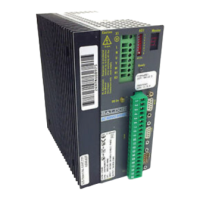
Baldor DBSC 100 Series - User Manual

Baldor DBSC 100 Series
39 pages
To Next Page IconTo Next Page
Loading...
Artisan Technology Group is your source for quality
new and certied-used/pre-owned equipment
FAST SHIPPING AND
DELIVERY
TENS OF THOUSANDS OF
IN-STOCK ITEMS
EQUIPMENT DEMOS
HUNDREDS OF
MANUFACTURERS
SUPPORTED
LEASING/MONTHLY
RENTALS
ITAR CERTIFIED
SECURE ASSET SOLUTIONS
SERVICE CENTER REPAIRS
Experienced engineers and technicians on staff
at our full-service, in-house repair center
WE BUY USED EQUIPMENT
Sell your excess, underutilized, and idle used equipment
We also offer credit for buy-backs and trade-ins
www.artisantg.com/WeBuyEquipment
REMOTE INSPECTION
Remotely inspect equipment before purchasing with
our interactive website at www.instraview.com
LOOKING FOR MORE INFORMATION?
Visit us on the web at www.artisantg.com for more
information on price quotations, drivers, technical
specications, manuals, and documentation
Contact us: (888) 88-SOURCE | sales@artisantg.com | www.artisantg.com
SM
View
Instra
Question and Answer IconNeed help?

Do you have a question about the Baldor DBSC 100 Series and is the answer not in the manual?

Baldor DBSC 100 Series Specifications

General IconGeneral
BrandBaldor
ModelDBSC 100 Series
CategoryController
LanguageEnglish

Summary

Section 1 Introduction and Conformity

Safety Notice and Precautions

Guidance on safe operation, wiring, grounding, and handling of internal components, including warnings.

Section 2 Specifications

General Specifications - 230 VAC

Technical specifications for the DBSC 102/105 models at 230VAC input.

General Specifications - 115 VAC

Technical specifications for the DBSC 102/105 models at 115VAC input.

Signal Levels

Details on command input, feedback, and communication signal specifications.

Section 3 Installation

Overload Protection

Information on UL approved motor overload protection and NEC requirements.

Protective Devices and Power Disconnect

Guidance on input power protection devices, fuses, and power disconnects for safety.

AC Power Connections

Instructions for connecting AC power wires to the control's connector X1.

Motor Wiring

Instructions for connecting motor leads to the control unit.

Command Input Configuration

Details on setting up analog command input for single-ended or differential operation.

Section 4 System Setup

DIP Switch Settings and Configuration

Details on setting DIP switches for card addressing and control functions.

Power Up Procedure

Detailed steps for initial power up, including pre-checks and connection of peripherals.

Section 5 Troubleshooting

Operating Mode Indications and Causes

Lists operating modes, status indicators (Ready, Monitor), and their corresponding causes.

Related product manuals