4.1 Status Indications
The top LED will help you to identify the current radio status.
Monitor mode/Scanning Receiving
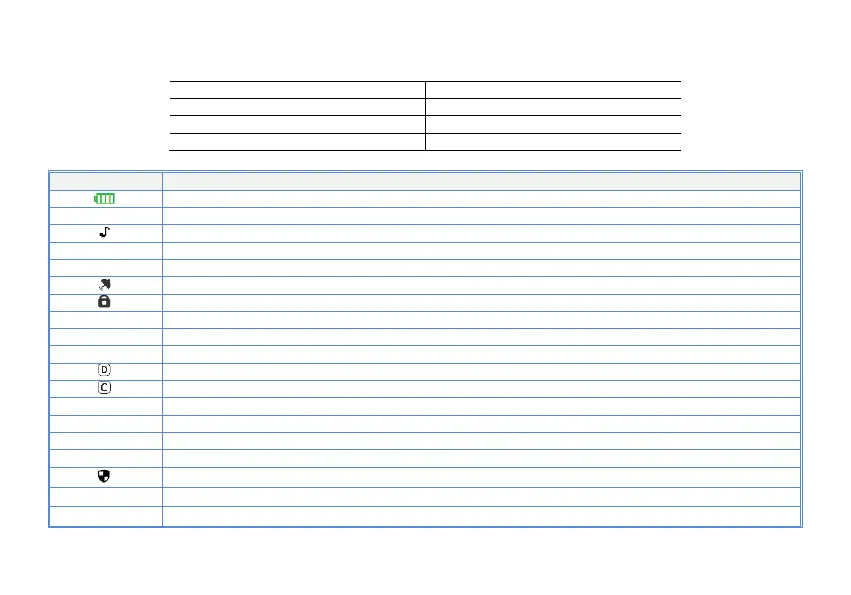
4.2 LCD icon summary
Make sure you can hear the DTMF side tone from the radio speaker, set to DT-ST, ANI-ST, DT+ANI.
Indication of the current channel's region. Working in storage mode
In the current working VFO mode. Allow manual frequency input
Transmit power level indicator, According to Power High/Middle/Low
Enables access of repeaters in VFO/Frequency Mode. TX will be shifted higher in frequency than RX
。
Enables access of repeaters in VFO/Frequency Mode. TX will be shifted lower in frequency than RX
Talkaround has been activated, off grid at the central turntable. The transmission frequency is equal to the receive frequency
The confidential calling feature is activated
Wideband enabled (25.0KHz)
Narrowband enabled (12.50KHz)


 To Next Page