The SK1 key allows users to customize functions:
• FM RADIO: FM radio on/off.
• SCAN: Scan on/off.
• SEARCH: one touch Search on/off.
• VOX: Vox on/off.
(27) Reset (Reset) – + 27
With this function you can reset the transceiver to the factory-programmed settings and parameters. After that, you can set the desired functions. There are
two types of reset:
• VFO: Menu Reset
• ALL: Menu and channel Reset
7.4 GPS function
Optional features that require hardware support.
The position system is a typical DTMF calling application. For the method of setting call codes, call names, and local IDs, please refer to "Signaling Calls".
It is necessary to ensure that the radios that receive and send GPS location information operate on the same frequency or channel, and are set to the main
frequency band.
In GPS mode, you can only view location information and cannot make normal calls. Voice intercom must exit GPS mode in order to proceed.
You can set the system time, GPS on/off, time zone, and GPS mode through the position system menu. Press and hold
key to view, share, and request
location information.
(1) GPS on/off settings
Set path: + 4 + : Press the / key to select whether to turn GPS ON/OFF.
*After turning on the position system, the screen displays the icon
(2) Time zone settings:
Set path: + 4 + + 2: Press the / key to select the correct time zone.
(3) GPS mode settings
This machine is equipped with a multi-mode GPS module, mainly including GPS from the United
States and Beidou from China.
Set path:
+ 4 + + 3: Press the / key to select GPS mode (Beidou, GPS, or
GPS+Beidou).
Use of GPS
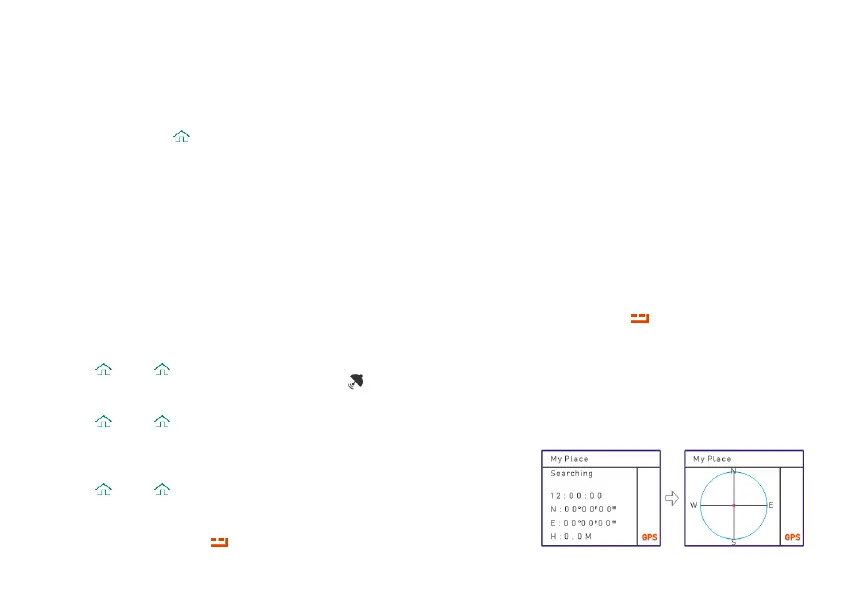
In standby mode, press and hold key to enter GPS mode and display "My Place” as an


 To Next Page