4. Troubleshooting
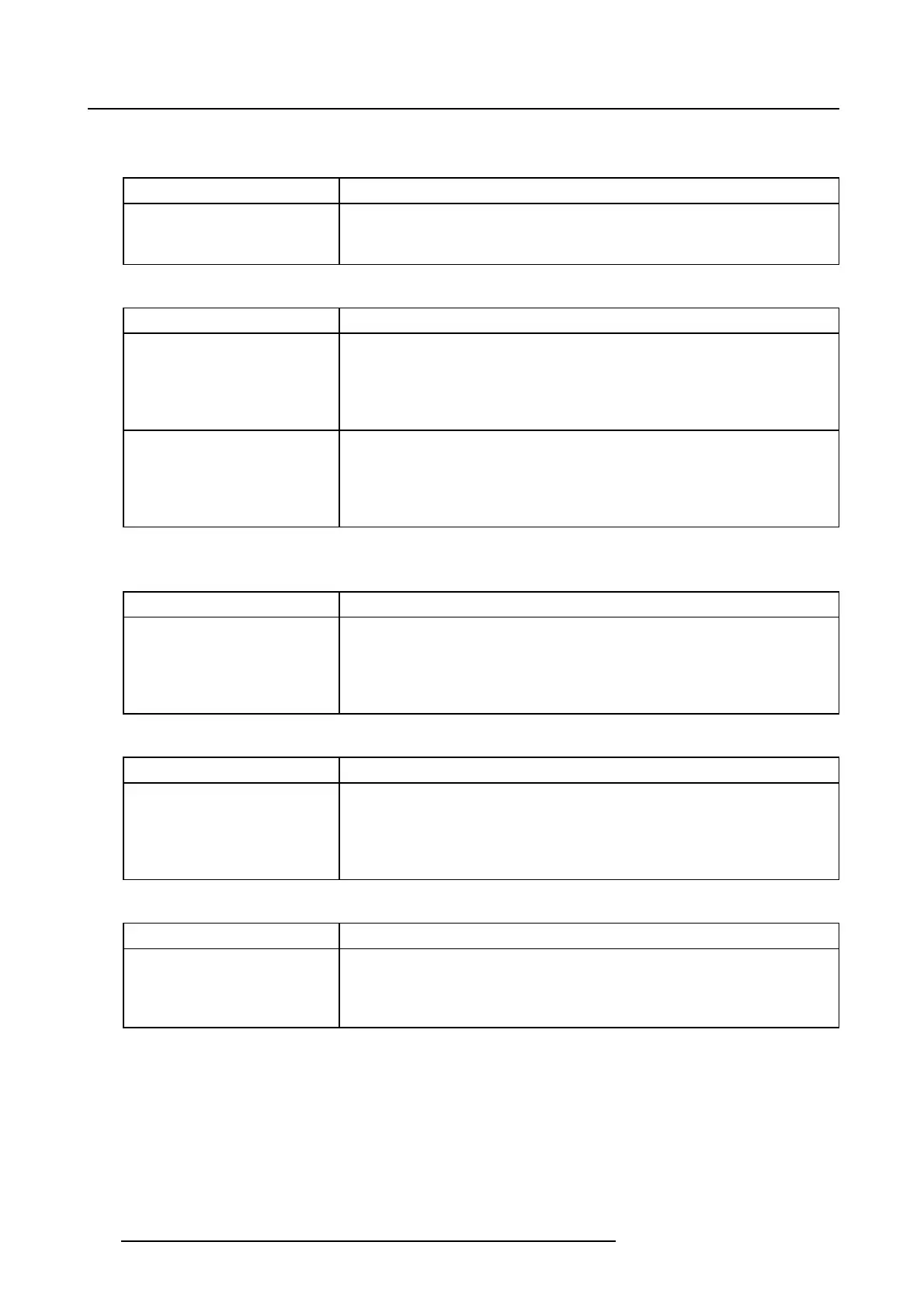
Code 10645: “ingest scan - source scan already started - new scan request re-
jected” (Error)
Situation Solution
A new ingest scan cannot be
started because a previous
one is still running.
Abort the previous scan or wait for it to complete.
Code 10646: “ingest scan - too many files in source - cannot scan source” (Error)
Situation Solution
The USB source cannot be
scanned because it contains
too many files. The system
has a limit in the amount of
data it can process.
Remove unnecessary files from the USB source and restart a scan.
The remote source cannot be
scanned because it contains
too many files. The system
has a limit in the amount of
data it can process.
Remove unnecessary files from the remote source or define several
ingest sources to point to different sub-directories on the same server.
Try to minimize the amount of files that will be scanned at a time.
Code 10647: “ingest scan - too many source parsers currently active - canno
t
scan source” (Err or)
Situation Solution
A new ingest scan cannot
be started because other
clients are already running
scans. There are not enough
resources to run the scan.
Wait for other scans to end. If the problem persists, restart the
projector. If the problem still persists, escalate the issue including a log
package from the system.
Code 10648: “ingest scan - invalid CPL metadata - cannot play that CPL” (Error)
Situation Solution
TheCPLmetadataare
incorrect. The edit rate,
aspect ratio or other metadata
are inconsistent. The CPL
will not play.
Check the content with the content provider.
Code 10649: “ingest scan - invalid CPL body - cannot play that CPL” (Error)
Situation Solution
The CPL body is incorrect.
No video track was found in
some reels of the CPL. The
CPL will not play.
Check the content with the content provider.
40 R5906594 ICMP 09/11/2016


 To Next Page