4. Troubleshooting
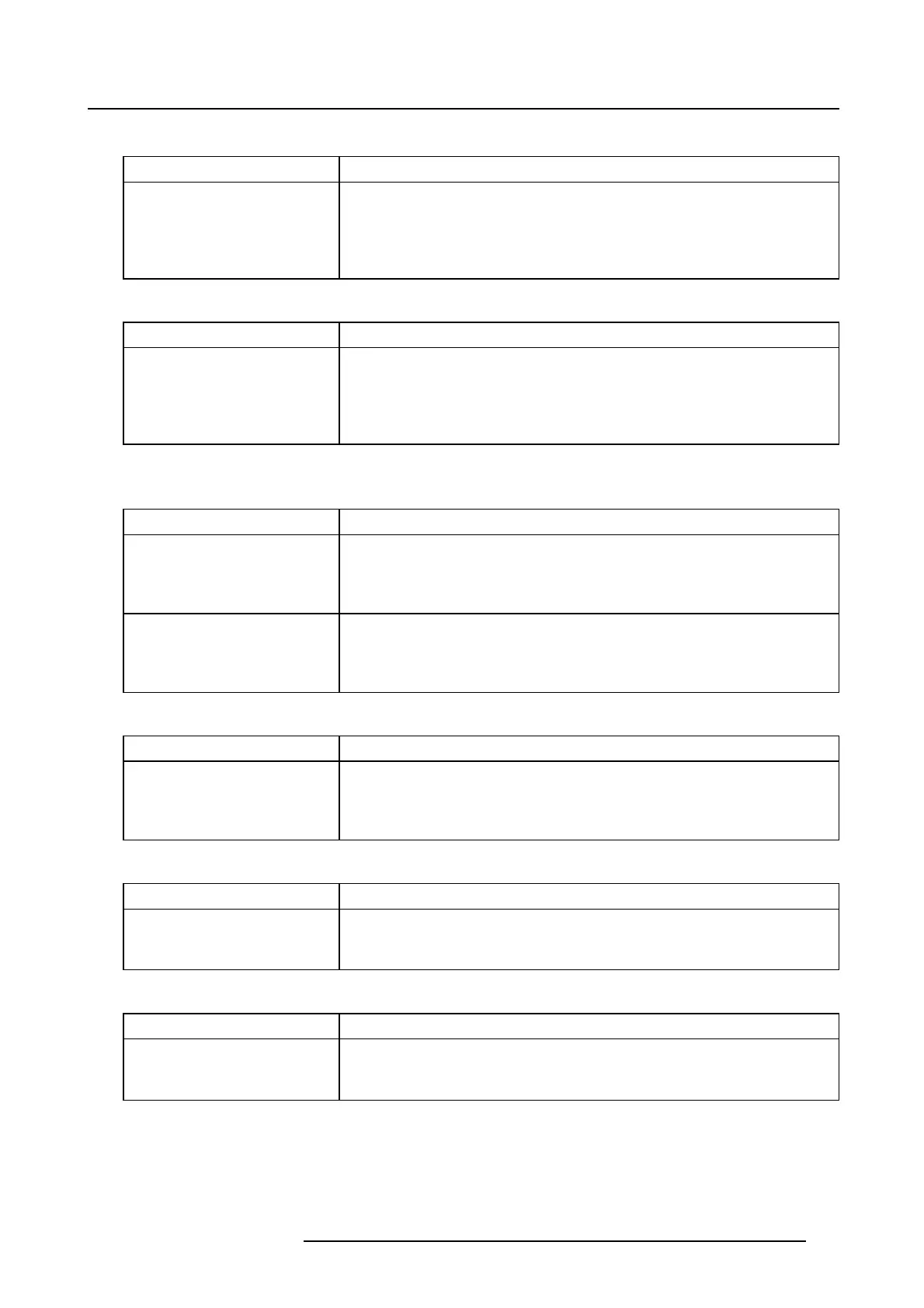
Code 10946: “player - no show selected” (Error)
Situation Solution
The selected show cannot be
returned. A TMS application
is trying to read the selected
show from the player but
nothing is currently selected.
TMS applications should first select a content in the Player in order
to read the selected show.
Code 10947: “player - Media Player input not selected - cannot play” (Error)
Situation Solution
The playback cannot start
because the Media Player
input is not the active input.
An alternative input is
currently selected.
Execute a macro on the projector to select the Media Player input
before starting the playback.
Code 10948: “player - incomplete content (no picture found) - selection failed”
(Error)
Situation Solution
The player cannot play the
selected content because
it cannot identify the video
asset.
The content is probably ill-formed or is using obsolete specifi cations.
GetavalidsourceDCPwithacorrectversionofthecontent.
The player cannot play the
selected content because it
does not support the type of
video asset.
Update the ICMP with a version that supports that type of content.
Code 10949: “player - KDM outside signer time window - KDM rejected” (Error)
Situation Solution
The play cannot start
because one of the KDM
validity is outside of the
signer validity period.
Request a KDM with a correct validity period from the content provider.
Code 10950: “player - slave player n ot connected - cannot play” (Error)
Situation Solution
The play cannot start
because a slave projector is
not connected.
Check the connectivity between the master and the slave projectors.
Code 10951: “player - selection failed on slave player - cannot play” (Error)
Situation Solution
The play cannot start
because the selection failed
on a slave projector.
Check the error that occurred on the slave projector
s. In case of show
format error, try to modify the show on the master using the Web
Commander application and then retry.
R5906594 ICMP 09/11/2016 57


 To Next Page