Manual 2100-671C
Page 36 of 59
Serial/Model Number Configuration
MEGA-TEC wall-mount units configure some settings
based on the model number that is input into the unit.
The model and serial number are entered at the factory,
and should be retained during a software update.
However, after a software update, it is best practice to
verify that the model and serial number is still present
and accurate. If the model and/or serial number is
missing or incorrect they will need to be re-entered.
To update serial/model numbers:
1. Press MENU key to go to the Main Menu screen.
2. Press UP or DOWN keys and ENTER key to enter
ENGINEER password 9254.
3. Press UP or DOWN keys to scroll to Adv. Sys.
Config; press ENTER key.
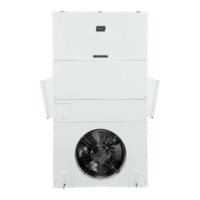
4. Press UP or DOWN keys to scroll to Unit Setup B1
(see Figure 54).
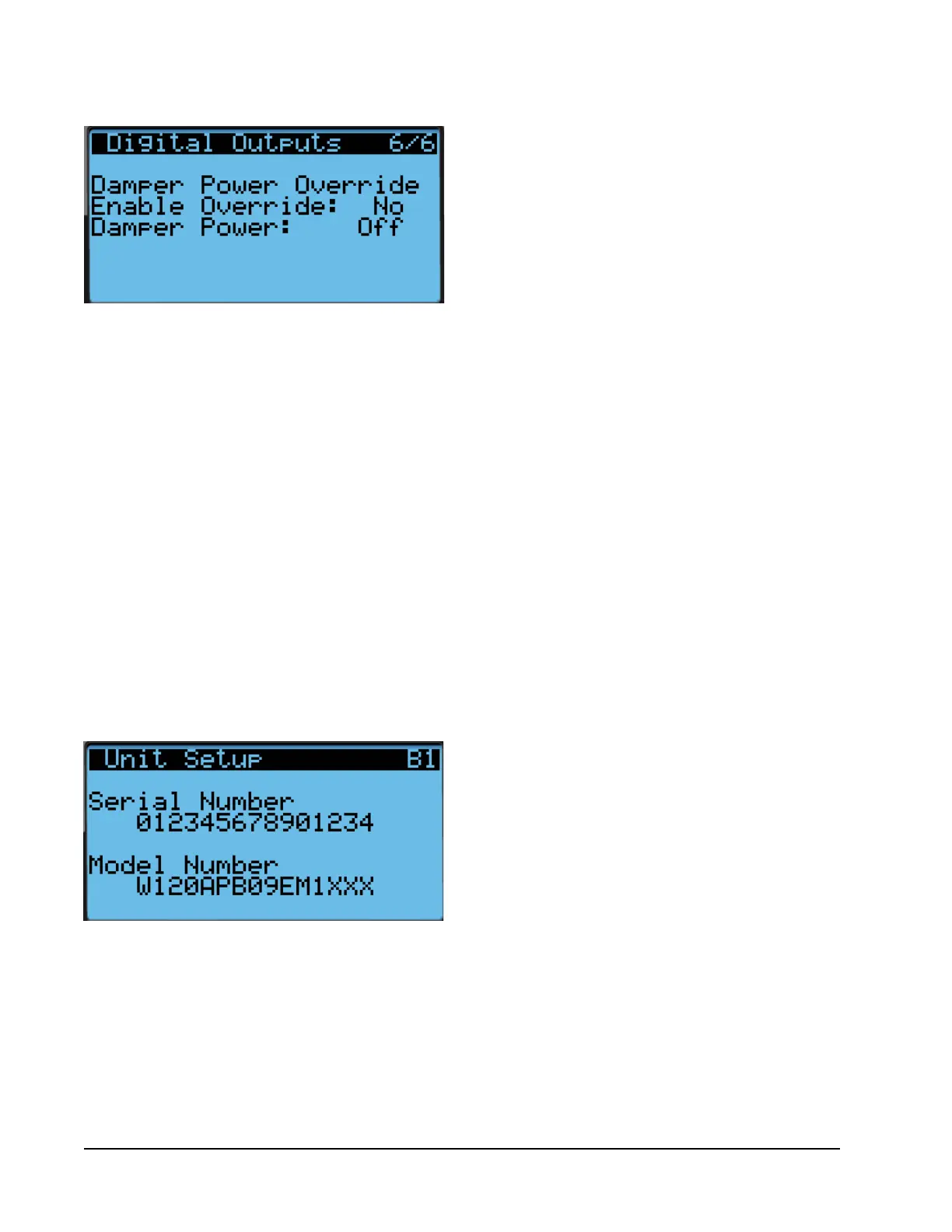
FIGURE 53
Override Damper Output
5. Press ENTER key to advance the cursor to the digit
that needs changed in the serial/model number.
6. Press UP or DOWN keys to change value of the digit.
7. Continue Steps 5 and 6 until the serial/model
number(s) are correct and reflect the number on
the product label.
For more information on the options and settings
available for specific model numbers, see the model
number breakdown in Figure 55.
FIGURE 54
Serial/Model Number Configuration



 To Next Page