Manual 2100-705B
Page 37 of 43
To enable/disable Zone 2 Remote Temperature:
1) Press MENU key to go to the Main Menu screen.
2) Use UP or DOWN keys and ENTER key to
enter USER password 2000.
3) Press UP or DOWN keys to scroll to IO Config;
press ENTER key.
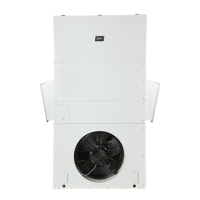
4) Press UP or DOWN keys to scroll to Z2 Remote
Temp C9.
5) Press ENTER key to scroll to Enable (see
Figure 41).
6) Press UP or DOWN key to change value to ON
to enable sensor (or change value to OFF to
disable sensor).
To enable/disable Zone 3 Remote Temperature:
1) Press MENU key to go to the Main Menu
screen.
2) Use UP or DOWN keys and ENTER key to
enter USER password 2000.
3) Press UP or DOWN keys to scroll to IO Config;
press ENTER key.
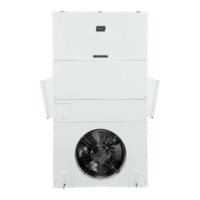
4) Press UP or DOWN keys to scroll to Z3 Remote
Temp C10.
5) Press ENTER key to scroll to Enable (see
Figure 42).
6) Press UP or DOWN key to change value to ON
to enable sensor (or change value to OFF to
disable sensor).
To enable/disable Outdoor Air Humidity:
1) Press MENU key to go to the Main Menu
screen.
2) Use UP or DOWN keys and ENTER key to
enter USER password 2000.
3) Press UP or DOWN keys to scroll to IO Config;
press ENTER key.
4) Press UP or DOWN keys to scroll to Outdoor
Air Humid C11.
5) Press ENTER key to scroll to Enable (see
Figure 43 on page 38).
6) Press UP or DOWN key to change value to ON
to enable sensor (or change value to OFF to
disable sensor).
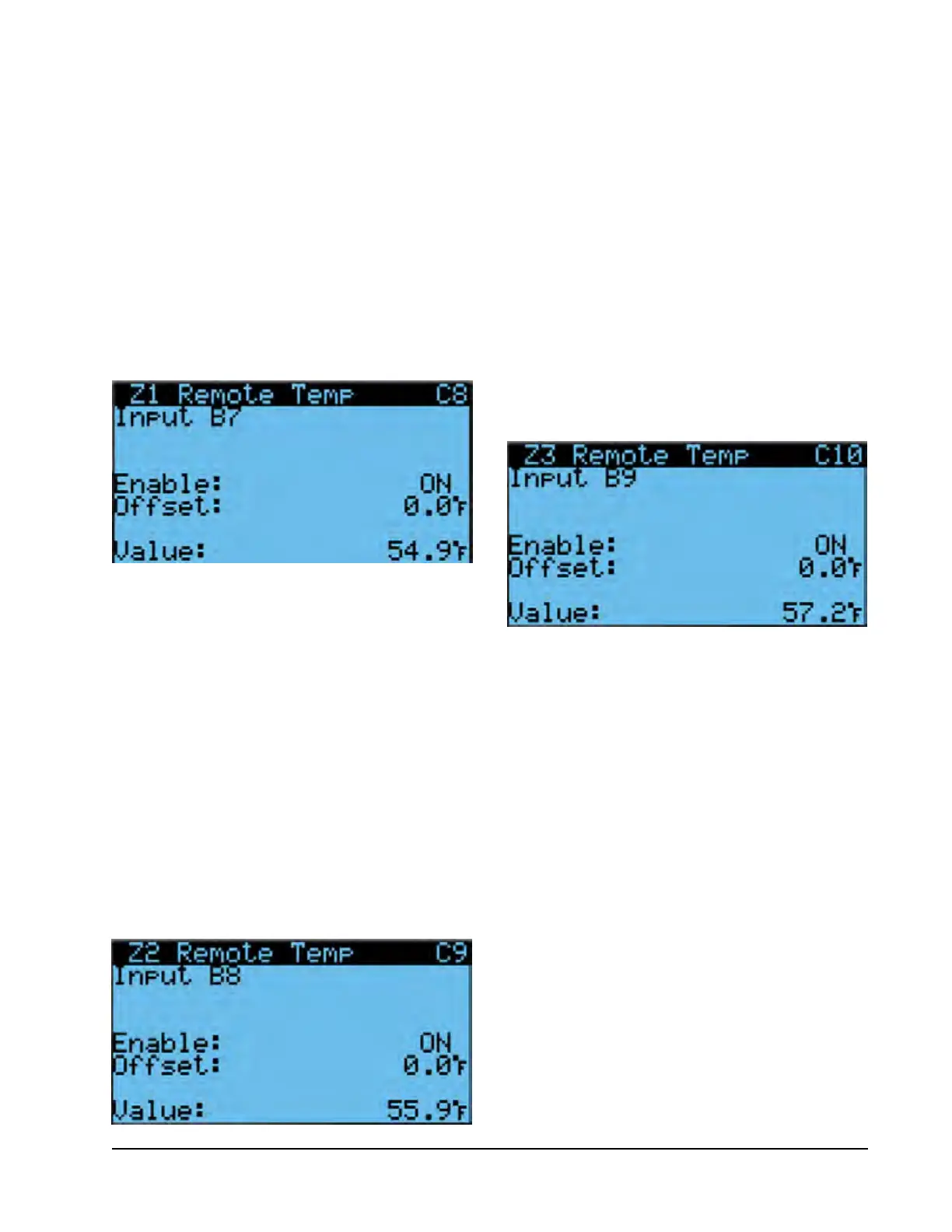
FIGURE 40
Enable/Disable Zone 1 Remote Temperature Sensor
FIGURE 41
Enable/Disable Zone 2 Remote Temperature Sensor
FIGURE 42
Enable/Disable Zone 3 Remote Temperature Sensor
2) Use UP or DOWN keys and ENTER key to
enter USER password 2000.
3) Press UP or DOWN keys to scroll to IO Config;
press ENTER key.
4) Press UP or DOWN keys to scroll to Z1 Remote
Temp C8.
5) Press ENTER key to scroll to Enable (see
Figure 40).
6) Press UP or DOWN key to change value to ON
to enable sensor (or change value to OFF to
disable sensor).



 To Next Page