Operation
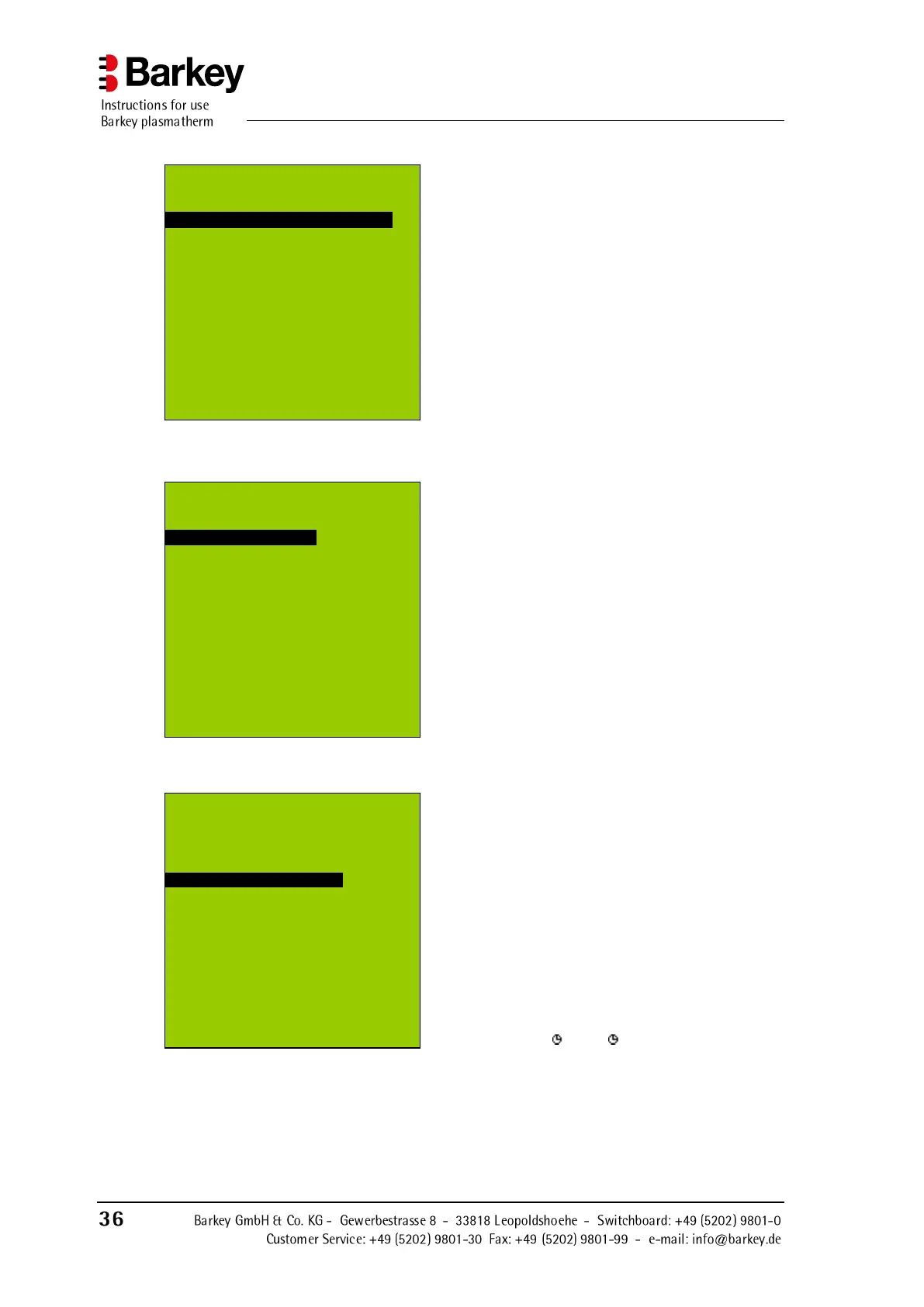
The user menu appears.
► Using the left or right-hand selection
button ("▼" or "▲") in the user
menu, select "Heating duration", then
press the "OK" button to confirm your
choice.
Figure 22: User menu
In this submenu you can select the re-
quired program using the left or right-
hand selection button ("▼" or "▲") and
then press the confirm button ("OK") to
activate the change to the corresponding
heating duration.
Figure 23: Heating duration menu
You will now see this display for setting
the heating duration for the "PLASMA"
program.
► Press the confirm button ("OK").
The flashing heating duration can now be
set individually for the selected program
by using the left or right-hand selection
button (" -" or " +").
Figure 24: Setting the heating duration
for the "PLASMA" program
U s er m e nu
Back
P r o g r am
H e a t i ng d u ra t i o n
F u n c t io n b ut t o n s
F i l l le v e l
▼ O K ▲
U s er m e nu
H e a ti n g du r a t i on
Back
PLASMA d u r a t. 2 0 :0 0
B L O O D du r a t . 1 5 :0 0
H P C d u ra t . 5 :0 0
U S E R d ur a t . 20:00
▼ O K ▲
U s er m e nu
H e a ti n g du r a t i on
Back
PLASMA d u r a t. 2 0 :0 0
B L O O D du r a t . 1 5 :0 0
H P C d u ra t . 5 :0 0
U S E R d ur a t . 2 0 :0 0
▼ O K ▲


 To Next Page