B.link
Manual
13 / 32 v.1.1 © 2014 basalte
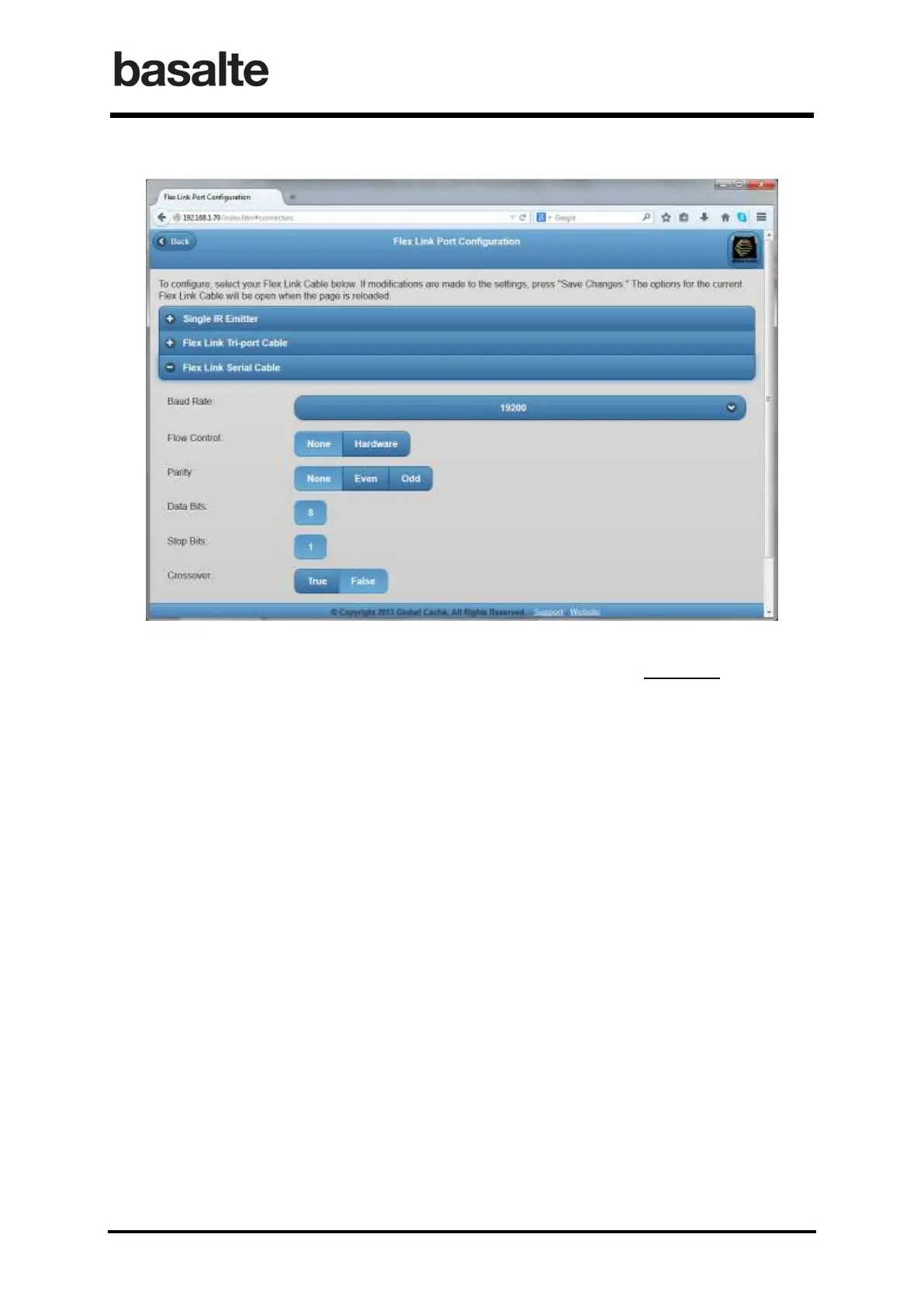
The same instructions would hold true for setting your unit to use the Flex link Serial Cable match
all the settings for the component that is to be controlled, leave this option expanded then save
changes and exit the page.
It is very important that only the option which you intend to use the device for is
selected and saved otherwise your unit will not function properly
.
4.2.3 Reset to Factory Defaults
B.link Flex configuration can be reset to factory defaults by pressing and holding the reset button
(located around the side to the right of the Flex Link Port) for 8 seconds and releasing. The LED will
blink quickly at 4 seconds and blink faster at 8 seconds to confirm default configuration.


 To Next Page