B.link
Manual
18 / 32 v.1.1 © 2014 basalte
Import IR codeset from Global Caché IR Database
The B.link software allows you to import the IR codeset from the online Global Caché IR database.
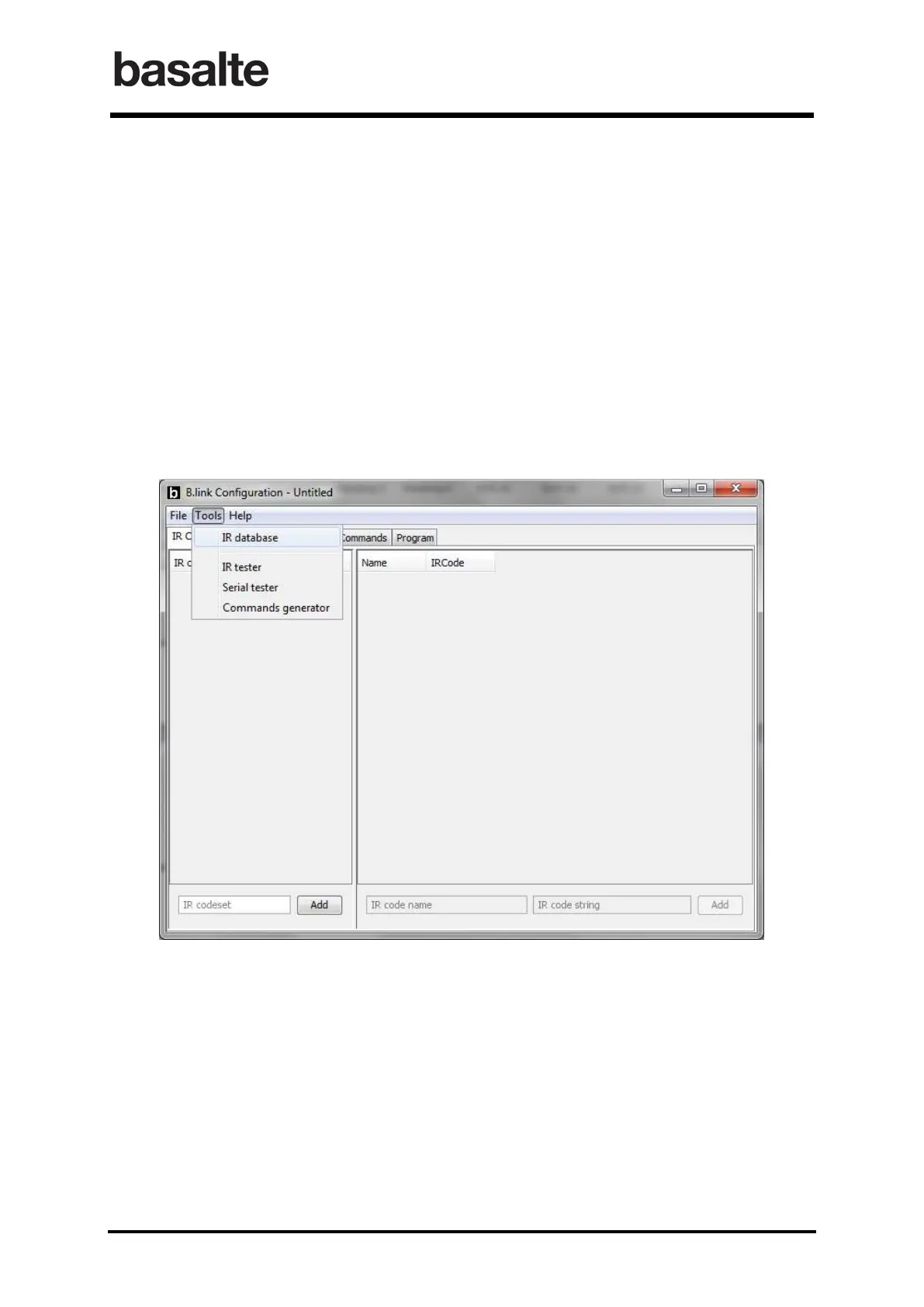
1. After launching the B.link Configuration software, in the Tools menu select IR database.
2. In the new window, select
o Manufacturer
o Device Type (TV, DVD, Satellite,….)
o Codeset
3. The default codeset name can be changed, but should be unique.
4. Repeat the above steps until all your codesets are imported.
It is advised to always verify the imported codes. The IR tester can be triggered by a right-mouse
click on a selected IR code. This will only work once the corresponding B.link Flex module is
configured correctly in the topology section.


 To Next Page