B.link
Manual
32 / 32 v.1.1 © 2014 basalte
5.4.3 Programming
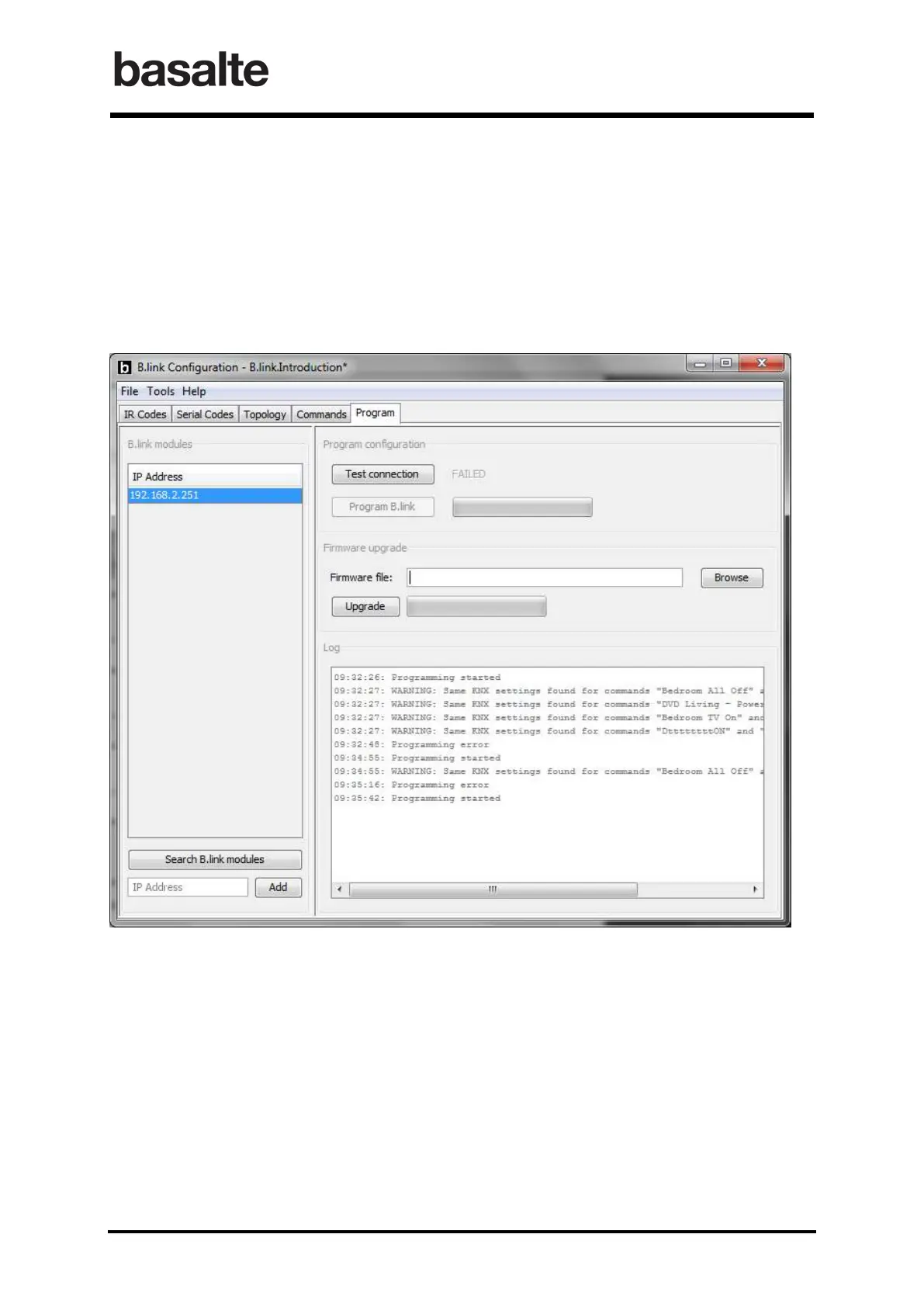
The final step is to upload the project configuration into the B.link using the Program tab.
In the left pane you can add the fixed IP address of your B.link, or click Search B.link modules to
search automatically for every IR link module connected to the network.
Use the Program B.link button to program the current project file to the selected B.link. The
connection itself can also be tested by clicking Test connection.
The firmware of the B.link itself can also be upgraded from the B.link application.
The log file will not only show the progress but also provides additional warnings related to the
project configuration.


 To Previous Page