RoboClaw Series
Brushed DC Motor Controllers
RoboClaw Series User Manual
31
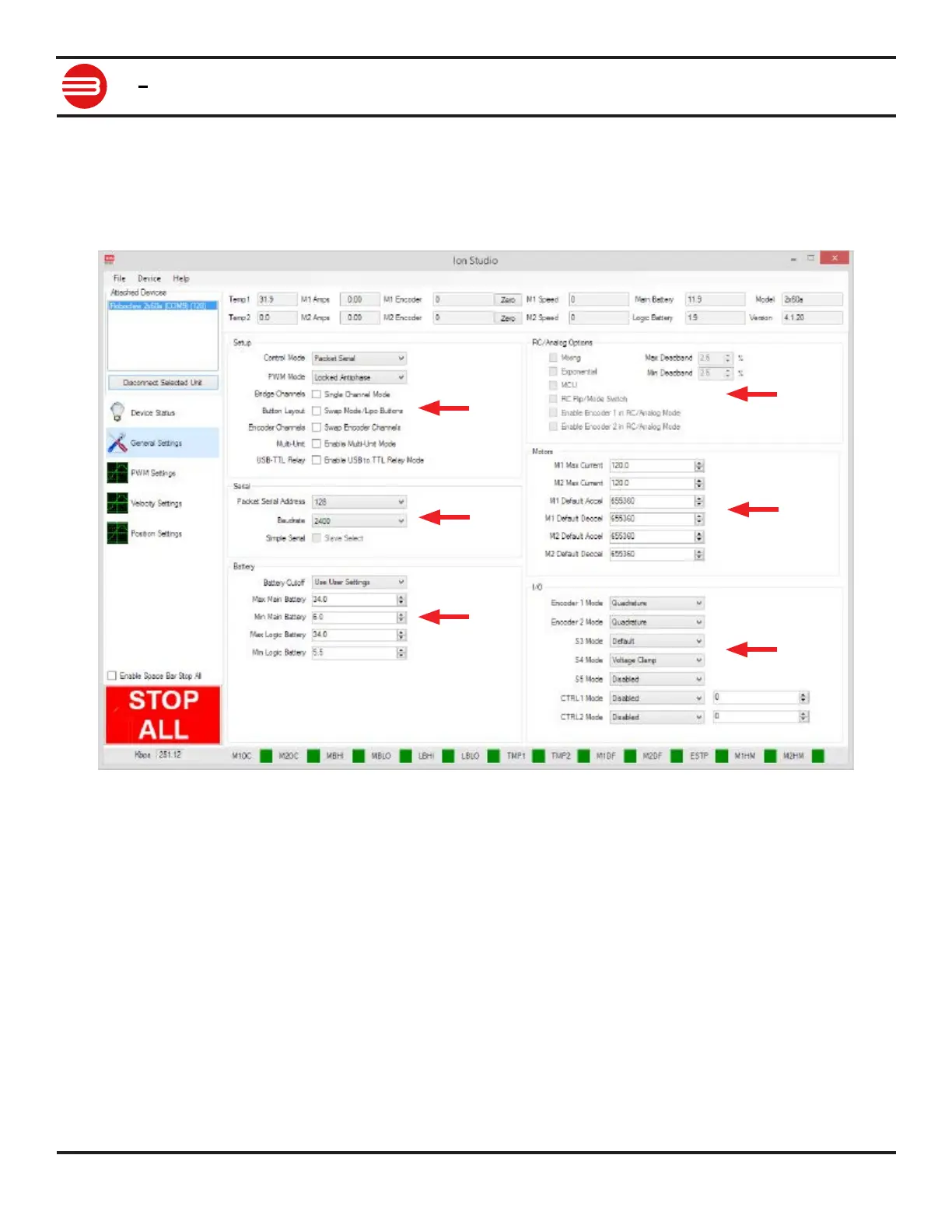
Control Mode Options
The general settings screen is used to congure RoboClaw. Each control mode will have several
conguration options. Grayed out options are not available for the selected mode. Once all
settings are congured they must be saved to RoboClaw. This is done by selecting Write Settings
from the Device menu in the menu bar.
1
2
3
4
5
6


 To Next Page