Manual_PROFINET_EN.doc 16/24 www.baumer.com
17.10.11
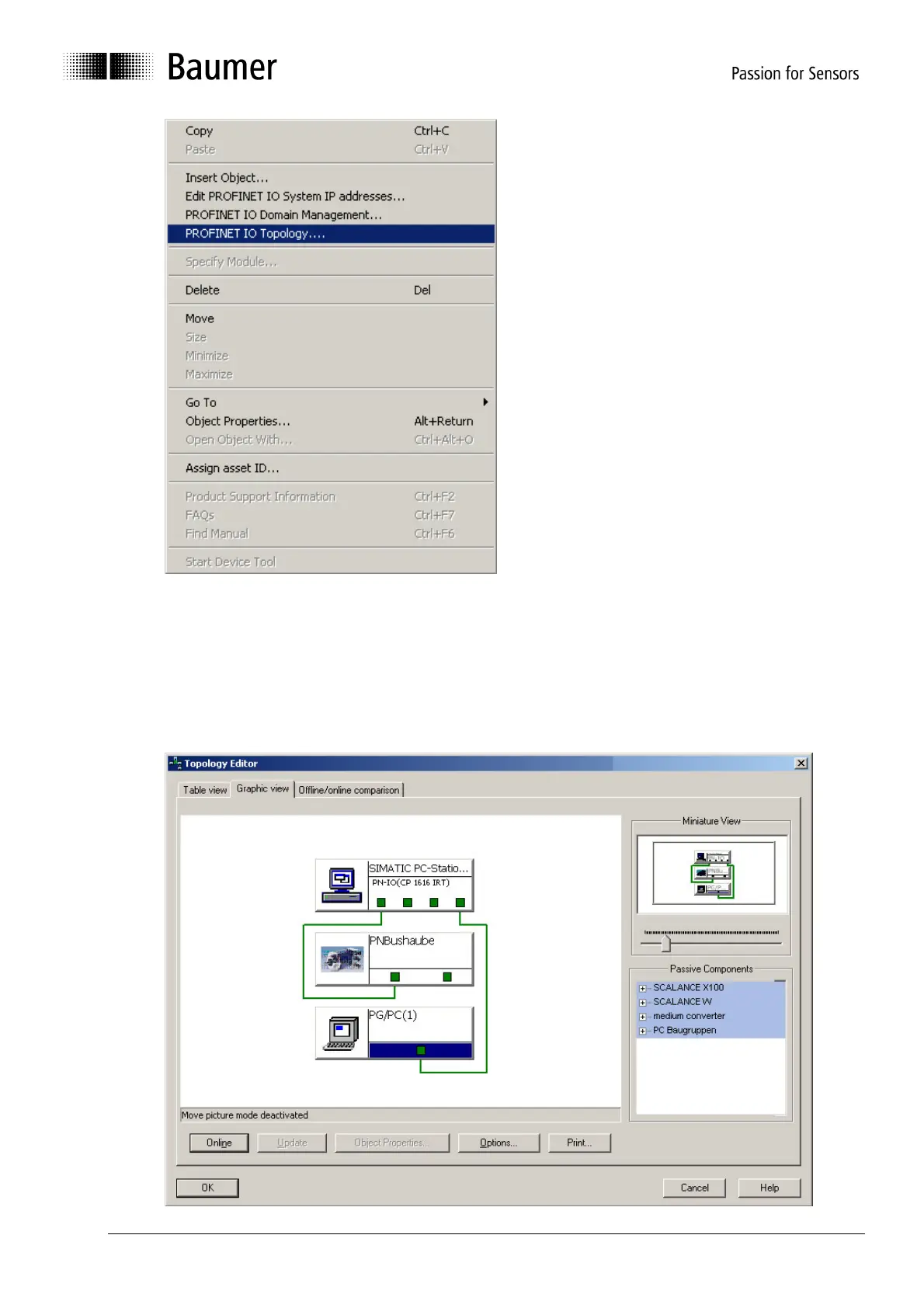
The Graphic View clearly shows port assignment of all bus components. The assignment made here
must fit to the real conditions.
In the example below, controller port1 is linked to port 1 of the encoder. The programming tool
(PG/PC) is connected to port 4 of the controller.
A double click on the collections allows to input the respective cable length. Offline/Online
comparison allows to measure the real values in order to correct data if required.



 To Next Page