HB EncoderMaster E V1.00.xx rev04.doc 8/15 Baumer Electric AG
09.07.08/wer Frauenfeld, Switzerland
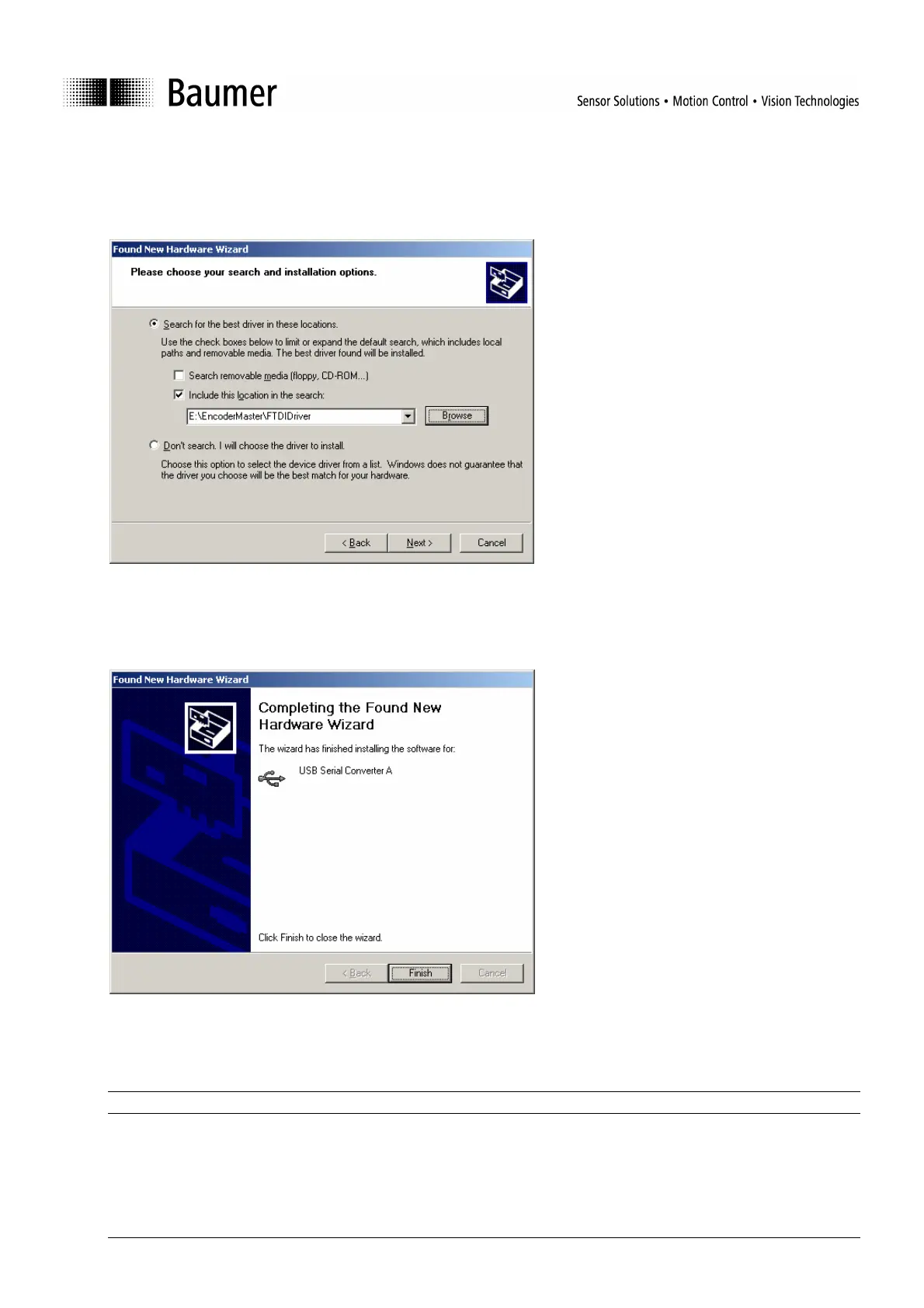
Step 8: Choose the checkbox Include this location in the search and set the path to:
E:\EncoderMaster\FTDIDriver
where E stands for your CD drive where the Fieldbus CD-ROM is.
Figure 6: Path for the driver
Step 9: Close the installation by clicking on Finish.
Figure 7: Final window after successful driver installation
Important: If the operating system is Windows 2000 step 6 eventually has to be done twice.



 To Next Page