Programming field 1
Information on the displays and changing individual values is also
given in part 4.
➜ Press the
key again.
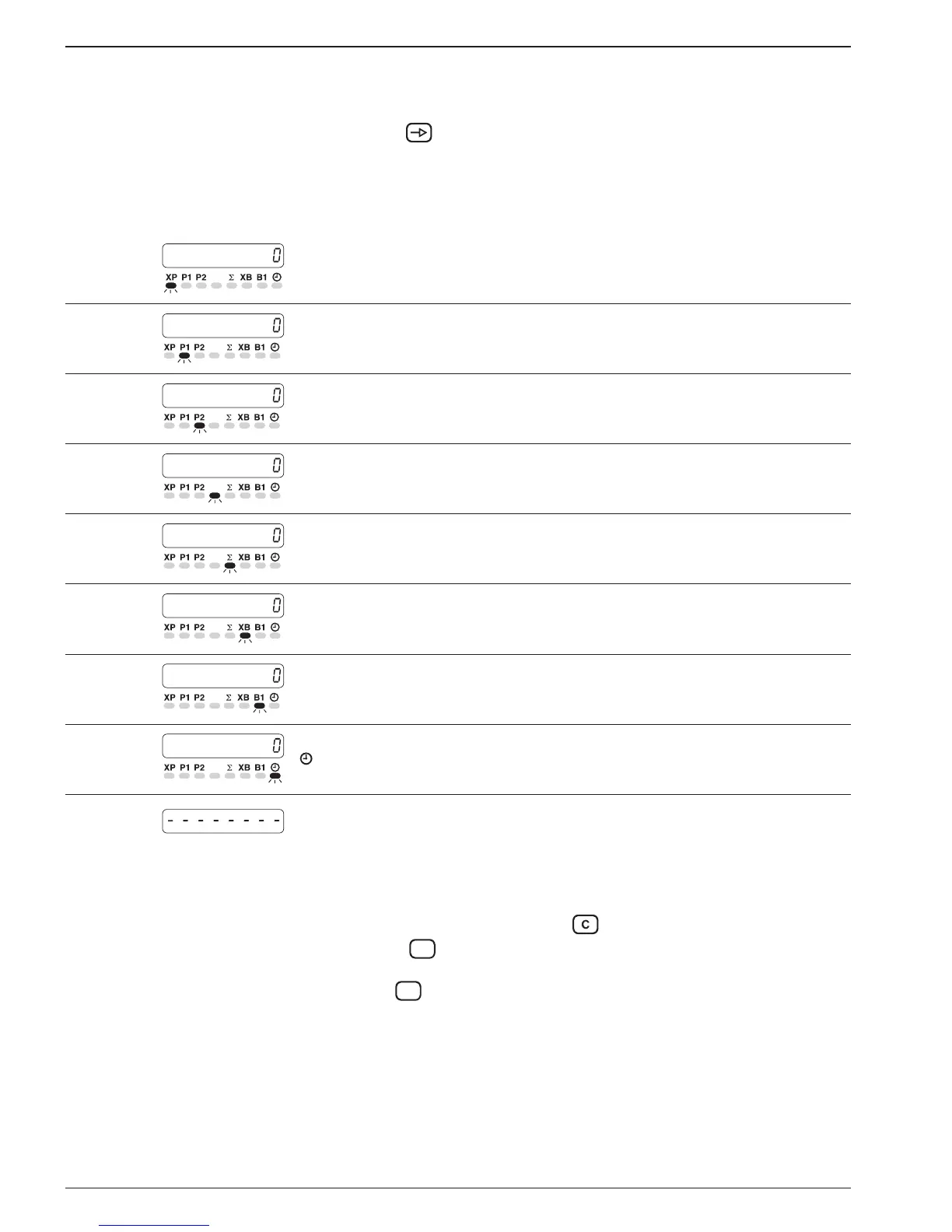
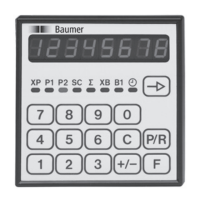
● The operating parameters are now called up. The respective LED
flashes.
To change operating param. ➜ Input the new value via the numerical keypad.
Line 1
XP - Current counter status
Line 2
P1 - Preset value 1
Line 3
P2 - Preset value 2
Line 4
SC - Main counter start count value
Line 5
XB - Batch counter status
Line 7
B1 - Batch counter preset value
Line 8
- Time meter
After the conclusion of the first programming segment, a broken
line appears in the display.
Programming procedure for removing the sign from ∑:
- Select line 5 (∑).
- Erase totalizing counter with the
key.
- Operate the
key; „-oFF 0“ appears in the display.
- The function can be activated or cut out with the repeated applica-
tion of the
key.
- When the line with the „-oFF 0“ display is left, the output of the
sign by the totalizing counter is suppressed.


 To Next Page