TA202
36 www.baumer.com
3.7 Executing the test routine
The test routine is described below.
Test start ➜ Press keys
and at the same time. Switch on the device,
hold down the above keys for this period.
● All display segments are displayed automatically in sequence and
so performance tested.
Test extension ➜ Using the
key, test the keyboard and the inputs in turn.
When testing the appliance outputs, ensure that no machine func-
tions are connected.
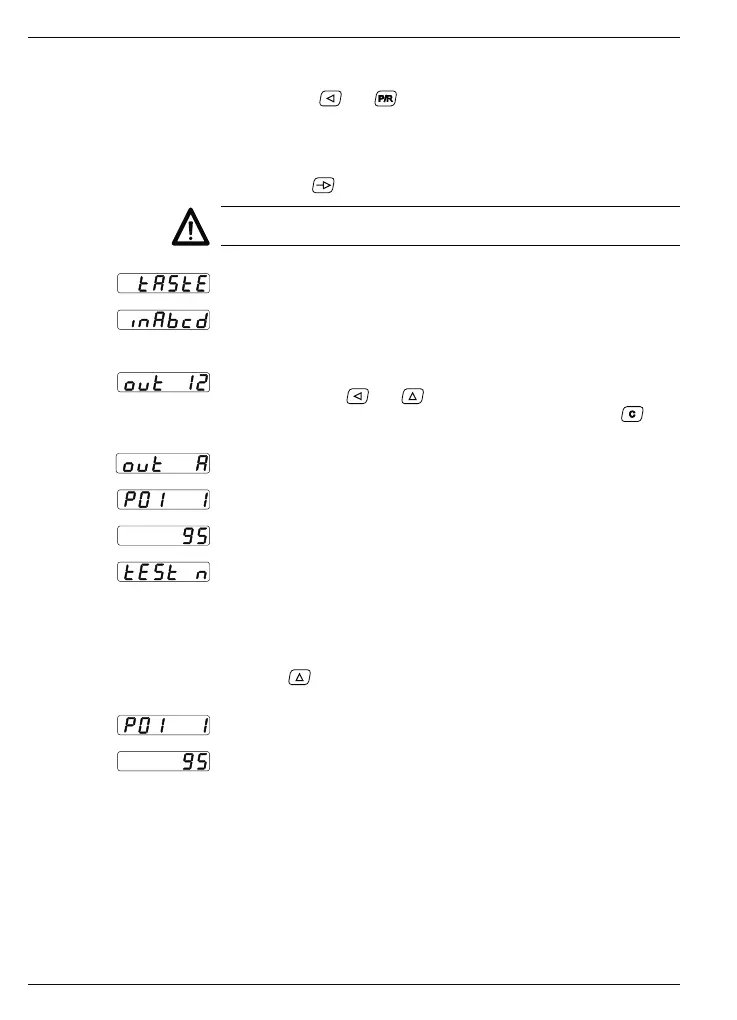
Keyboard test
Input test
● The inputs can be triggered simultaneously or individually.
The display is active in the idle status.
Output test
➜ Press the keys and .
The outputs are now activated. Reset the outputs using the
key.
Analog output test (only when using the option with analog output).
Display: Program number and version number.
Display: Program date.
Test of various input levels (operating points), signal forms and of
the phase discriminator (test of numbers 1 to 9).
Test end The test routine can only be interrupted by switching off the device.
After switching the mains supply back on, the device is automatical-
ly ready for operation.
Test program version
Press the
key, switch on the tachometer (hold the key down for
this period).
Display: Program number and version number.
Display: Program date.



 To Next Page