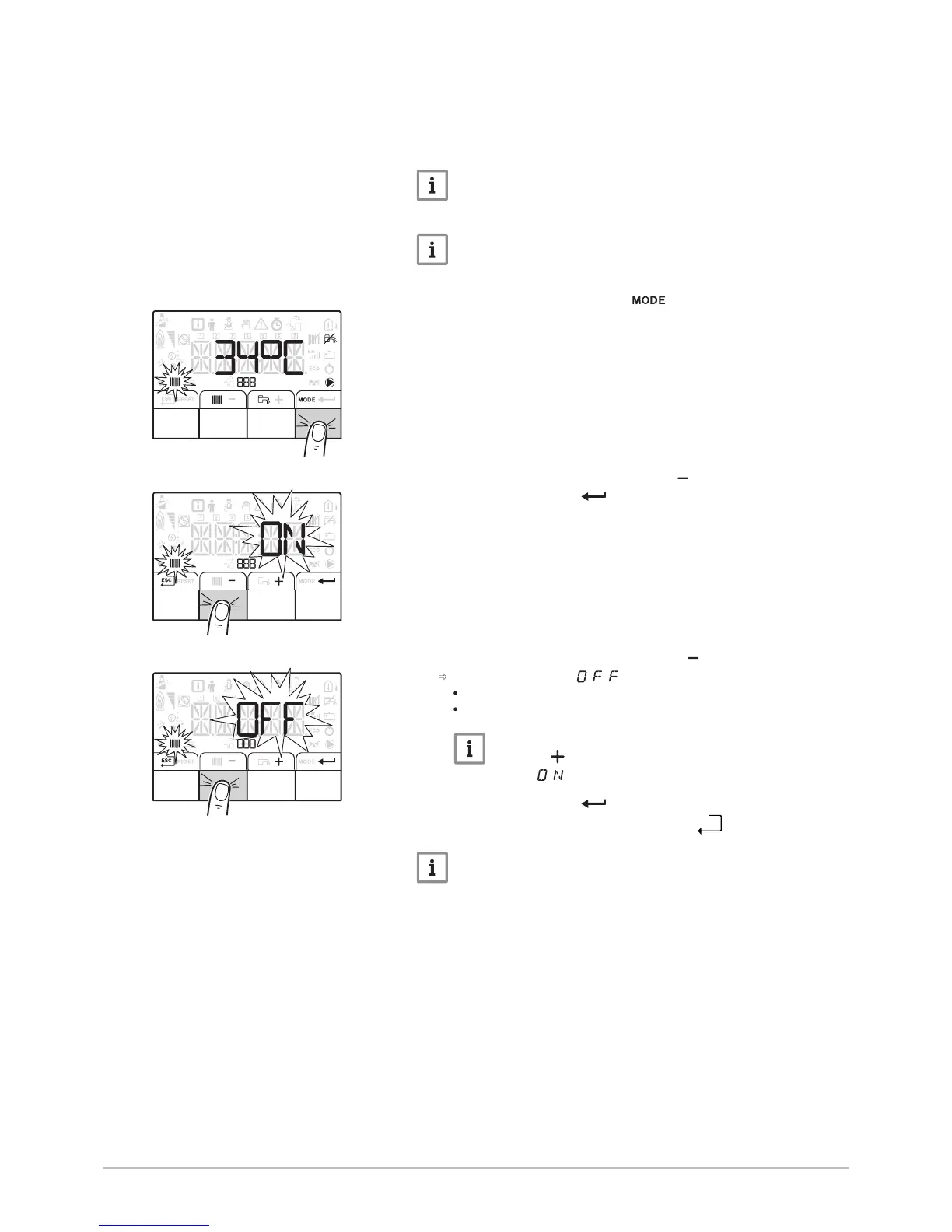
5.3 Shutdown
5.3.1 Switching off the heating
Important
Heating mode can be managed via the TIME PROG sub-menu
dedicated to timer programming.
Important
If the heating function is shut off, then the cooling will also be shut
off.
1. Go to stop mode by pressing the key.
2. Select the heating mode by pressing the key.
3. Confirm by pressing the key.
4. Select the heating shut-down pressing the key.
The screen displays: .
The frost protection function continues to run.
The heating and cooling have been shut down.
Important
Press the key to restart the appliance: the screen will
display .
5. Confirm by pressing the key.
6. Go back to the main display by pressing the


 To Next Page