Important
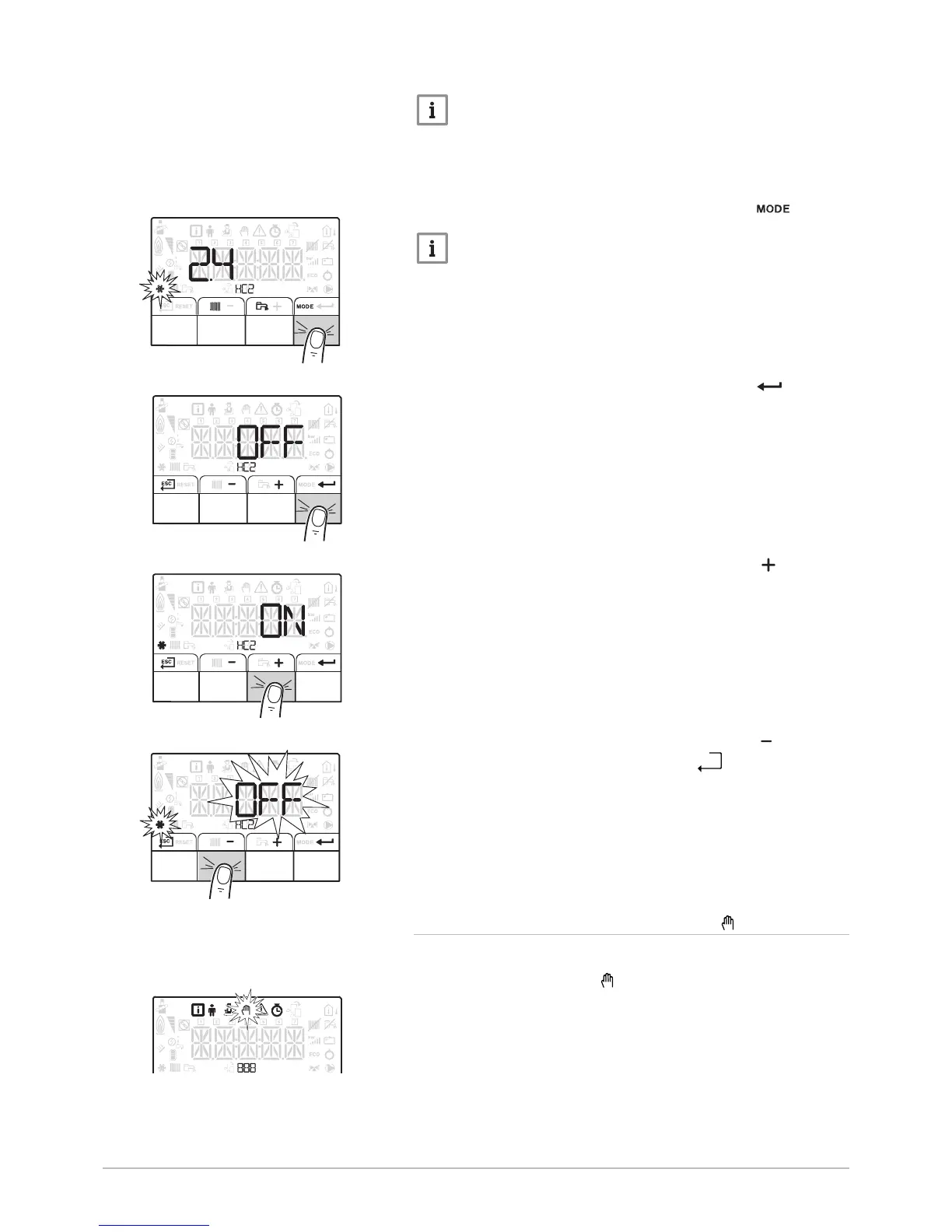
The heat pump switches to cooling automatically when the
outdoor temperature is +2 °C greater than the summer/winter
switching set point temperature (22 °C). The forced cooling
function is used to have cooling regardless of the outdoor
temperature.
1. Access Forcing of the cooling function by pressing the key.
Important
Forcing of the cooling function is possible only if the Installer
enabled the cooling function during Installation.
2. Access Forcing of the cooling function by pressing the key.
3. Activate Forcing of the cooling function by pressing the key.
4. Confirm Forcing of the cooling function by pressing the key.
5. Go back to the main display by pressing the
key.
6.4.4
Activating Manual Forcing for heating
The Manual Forcing menu is only used with the heating mode.
1. Access the Manual Forcing menu.
Fig.35


 To Next Page