When one of the following codes is displayed and the hybrid system
cannot restart automatically, contact a maintenance technician.
Tab.32 List of alarm codes
Error code Message Description
A02.06 Water Press Warning Water Pressure Warning active
A02.18 OBD Error Object Dictionary Error
A02.22 System flow warning System water flow warning active
A02.55 Inval or miss SerNR Invalid or missing device serial number
9.2
Accessing the error memory
The error and fault codes are listed together in the memory.
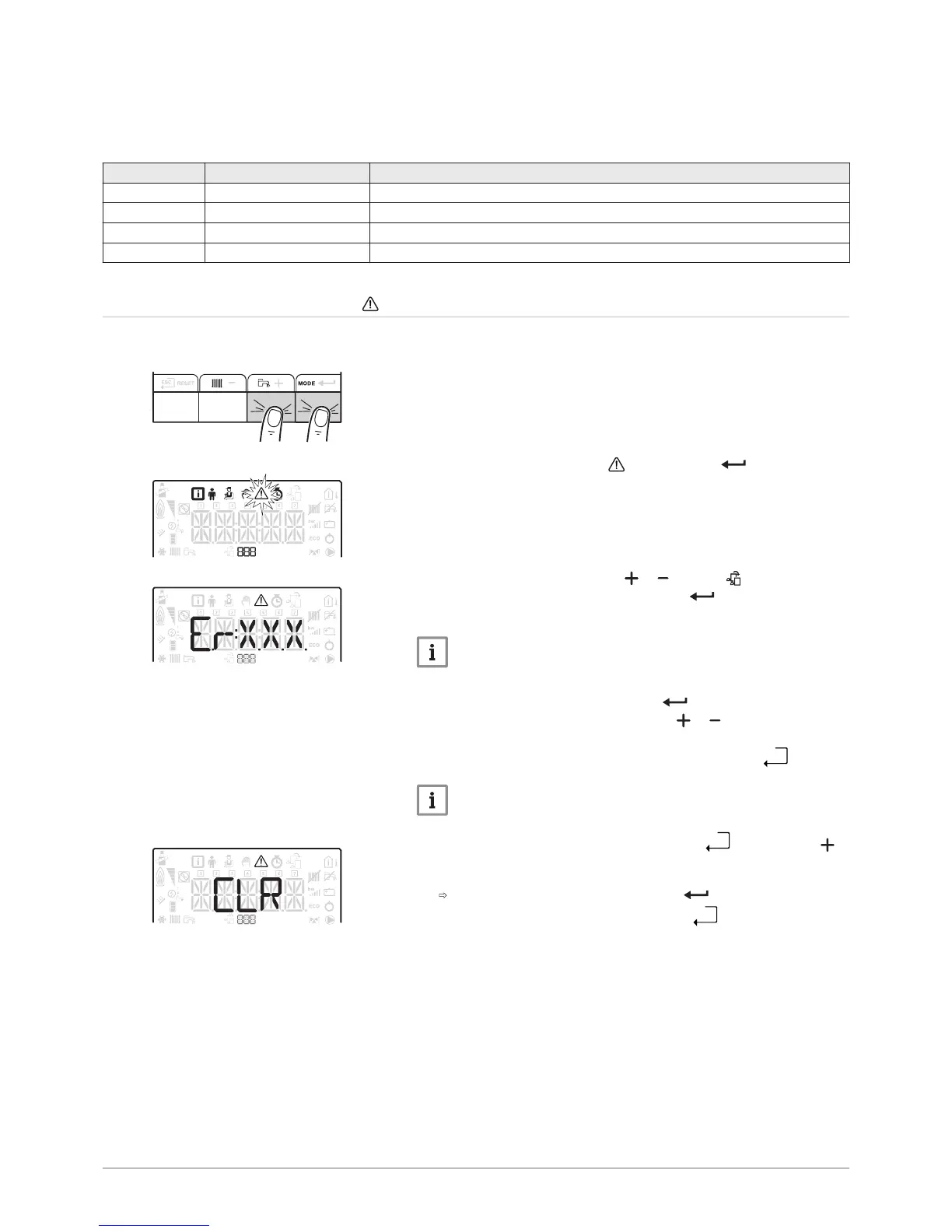
1. Access the menus by pressing the two keys on the right
simultaneously.
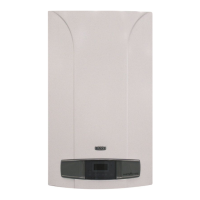
2. Select the Malfunction menu by pressing the key.
3. Select the PCB by pressing the or key. The icon appears.
Confirm the PCB selection by pressing the key: the PCB name
appears.
Important
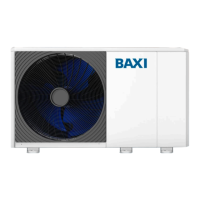
The Er:xxx parameter flashes. 000 corresponds to the number of
stored errors.
4. Go to the error details by pressing the key.
5. Scroll through the errors by pressing the or key. When this menu
opens, the row of the error in the memory appears briefly. The PCB
name appears. Go back to the error list by pressing the
key. Press the
key: the CLR parameter flashes after the errors. 000 corresponds to
the PCB selected.
Clear the error memory by pressing the key.
7. Exit the Malfunctions menu by pressing the


 To Next Page