6.4 Setting the parameters
6.4.1 Setting the room temperature set point in comfort mode
Important
The room temperature set point can be managed via the TIME
PROG sub-menu dedicated to timer programming.
Important
To set the room set point temperature in reduced mode, it is
necessary to set the CP080 parameter available in the User
menu.
When the setting is made in a reduced mode range, this setting
shortcut is used only to set the set point temperature in comfort
mode corresponding to the CP081.
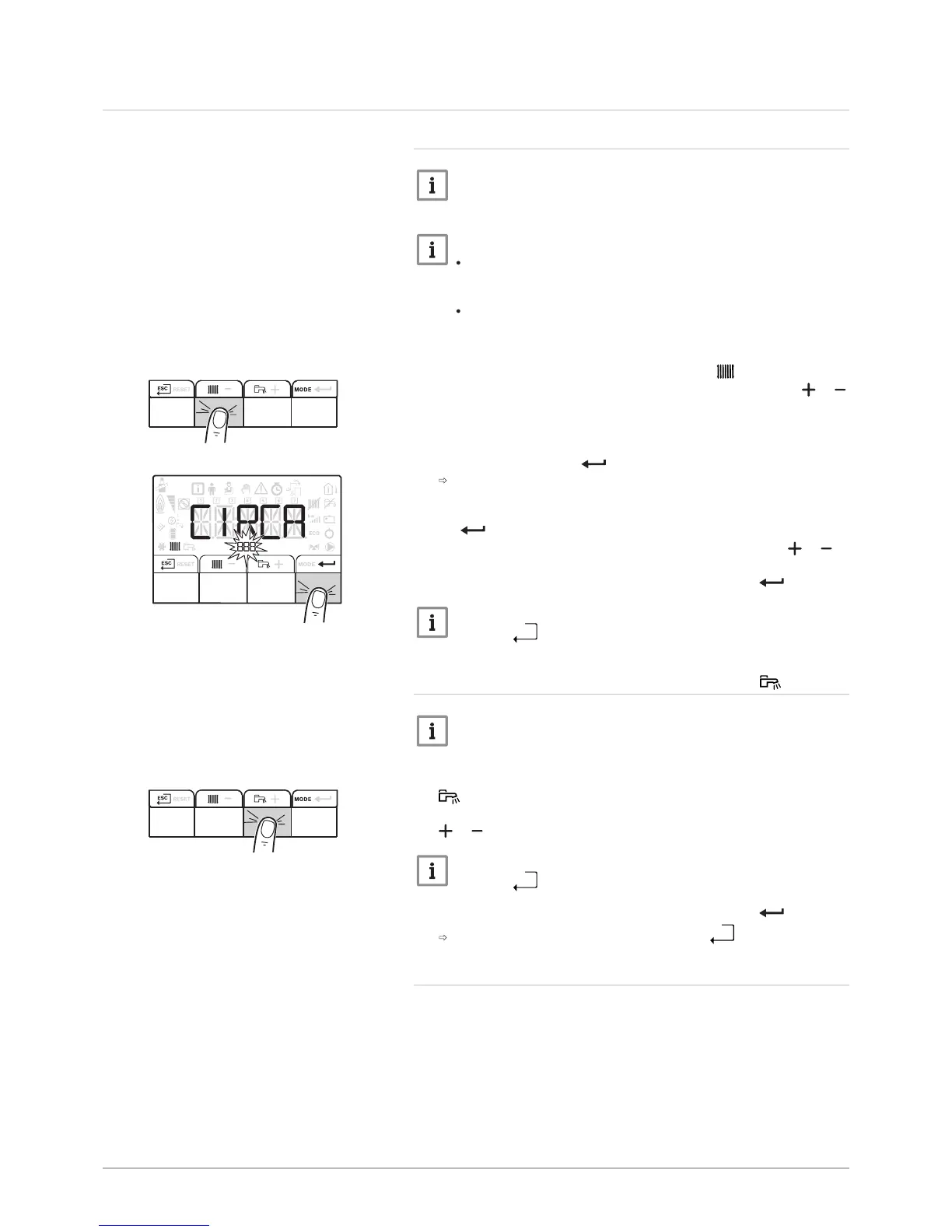
1. Access the heating parameters by pressing the key twice.
2. Display the parameters for the required circuit by pressing the or
key.
3. Confirm by pressing the key.
The name of the circuit and the heating water temperature set point
are displayed alternately.
4. Access setting of the heating water temperature set point by pressing
the key.
5. Set the heating water temperature set point by pressing the or
key.
6. Confirm the new temperature set point by pressing the key.
Important
Press the
key to cancel all inputs.
6.4.2 Setting the domestic hot water temperature
Important
Domestic hot water production can be managed via the TIME
PROG sub-menu dedicated to timer programming.
1. Access the domestic hot water production parameters by pressing the
key.
2. Modify the domestic hot water temperature set point by pressing the
or key.
Important
Press the
key to cancel all input.
3. Confirm the new temperature set point by pressing the key.
Go back to the main display by pressing the
key.
6.4.3 Activating Forcing of the cooling function
The cooling function can be managed via the PROG COOL sub-menu
dedicated to timer programming.
The set point flow temperature for cooling mode corresponds to the
CP270 parameter for underfloor heating and CP280 for a convection fan.
The CP270 and CP280 parameters can be accessed by the Installer.
Fig.32


 To Next Page