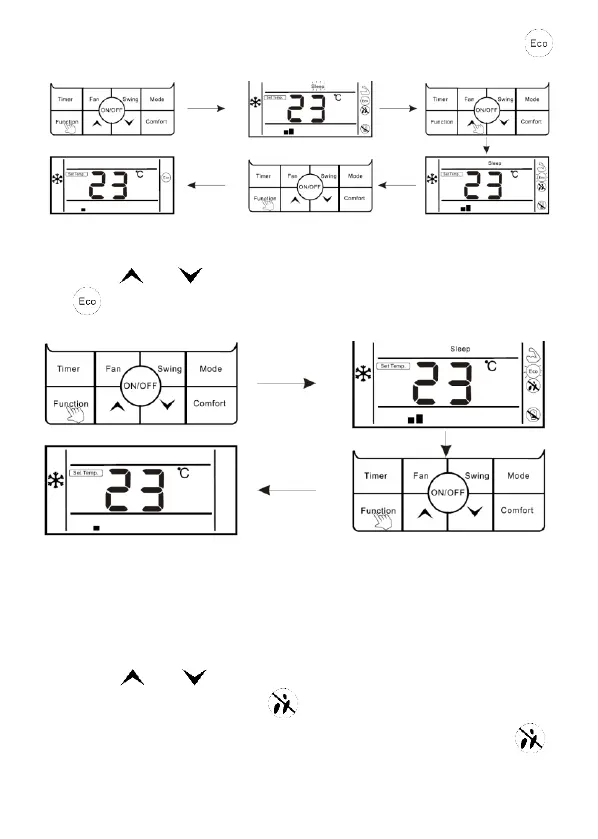
3. Press "Function" button again to confirm ECO function, at this moment,“ ”
icon is flashing.
Cancel ECO function:
1. Press "Function" button to enter the interface of function selection.
2. Press " ” or “ ” button to switch to ECO function, at this moment Icon
is flashing.
3. Press "Function" button again to cancel ECO function.
The setting of "Mildew-proof" function
Mildew-proof function: After shutdown, the air conditioner would automatically dry
the moisture in the evaporator of indoor unit, so as to avoid mildewing.
Enter mildew-proof function:
1. Under COOL and DRY mode, press "Function" button lo enter the interface of
function selection.
2. Press " ” or “ " button to switch to the mildew-proof function setting
interface, at this moment, icon “ " is flashing.
3. Press "Function" button again to enter mildew-proof function, icon " " is
lighting.



 To Next Page