15
MAIN MENU FUNCTIONS
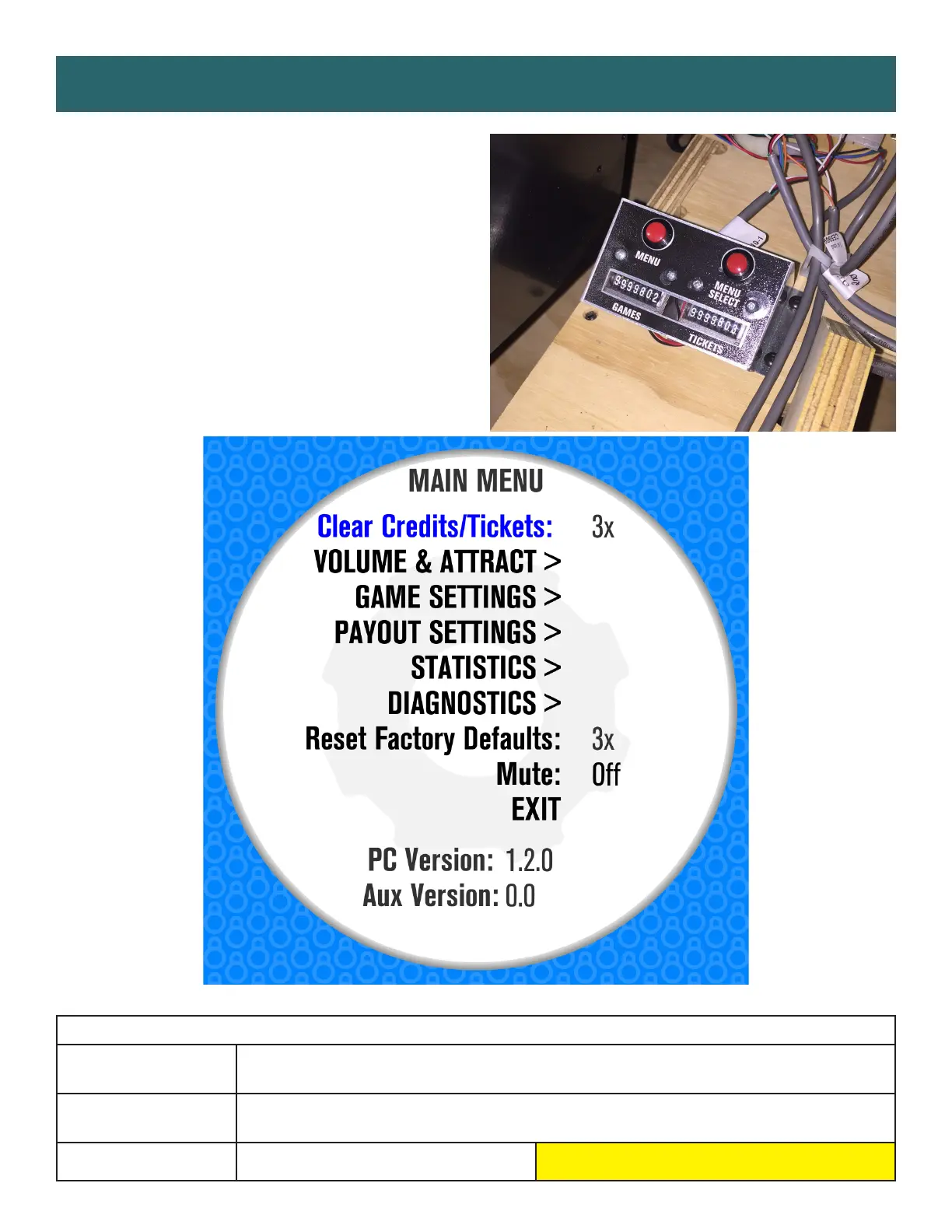
Press and hold the MENU button
located inside the front door to access
the Main Menu.
Scroll through the options with the
MENU button.
Make your selections with the
MENU SELECT button.
MAIN MENU OPTIONS
CLEAR CREDITS/
TICKETS
Press the MENU SELECT button 3 times to clear tickets and credits owed
RESET FACTORY
DEFAULTS
Press MENU SELECT button 3 times to reset all settings to factory defaults
MUTE ON OFF
Factory defaults are highlighted below.

 To Next Page
 Loading...