The Menus
bbe BenthoTorch Manual Page 54
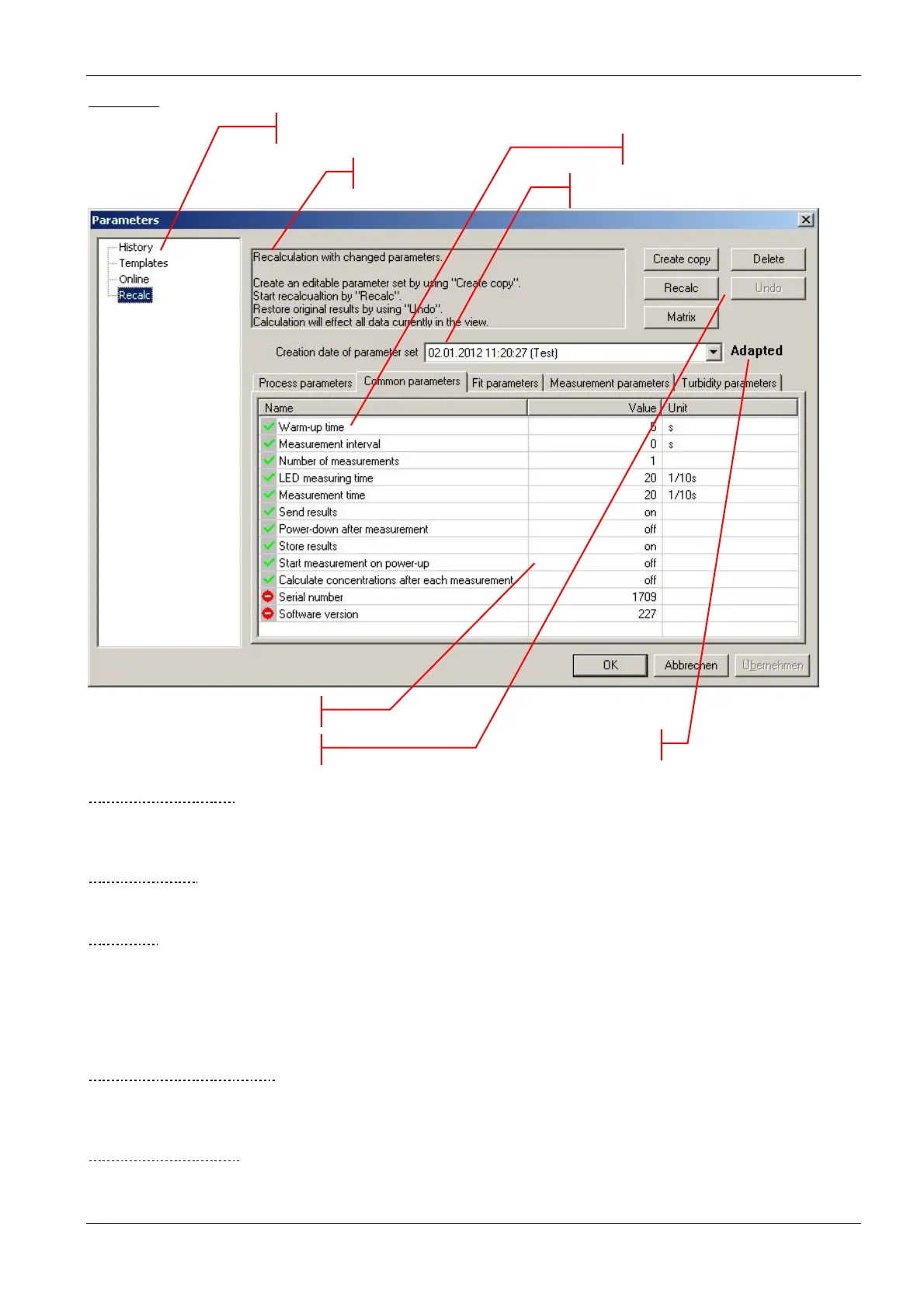
Overview
T
YPE OF OPERATION
The selection of the type of operation corresponds to the commands in the menu. Depending on the selection,
different types of operations can be done.
E
XPLANATIONS
Gives a short introduction to what can be done.
B
UTTONS
Export: exports the current parameter set to another database for recalculation
Clipboard: copies the current parameter set to the clipboard to paste it into another application such as Office
Word or Excel etc.
Upload: sends the parameters to the connected instrument
Matrix: shows all the calibration parameters of the connected instrument in one window.
N
AME OF PARAMETER SET
Each set of parameters can be identified by its time and date. Edited parameter sets or templates have an
additional name given by the user.
T
YPE OF PARAMETER
Each tab shows the parameters of a specific topic.
Command buttons
Type of operation
Explanations
Type of Parameter
Name / Date of the parameter set
Values
Type of parameter set



 To Next Page