The Menus
bbe BenthoTorch Manual Page 81
A
CCESS
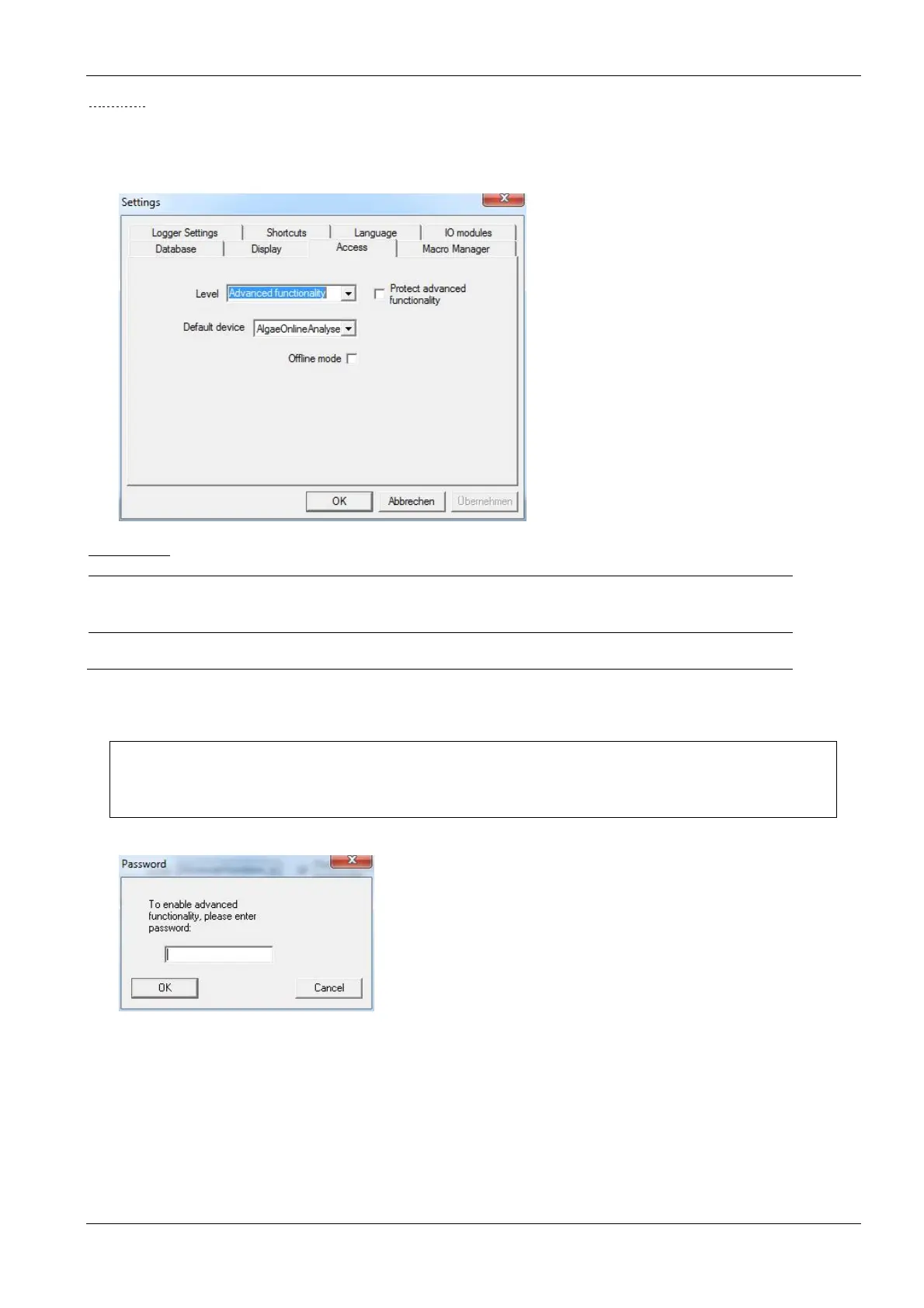
Depending on the access level selected, the software shows more or fewer options. The main difference is the
number of items shown in the menus and the number of parameters shown.
If an instrument with editable parameters is connected, the same setting is maintained for editing.
User-levels:
Level Access
Basic functionality
• Just basic operation of the instrument
• Measurements with pre-defined parameters only
Advanced
functionality
• All menus accessible / all parameters customizable
The “Advanced functionality” level can be password-protected. As soon as the checkbox is ticked, a password
can be entered. Afterwards the password is required to enter the Advanced functionality level.
Please note:
The “Advanced functionality” level remains until “Basic functionality” level is chosen again.
Even when restarting the software, the “Advanced functionality” level and a given password will
still be valid.
Default Device
The bbe++ software is able to control different types bbe instruments, but only one type at one time. The type of
instrument is entered here. Various settings within the bbe++ software can only be made for the default type
instrument. To make entries for an other type of instrument, the default type has to be changed before.
Offline Mode:
Choose the offline mode to display data of different type of instruments. If the offline mode is active, no
measurement is possible.



 To Next Page