The Menus
bbe BenthoTorch Manual Page 94
Features:
adjust the scaling .
activate and deactivate of the autoscaling feature.
show the parameters of a single data-set.
return to the default scaling.
Scaling of the axis
By default, scaling is done automatically. This means, all datasets of the selected period are displayed. To have
a closer look at the data, it is sometimes useful to change the scaling. In the right-click menu, there is a “Scale
axis” option:
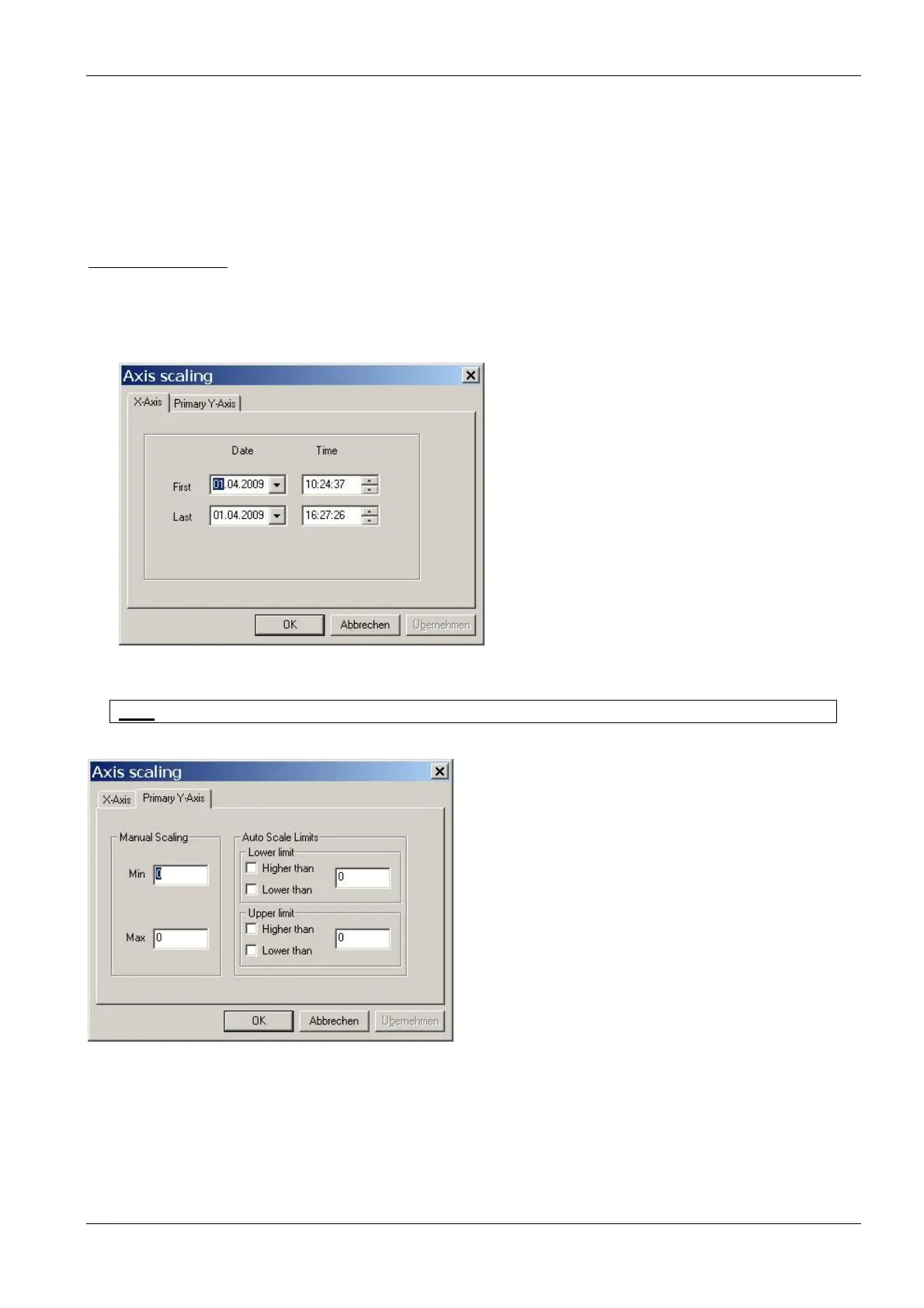
In case of a time axis, the scaling tab of this axis is as follows:
The first and last point in time have to be entered.
Hint: For more information on scaling an axis please see the "window" section in this manual.
In case of a “non-time axis”, more possible adjustments are available:
Manual scaling: enter fixed values for the minimum and the maximum of this axis - enter 0 for both to
disable this feature.
Auto scale limits these settings are used to obtain a nice looking graph in two special situations:
• data sets with very low noise:
In the auto-scaling mode, the graph looks as if there are extreme variations, but the range
is very small due to the auto-scaling. In this case, it is better to use the options:
lower limit: lower than and



 To Next Page