RX45Q User’s Manual
14
Motherboard Overview
Before you install the motherboard, study the configuration of your chassis to ensure that the motherboard fits
into it. Refer to the chassis documentation before installing the motherboard.
Make sure to unplug the power cord before installing or removing the motherboard.
Failure to do so can cause you physical injury and damage motherboard
components.
1.1.1 Placement Direction
When installing the motherboard, make sure that you place it into the chassis in the correct orientation. The
edge with external ports goes to the rear part of the chassis as indicated in the image below.
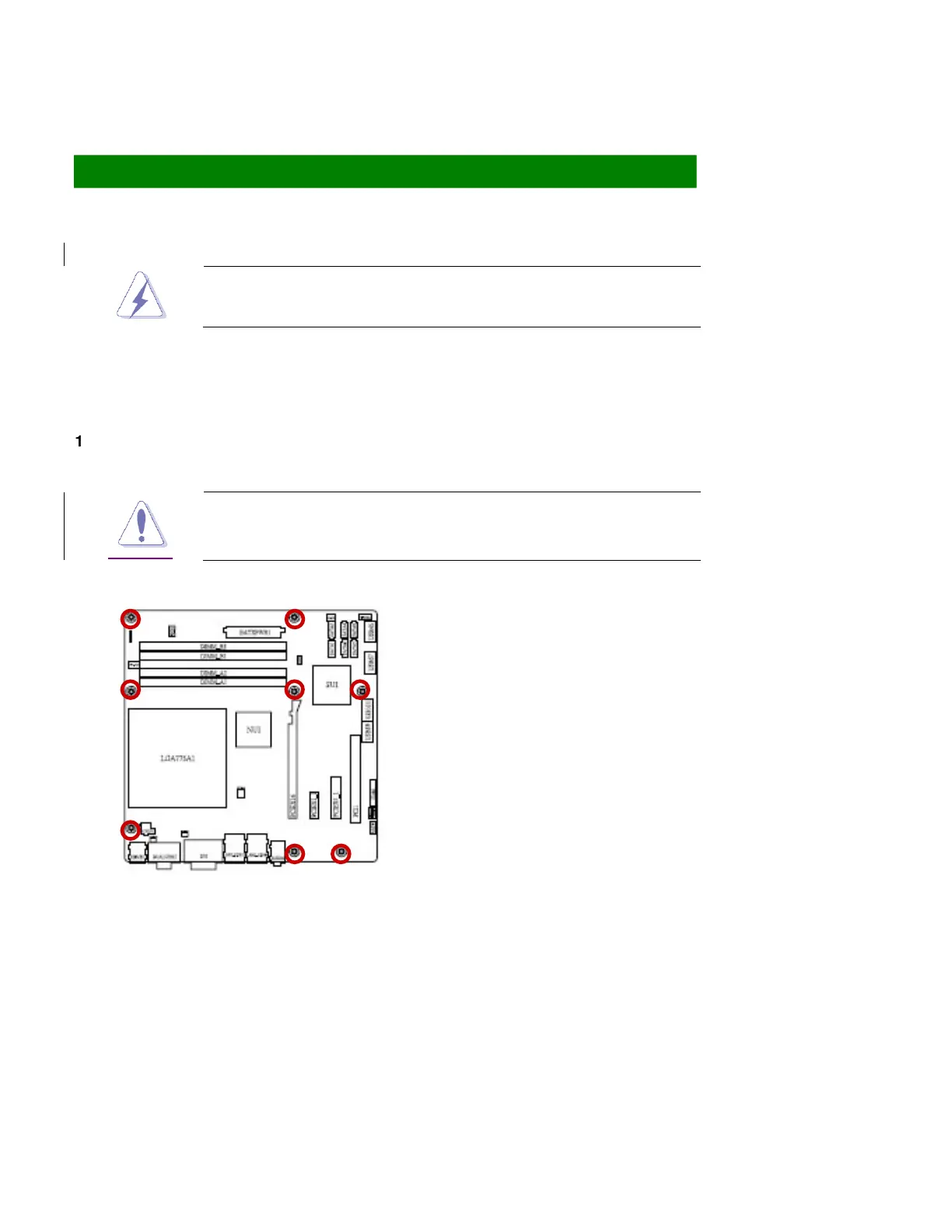
1.1.2 Screw Holes
Place eight (8) screws into the holes indicated by circles to secure the motherboard to the chassis.
Do not over tighten the screws! Doing so can damage the motherboard.
Place this side towards the rear of the chassis



 To Next Page