RX45Q User’s Manual
32
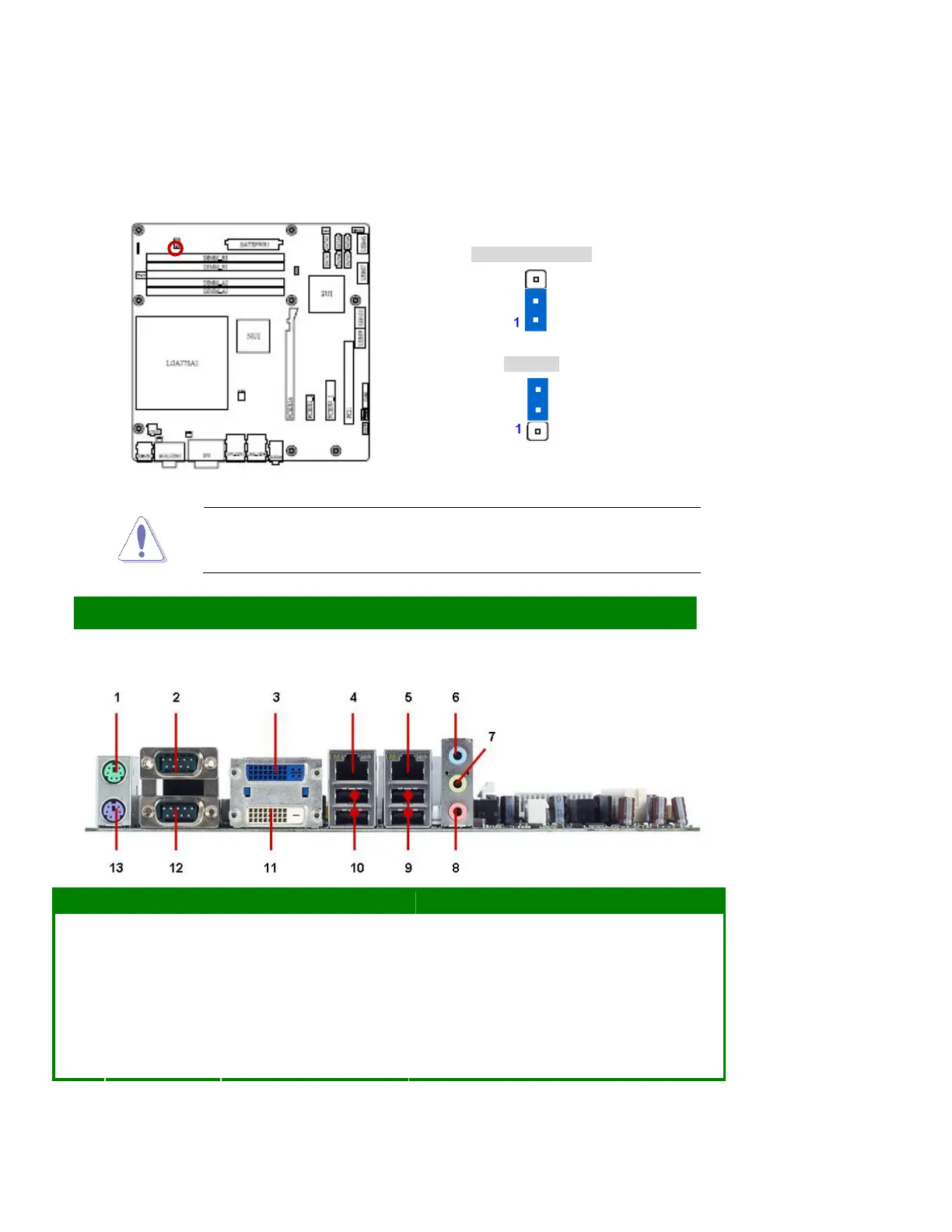
1.1.20 AT/ATX Power Mode Select (PSON1)
ATX Mode (Default)
AT Mode
This function has need BIOS setting at the same time. Please refer to Chapter 2
BIOS setup / Power Management Setup / Power Type.
Connectors
1.1.21 Rear Panel Connectors
No Label Function Description
1 KBMS1 PS/2 mouse connector The standard PS/2 mouse DIN connector is for a
PS/2 mouse.
2 DUAL COM COM2 connector D-Sub 9-pin, male
3 DUAL DVI DVI-I connector DVI-I (Blue) output, or transfer to VGA output by
DVI-VGA adapter.
4,5 LAN1_USB12,
LAN2_USB34
LAN (RJ-45) connector This port allows Gigabit connection to a Local Area
Network (LAN) through a network hub. Refer to the



 To Next Page