Ask the patient to perform a maximal contraction.
The detected pressure value (in µV) will be
automatically assumed as the new Full-Scale.
8.2.9 - Restoring factory settings *
If the default program parameters have been
changed by the user, the button of the program is
displayed on a flashing background. The parameters
of the original program can be restored to the factory
settings as follows:
•
Touch and hold the programme button (, ,
, , ㉑, ㉒) for which you want to restore the
factory settings, and simultaneously press and
hold the knob ①.
•
The unit will remain on but the program button will
stop flashing.
* = Allowable only before starting the session or
during the session with the unit in the PAUSE
state.
8.3 - ACCESSORY OPERATIONS
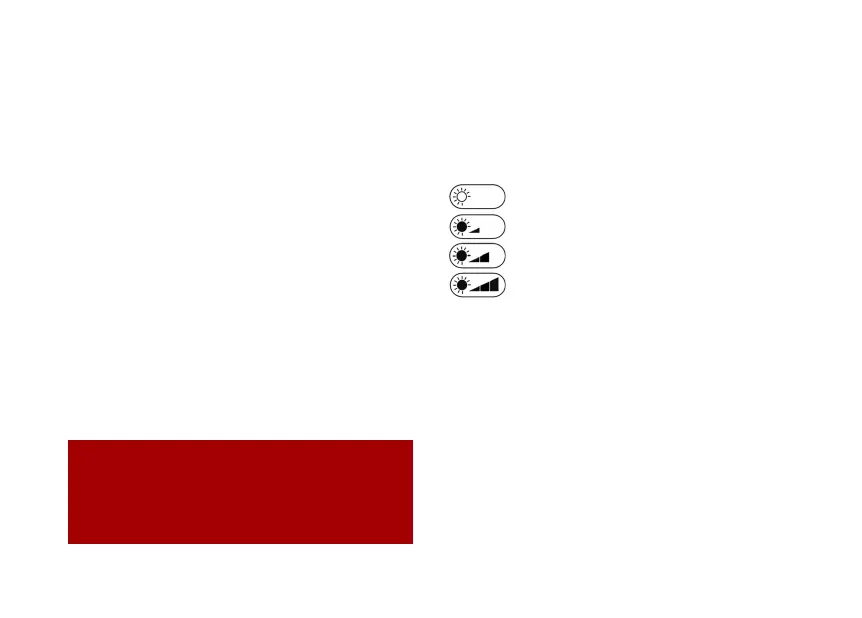
8.3.1 Change the backlight intensity.
By repeatedly taping the area ⑯ the backlight
intensity of the display can be selected between 4
levels:
backlight OFF suitable for daylight.
backlight LEVEL 1, suitable for twilight.
backlight LEVEL 2, suitable for the dark.
backlight LEVEL 3, suitable for the dark.
8.3.2 Enable/Disable the audible feedback
(the “buzzer”).
The buzzer has a double aim:
❖
It helps the patient, in the execution of a
biofeedback program, to have the sound perception
of the level of contraction voluntarily performed.
❖
It helps the operator/patient to have an acoustic
perception while tapping a touch-area.
Tap the area ⑤ to enable/disable the audible
feedback.


 To Next Page