4-1
MEGA3 NFPA Medical Gas Notification System
4107 9016 59.03
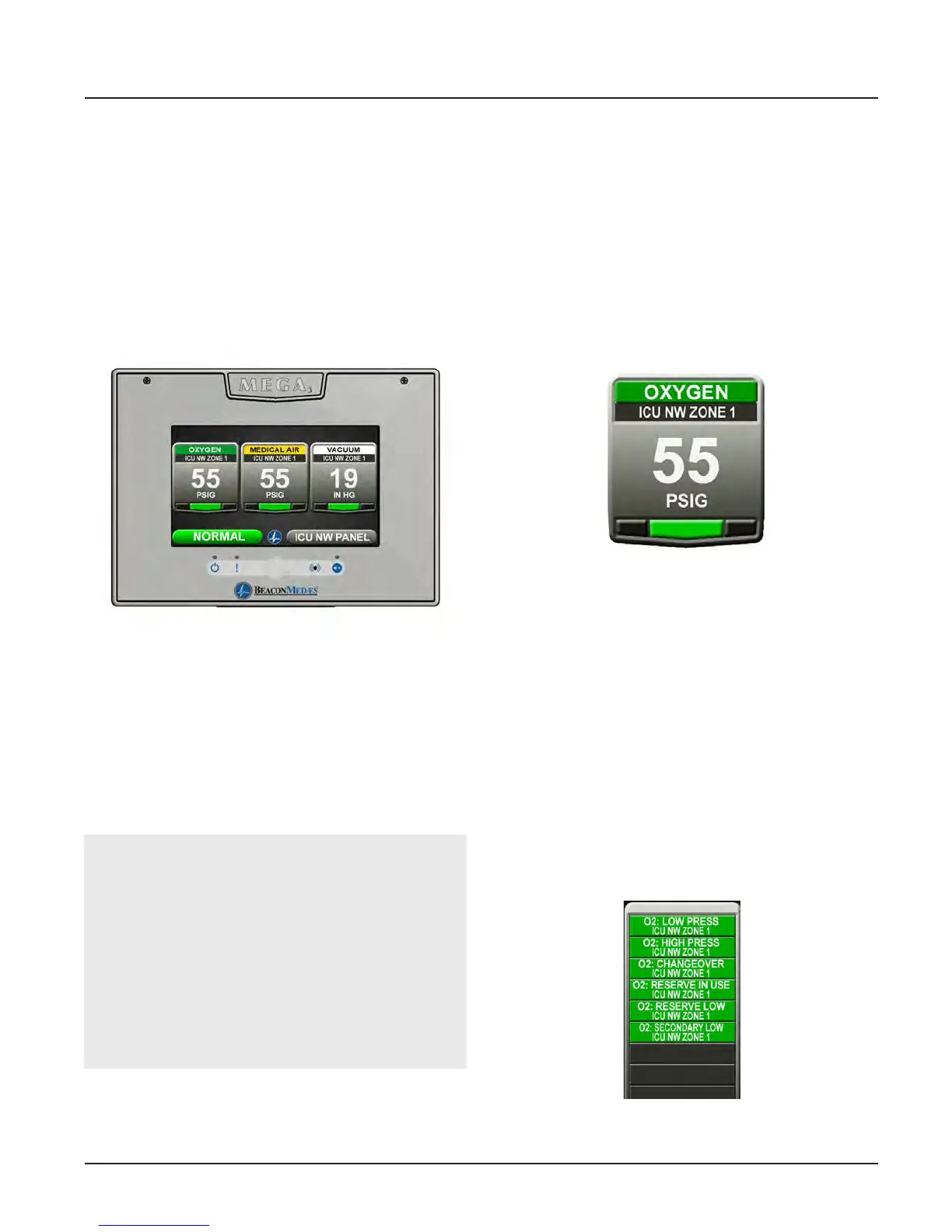
Figure 35: MEGA3 Alarm Main Screen
4.1.1 Main Screen
The first screen that users see on a configured
unit is the MAIN screen. The MAIN screen
is the main view for the alarm and shows
the pressure status of all of the gases (area)
or source signals (master) the alarm is
monitoring.
4.0 Operation
4.1 Overview
The MEGA3 Medical Gas Alarm is a touch-
screen gas pressure and system monitoring
alarm created for ease of use.
For convenience, it is shipped from the fac-
tory as a configured unit.
NOTE:
The main screen will appear dierent de-
pending on whether the alarm panel is con-
figured as an area, master or combination.
An area alarm main screen will show gas
badges, a master alarm main screen will
show source signals, and a combination
alarm main screen will show both gas
badges and source signals.
4.1.2 Gas Badge
Every gas monitored by the alarm will have
a gas badge which will show the following
information:
• Gas being monitored
• Location where gas is being used
• Gas pressure value
• Gas pressure status (Low, Normal, or
High)
4.1.3 Source Signals
Every source signal monitored by the alarm
will display the following information once
configured:
• Equipment being monitored
• Location of the source equipment
• Signal being monitored
• Source signal status Red (open - in alarm)
or Green (closed - normal).
The display can show the status of up to 40
signals. The hardware installed limits how
many of the 40 signals can be used.
Figure 36: Gas Badge
Figure 37: Source Signals



 To Next Page