EasyManua.ls Logo

BeaconMedaes MEGA3 - User Manual

BeaconMedaes MEGA3
80 pages
Print Icon
To Next Page IconTo Next Page
Loading...
Installation, Operation and Maintenance Instructions
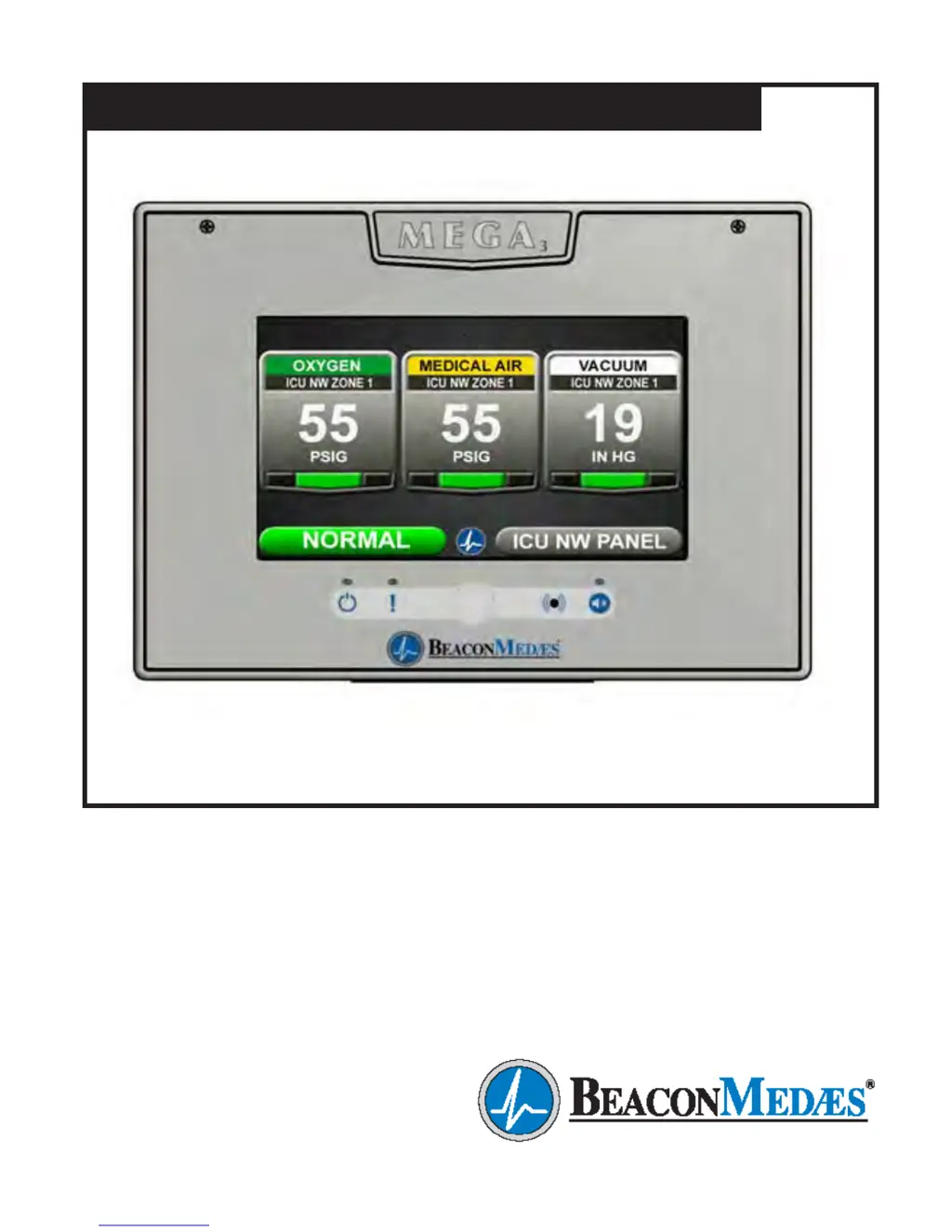
MEGA3 NFPA Medical Gas Notification System
Part number 4107 9016 59
Revision 03
August 27, 2015
Andersen Medical Gas
12 Place Lafifitte
Madisonville, LA 70447
http://www.TheMedicalGas.com
1-866-288-3783

Table of Contents

Questions and Answers

  • J
    jeremyjohnsonAug 20, 2025
    How to troubleshoot no LED power indicator on BeaconMedaes Medical Equipment alarm panel?
    • J
      Jeff YangAug 20, 2025
      If the LED power indicator on the alarm front panel isn't lit, here's what you can check: * Ensure the AC power is turned on. * Inspect and, if necessary, replace the power supply fuse. * Verify the AC power wiring connections at the power supply terminals. * Check the DC wire harness connections between the power supply and the main board, ensuring correct orientation and secure connections. * If none of the above work, the power supply assembly may be faulty and require replacement.
  • G
    Gina PattonAug 22, 2025
    What to do if BeaconMedaes Medical Equipment shows a 'Lost Connection Warning'?
    • J
      Jason CruzAug 22, 2025
      If you're seeing a 'Lost Connection Warning', it means the alarm has either lost network communication with a manually enrolled device or a connected/initialized board. To resolve this: * Address any communication issues with the networked device, or remove it from the Enrolled Devices list. * Check the connections and cable to the board that has lost connection.
  • D
    Diamond HansonAug 25, 2025
    Why is the BeaconMedaes Medical Equipment area display pressure/vacuum reading not matching the pipeline?
    • A
      alex94Aug 25, 2025
      If the pressure or vacuum reading on the area display doesn't match the pipeline, here are a few things to investigate: * Verify the accuracy of the gauge used on the pipeline. * Check the unit of measure setting on the display; if it's incorrect, reprogram it. * The gas sensor may be out of calibration. Try adjusting the Zero Offset to correct the reading, but note that there's a maximum adjustment limit of 3 psi / 3 “hg. If the sensor can't be adjusted enough, it should be replaced.
  • A
    Albert HuffmanAug 26, 2025
    What does a red LED above the warning indicator mean on BeaconMedaes Medical Equipment?
    • J
      jamesmillerAug 26, 2025
      A red LED illuminated above the warning indicator (!) signifies an active warning. To see the details, navigate to the warning screen by pressing the Information button and then selecting Warnings.
  • T
    Tiffany PierceAug 27, 2025
    What causes a high or low alarm on BeaconMedaes Medical Equipment when the area display shows normal pressure?
    • M
      Meghan WagnerAug 28, 2025
      A high or low alarm with a normal pressure reading on the area display suggests that the alarm set points have been changed. Verify and correct the alarm set points.
  • M
    Marie NewtonAug 29, 2025
    What does 'Sensor active and Unassigned Warning' mean on BeaconMedaes Medical Equipment?
    • A
      Andrew MartinezAug 29, 2025
      The 'Sensor active and Unassigned Warning' indicates that a sensor is wired to the sensor input board but hasn't been assigned or programmed. To fix this, assign the wired gas sensor to a valid gas input.
  • R
    Ricardo SpencerAug 31, 2025
    What does 'Input active and Unassigned Warning' indicate on BeaconMedaes Medical Equipment?
    • P
      pfriedmanAug 31, 2025
      The 'Input active and Unassigned Warning' means that a master signal input is wired but hasn't been assigned or programmed to an alarm signal. You need to assign the wired input to a valid alarm signal.
  • J
    Jennifer RobertsSep 2, 2025
    What does 'F2' displayed on BeaconMedaes Medical Equipment Area badge mean?
    • K
      kellydebbieSep 2, 2025
      An 'F2' displayed on the Area badge indicates that the gas sensor is reading below range, which is a fault low condition. You should verify the gas sensor connections and pipeline pressure. If both the connection and pressure are good, replace the sensor.
  • A
    annette95Sep 4, 2025
    What does 'F3' displayed on BeaconMedaes Medical Equipment Area Badge mean?
    • B
      Brittany HernandezSep 4, 2025
      If you see 'F3' on the Area Badge, it means the gas sensor is reading above range (fault high). Check the gas sensor connections and pipeline pressure. If the connection and pressure are correct, replace the sensor.
  • E
    Eric SotoSep 6, 2025
    What does 'F1' displayed on BeaconMedaes Medical Equipment Area badge mean?
    • B
      Beth YoungSep 6, 2025
      If 'F1' is displayed on the Area badge, it indicates that the gas sensor is either not connected or has shorted. Check the gas sensor connection. If the connection is good, replace the sensor.

Summary

1.0 Introduction

1.2 User Interface Layout and Features

Describes the main screen, its elements, and key features like Master Alarm.

1.2.3 Area Alarm, Combination Alarm, and Boards

1.5 Alarm Configurations

1.5.1 Master Alarms

Describes modular components and capabilities of Master Alarms.

1.5.2 Area Alarms

Details modular components and sensor placement for Area Alarms.

1.5.3 Gas Combination Alarms

2.0 Installation Procedures

2.1 Alarm Panel Rough-In Box

Details the installation process for the alarm panel's rough-in box.

2.2 Gas Sensor Installation

2.2.1 Locally Installed Sensors

Steps for installing sensors inside the rough-in box.

2.2.2 Remotely Installed Sensors in Pipeline

Instructions for installing sensors directly on the pipeline.

2.3 Wiring

2.3.1 General Requirements

Outlines essential rules for alarm panel wiring.

2.3.2 Wire Type and Size

Specifies the criteria for low voltage wiring.

2.3.4 Power Supply

2.4 Finish Assembly

2.4.1 Front Panel Mounting

Instructions for mounting the front panel assembly.

2.4.2 Locally Installed Sensors

2.4.3 Remotely Installed Sensors in Pipeline

3.0 Wiring Schematics

3.1 NFPA Master Wiring Diagram

Wiring diagram for NFPA Master alarm configurations.

3.2 NFPA Area Wiring Diagram

3.3 NFPA Combination Wiring Diagram

4.0 Operation

4.1 Overview

General introduction to the MEGA3 alarm's operation.

4.1.1 Main Screen

Description of the primary display screen and its variations.

4.1.3 Source Signals

4.1.4 Toolbar

4.1.5 Fault Status

4.1.6 Display Screens

Alarm Points Tab

Test Alarm Tab

Warnings Tab

4.2 Alarm Configuration

4.3 Setting Up an Area Alarm

F = Low Alarm Settings Tab

G = High Alarm Settings Tab

4.3.2 Initial Setup for an Unconfigured Area Alarm

Primary Settings Tab

Alarm Type Tab

Initialize Modules Tab

Gas Sensors Tab

4.4 Setting Up a Master Alarm

4.4.2 Initial Setup of an Unconfigured Master Alarm

4.5 Setting Up a Combination Alarm

4.5.3 Initial Setup of an Unconfigured Combination Alarm

4.6.2 Relay Output Board (B4 X Board)

RELAY OUTPUTS: B40.Y01: WIR

5.0 Retrofit

5.1.2 Install New Power Supply

5.1.3 Install New Components

5.1.4 Install Trim Plate

5.2 Retrofit of TotalAlert¹ Alarm Panels

5.2.2 Install Gas-Specific Sensors (Area or Combination alarms only)

5.2.3 Install New Power Supply

5.2.4 Install New Components

5.2.5 Install Trim Plate

5.3 Retrofit of Other Alarm Panels

5.3.2 Determine Proper Placement of New Components

5.3.3 Install Gas-Specific Sensors (Area or Combination alarms only)

5.3.4 Install Power Supply

5.3.5 Install I;O Modules

5.3.6 Install Trim Components

5.3.7 Install Front Panel

6.0 Maintenance

7.0 Troubleshooting

Area Display pressure;vacuum reading not matching pipeline.

High or Low alarm, with normal pressure displaying on Area display

Screen is blank, power on LED is illuminated

BeaconMedaes MEGA3 Specifications

General IconGeneral
BrandBeaconMedaes
ModelMEGA3
CategoryMedical Equipment
LanguageEnglish

Related product manuals