4-4
MEGA3 NFPA Medical Gas Notification System
4107 9016 59.03
NOTE:
This feature is only available in the
TotalAlert Infinity™ series of alarms.
Figure 48: History Screen
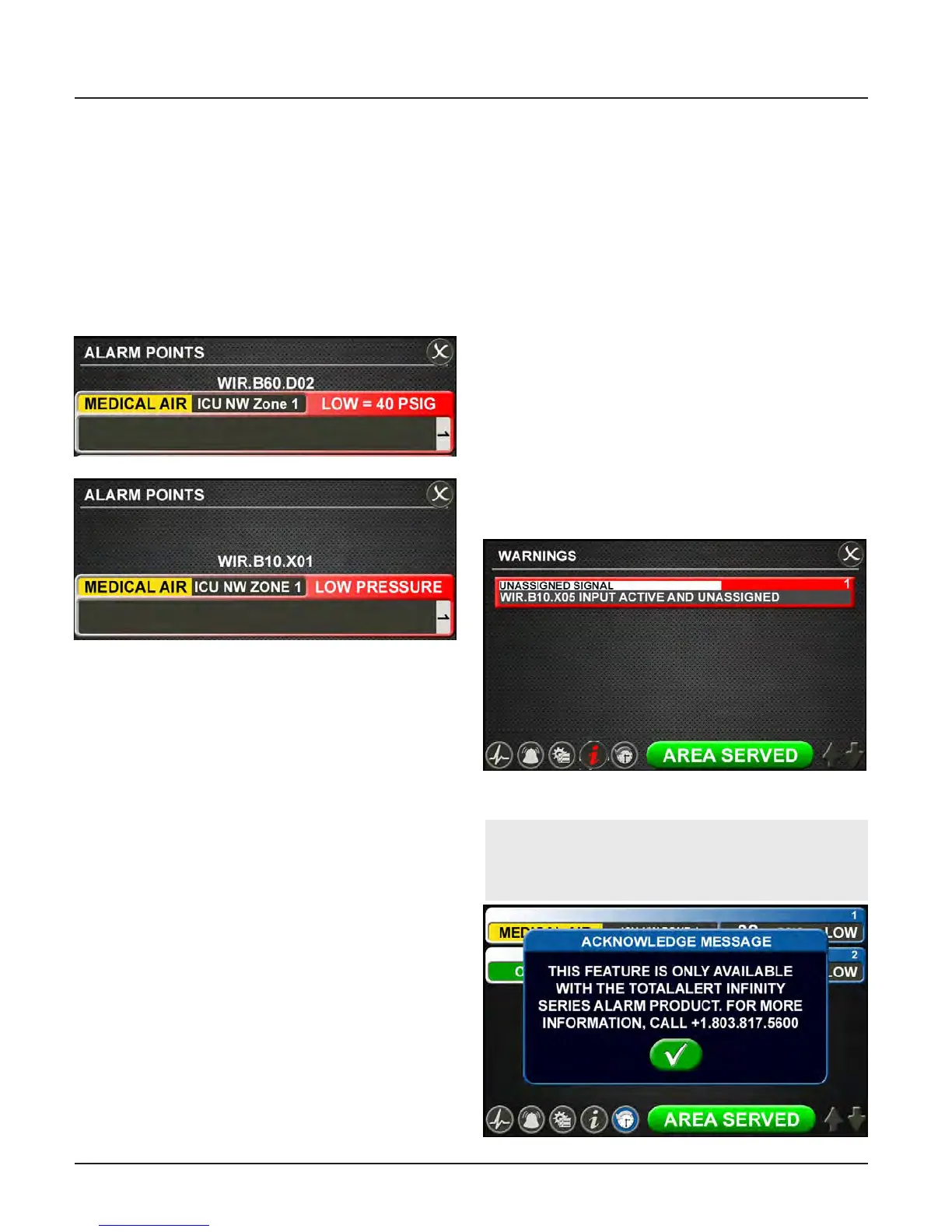
Figure 46: Alarm Points Tab
Area Alarm
Master Alarm
Touch the X button in the upper right to
close and return to the INFORMATION
screen.
Alarm Points Tab
Touch the ALARM POINTS tab for a quick
view of the alarm points—the low and high
set points—for each gas badge (area alarm) or
source signal configuration (master alarm).
This screen provides a complete view of the
configuration and is a fast way to check items
such as:
• Location where the pressure sensors and
source signals are physically wired.
• Gases Monitored
• Areas Monitored
• Low and high pressure set points for area
signals
• Source Signals Monitored
Touch the X button in the upper right to
close and return to the INFORMATION
screen.
Test Alarm Tab
Touch the TEST ALARM tab to run a quick test
of the hardware.
The audible alarm will sound for one-to-two
seconds to test that the horn is working prop-
erly.
The LEDs on the front of the alarm will il-
luminate as well to show that they are still
functioning.
Warnings Tab
Touch the WARNINGS tab to view any pos-
sible active warnings that would include lost
network communication with manually en-
rolled devices, lost connection to a connect-
ed/initialized board, or when a master signal
input is wired, but not assigned/programmed
to an alarm sign.
History Screen
Figure 47: Warnings Tab



 To Next Page