4-9
MEGA3 NFPA Medical Gas Notification System
4107 9016 59.03
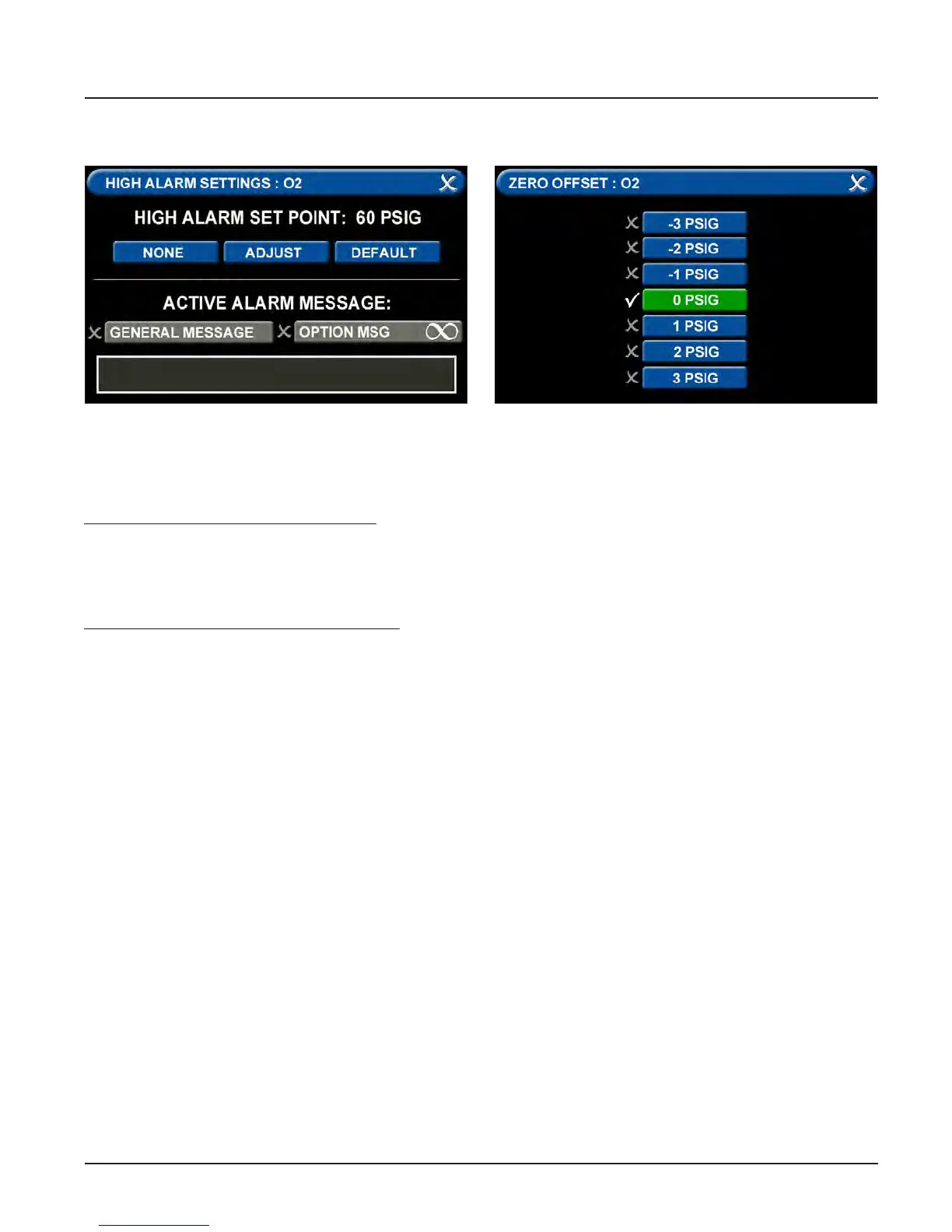
Figure 61: High Alarm Settings Tab
Figure 62: Zero Oset Tab
G = High Alarm Settings Tab
You can remove the high alarm set point or
customize the high alarm set point.
To remove the high alarm set point:
1. Touch the NONE tab.
2. Touch the check on the CONFIRM SET-
TINGS CHANGE screen.
To customize the high alarm set point:
1. Touch the ADJUST tab.
2. Enter the new set point.
3. Touch the Save button.
H = Zero Oset Tab
In some cases, facility dial gauges may show
slightly dierent readings than the MEGA3
alarm (e.g., 46 PSI versus 44 PSI). To match
the MEGA3 alarm exactly to a facility dial
gauge:
1. Select the oset amount.
2. Touch the Save button to close the screen.
Configuring Additional Gas Badges
Configure additional gas badges by touching
the number on the main configuration screen
that corresponds with the gas badge and
repeating the steps listed above.



 To Next Page