EasyManua.ls Logo

BeaconMedaes MEGA3 - User Manual

BeaconMedaes MEGA3
80 pages
Print Icon
To Next Page IconTo Next Page
Loading...
Installation, Operation and Maintenance Instructions
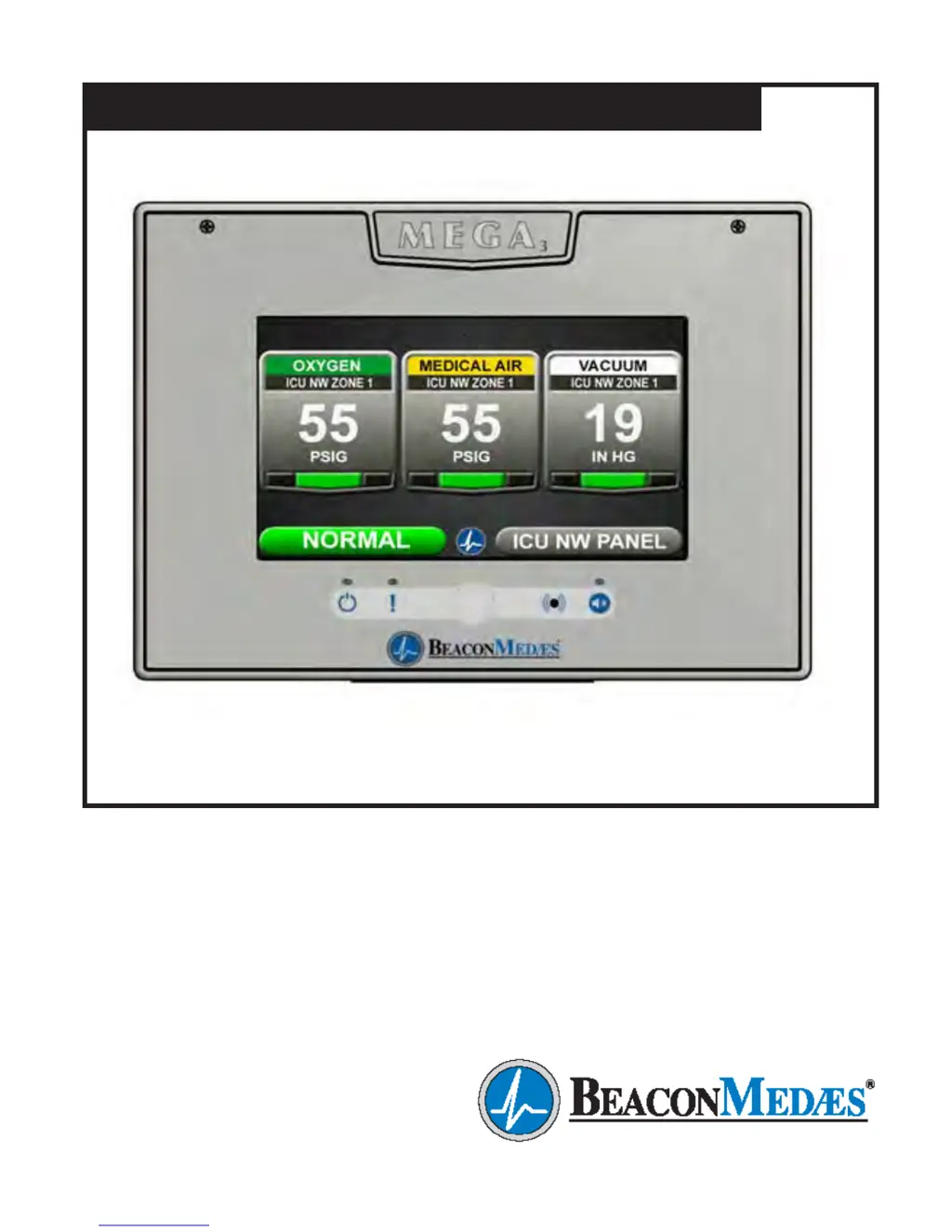
MEGA3 NFPA Medical Gas Notification System
Part number 4107 9016 59
Revision 03
August 27, 2015
Andersen Medical Gas
12 Place Lafifitte
Madisonville, LA 70447
http://www.TheMedicalGas.com
1-866-288-3783

Table of Contents

Questions and Answers

  • J
    James CortezSep 7, 2025
    What does 'F4' displayed on BeaconMedaes Medical Equipment Area Badge mean?
    • P
      Patty MorganSep 8, 2025
      An 'F4' displayed on the Area Badge means the connected gas sensor is the wrong type of gas. Connect the correct type gas sensor.
  • S
    Stacy BellSep 9, 2025
    Why is there no green “heartbeat” power indicator illuminated on my BeaconMedaes Medical Equipment connected boards?
    • M
      Michelle BergerSep 10, 2025
      If the green “heartbeat” power indicator isn't lit on connected boards, it could be due to a few reasons: * The board hasn't been initialized. Initialize the board according to the instructions in the manual. * The board dip switches aren't set correctly. Set the dip switches as shown in the diagram on the board label. * The cable isn't connected correctly. Check the cable connections between the boards.
  • N
    Nathan WeaverSep 12, 2025
    Why is the screen blank on my BeaconMedaes Medical Equipment, even though the power LED is on?
    • J
      Jennifer Moore PhDSep 12, 2025
      The screen backlight might have timed out and shut off. The motion sensor should awaken the screen when motion is detected within 5 feet. If the screen doesn't awaken when you approach, try touching the screen. It's also possible that the motion sensor is faulty.
  • L
    Lindsay DavisSep 13, 2025
    What to do if no green “heartbeat” power indicator is illuminated on the gas sensor of BeaconMedaes Medical Equipment?
    • K
      Kelly McguireSep 13, 2025
      If the gas sensor doesn't have a green “heartbeat” power indicator, check these things: * Make sure the sensor is correctly connected to the Gas Input Board. * Verify that the Gas Input Board has power, meaning it has been initialized and the dip switches are set correctly. Refer to the instructions for initializing the board and setting the dip switches.
  • J
    Jordan Wright MDSep 15, 2025
    What does a fast green "heartbeat" power indicator on the gas sensor of BeaconMedaes Medical Equipment mean?
    • N
      Nathan ParkSep 15, 2025
      A fast green "heartbeat" power indicator on the gas sensor (2 beats per second) indicates that the sensor is reading out of range. Check the gas pressure in the pipeline. If the pressure is normal, replace the sensor.
  • C
    Cynthia CowanSep 18, 2025
    Why does the audible alarm on my BeaconMedaes Medical Equipment reactivate shortly after pressing the Silence button?
    • J
      Jason MillerSep 18, 2025
      If the audible alarm reactivates shortly after being silenced, it means a new alarm condition has occurred. If the previously silenced alarm condition self-corrects and then reactivates, the alarm panel treats it as a new alarm.

Summary

1.0 Introduction

1.2 User Interface Layout and Features

Describes the main screen, its elements, and key features like Master Alarm.

1.2.3 Area Alarm, Combination Alarm, and Boards

1.5 Alarm Configurations

1.5.1 Master Alarms

Describes modular components and capabilities of Master Alarms.

1.5.2 Area Alarms

Details modular components and sensor placement for Area Alarms.

1.5.3 Gas Combination Alarms

2.0 Installation Procedures

2.1 Alarm Panel Rough-In Box

Details the installation process for the alarm panel's rough-in box.

2.2 Gas Sensor Installation

2.2.1 Locally Installed Sensors

Steps for installing sensors inside the rough-in box.

2.2.2 Remotely Installed Sensors in Pipeline

Instructions for installing sensors directly on the pipeline.

2.3 Wiring

2.3.1 General Requirements

Outlines essential rules for alarm panel wiring.

2.3.2 Wire Type and Size

Specifies the criteria for low voltage wiring.

2.3.4 Power Supply

2.4 Finish Assembly

2.4.1 Front Panel Mounting

Instructions for mounting the front panel assembly.

2.4.2 Locally Installed Sensors

2.4.3 Remotely Installed Sensors in Pipeline

3.0 Wiring Schematics

3.1 NFPA Master Wiring Diagram

Wiring diagram for NFPA Master alarm configurations.

3.2 NFPA Area Wiring Diagram

3.3 NFPA Combination Wiring Diagram

4.0 Operation

4.1 Overview

General introduction to the MEGA3 alarm's operation.

4.1.1 Main Screen

Description of the primary display screen and its variations.

4.1.3 Source Signals

4.1.4 Toolbar

4.1.5 Fault Status

4.1.6 Display Screens

Alarm Points Tab

Test Alarm Tab

Warnings Tab

4.2 Alarm Configuration

4.3 Setting Up an Area Alarm

F = Low Alarm Settings Tab

G = High Alarm Settings Tab

4.3.2 Initial Setup for an Unconfigured Area Alarm

Primary Settings Tab

Alarm Type Tab

Initialize Modules Tab

Gas Sensors Tab

4.4 Setting Up a Master Alarm

4.4.2 Initial Setup of an Unconfigured Master Alarm

4.5 Setting Up a Combination Alarm

4.5.3 Initial Setup of an Unconfigured Combination Alarm

4.6.2 Relay Output Board (B4 X Board)

RELAY OUTPUTS: B40.Y01: WIR

5.0 Retrofit

5.1.2 Install New Power Supply

5.1.3 Install New Components

5.1.4 Install Trim Plate

5.2 Retrofit of TotalAlert¹ Alarm Panels

5.2.2 Install Gas-Specific Sensors (Area or Combination alarms only)

5.2.3 Install New Power Supply

5.2.4 Install New Components

5.2.5 Install Trim Plate

5.3 Retrofit of Other Alarm Panels

5.3.2 Determine Proper Placement of New Components

5.3.3 Install Gas-Specific Sensors (Area or Combination alarms only)

5.3.4 Install Power Supply

5.3.5 Install I;O Modules

5.3.6 Install Trim Components

5.3.7 Install Front Panel

6.0 Maintenance

7.0 Troubleshooting

Area Display pressure;vacuum reading not matching pipeline.

High or Low alarm, with normal pressure displaying on Area display

Screen is blank, power on LED is illuminated

BeaconMedaes MEGA3 Specifications

General IconGeneral
BrandBeaconMedaes
ModelMEGA3
CategoryMedical Equipment
LanguageEnglish

Related product manuals