15
Features & Set-Up
Security Menu Cont’d
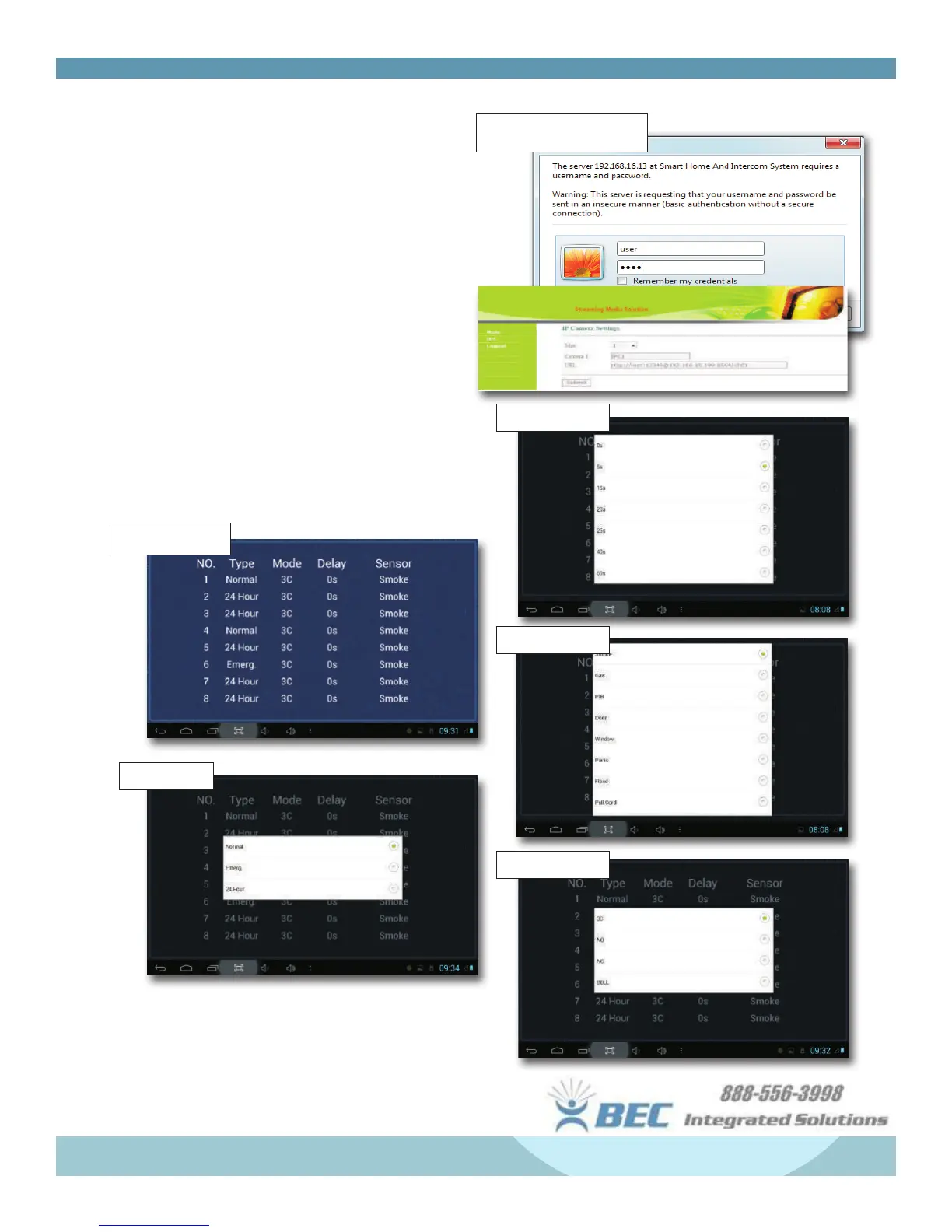
Online IP Camera Menu -
• Set max no. of cameras
• Type in a name for the camera.
• Type in the address of your camera in RTSP
format
.
rtsp://user:password@192.168.1.Xx:xxxx/ch01
Zone - Tap Zone to open Zone Menu
• You can adjust the Type, Mode, Delay, and Sensor
mode by tapping on the index within the table
shown below.
Online IP Camera Setting
Alarm Zone Menu
Type Setting
Delay Setting
Sensor Setting
Mode Setting


 To Next Page