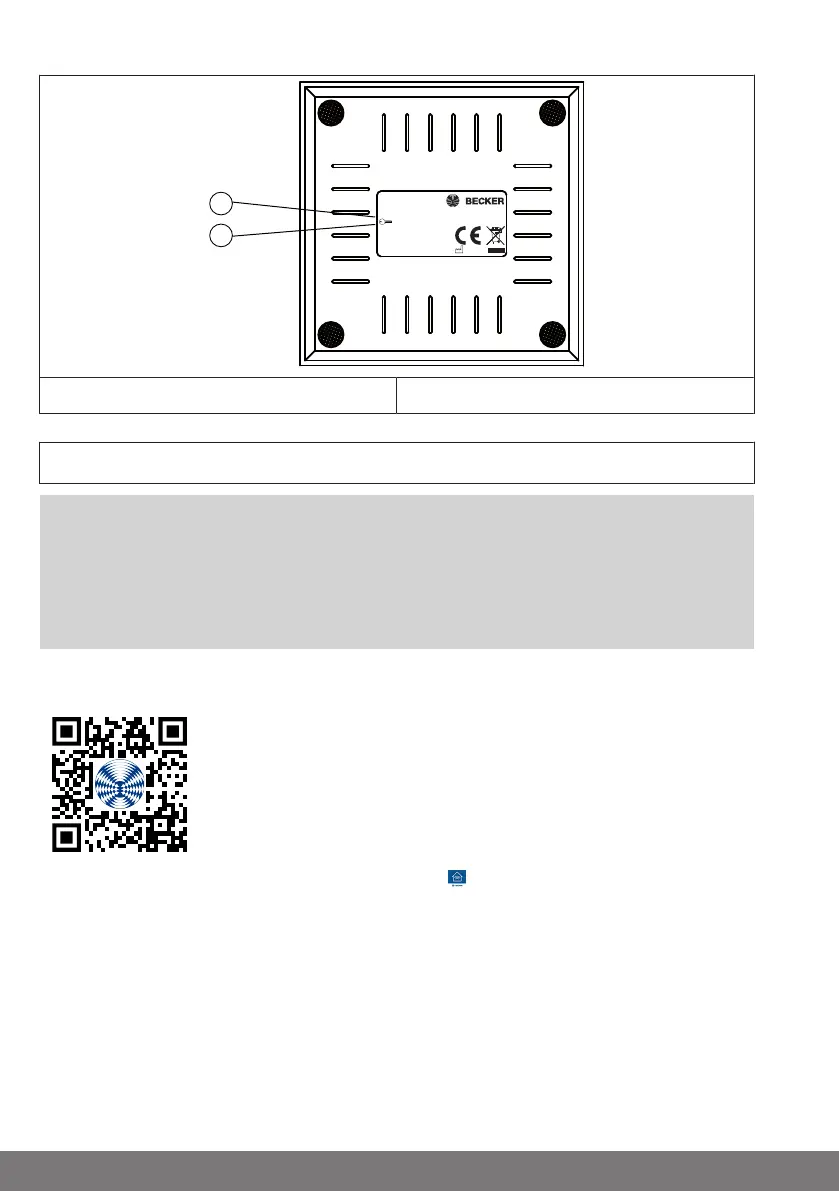
Rear of the device
1
2
Becker-Antriebe GmbH
Friedrich-Ebert-Str. 2-4
35764 Sinn / Germany
CC41
4035 200 053 0
5V | 2A | IP20
SSID
IP
SN
: CentralControl
: Becker-AP-Setup
: 192.168.31.1
1. WLAN wireless network (SSID) 2. WLAN network key (KEY)
Commissioning with the Becker CentralControl app
Attention
The factory-set active access point is intended exclusively
for commissioning! Continuous operation in access point
mode poses a security risk. So the first thing you should
do is add the central control unit to your home network.
1. First connect the mains adapter to the control unit, then plug it into the socket.
2. Scan the following code with your smartphone and follow the instructions.
3. After installing the Becker CentralControl app open it.
4. Now select your central control unit and follow the instructions.
20-en



 To Next Page