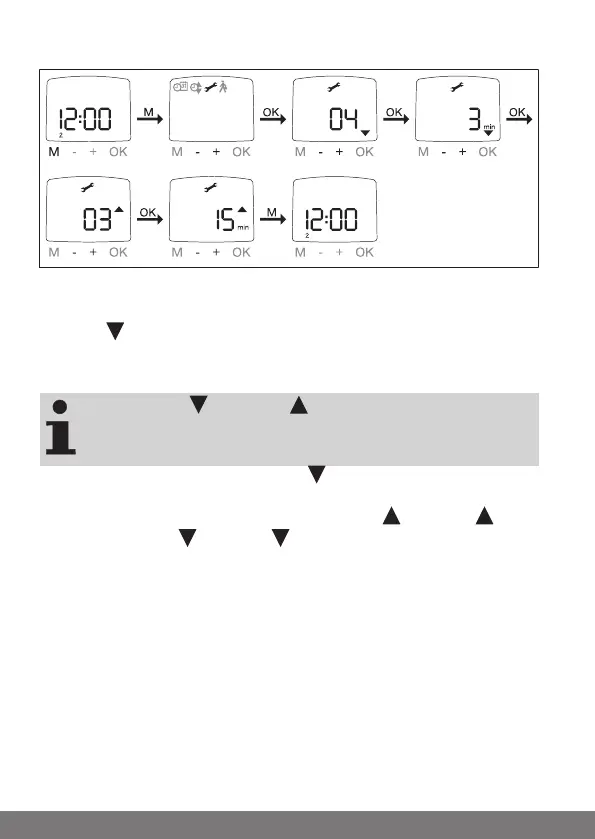
SETTING: SUN (DELAY)
SUN
DELAY
SETTING
DELAY
AUTO
SUN
AUTO
1. Press the MENU button.
2. To select the SETTING menu, press the + button until SETTING appears.
3. Confirm with OK
4. SUN appears.
5. You can adjust the sun value using the +/- buttons. (the two left digits on
the display indicate the current light value)
The DELAY and DELAY displayed in the interactive win-
dow only appear if EXPERT MODE is set to ON in the Function
menu.
6. Confirm your setting with OK. DELAY appears.
7. You can adjust the delay time using the +/- buttons.
8. Confirm your setting with OK. Proceed with SUN and DELAY as de-
scribed for SUN and DELAY .
9. The SUN/DELAY function is now set.
10. For details on further programming in the SETTING menu, please con-
tinue reading.
50-en



 To Next Page